EN-30 EXPLORER BALANCES
4.2 Parts Counting
Use this application to count samples of uniform weight. Three different modes can be selected:
Standard Counting, Check Counting, or Fill Counting.
4.2.1 Standard Parts Counting (default)
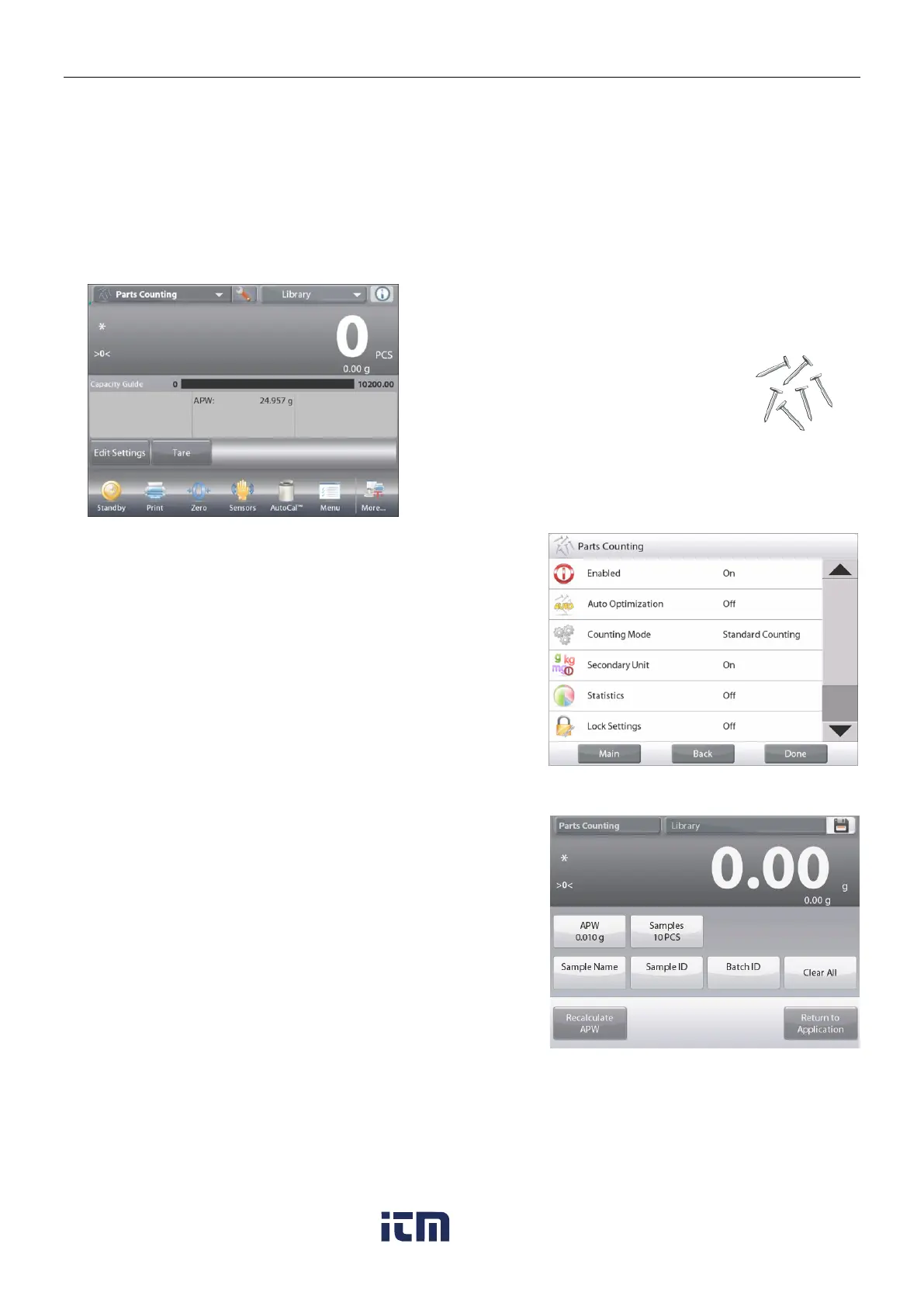
In the upper left portion of the home screen, select Counting.
The default (or last) Average Piece Weight (APW) is displayed.
Place objects on the pan to display the number of pieces.
Auto Optimization improves counting accuracy:
it re-calculates the piece weight automatically as
parts are added.
By default Auto Optimization is Off.
The Settings screen is now displayed.
Settings available: APW, Sample Size, Sample Name,
Sample ID, Batch ID, Clear All.
Note: please refer to section 4.1.1 for details about setting
Sample Name, Sample ID, Batch ID and Clear All.
Functions available:
Recalculate APW,
Return to Application
Establish an Average Piece Weight (APW)
Each time a new type of part is counted, the nominal weight of
one piece (Average Piece Weight or APW) must be established
using a small quantity of pieces. This APW is stored until
replaced by another APW.
There are two methods to establish the APW value:
1. The actual APW is known; or
2. The APW must be derived by weight. For this case the
current sample size will be used













 To Next Page