EN-80 EXPLORER BALANCES
4.12 Ingredient Costing (not available in semi-micro models)
This application allows the user to determine the cost of a formula or recipe based on the known cost and quantity
of the components or ingredients. Up to 99 components are allowed.
In the upper left portion of the home screen, select Ingredient Costing.
Follow the screen instructions to begin.
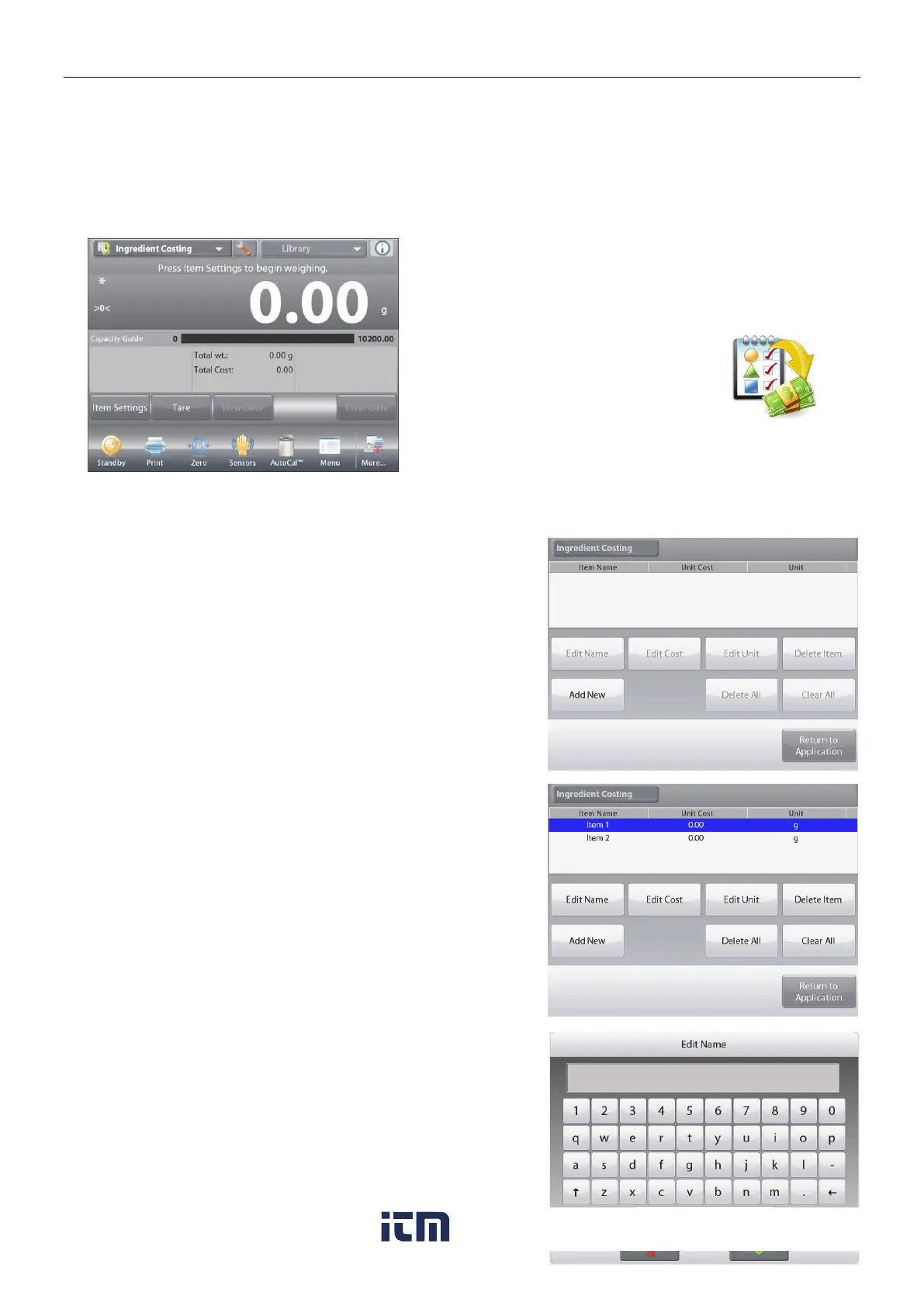
The INGREDIENT COSTING Home screen
Main Display Line
Second Display Line
Reference Fields
Application Buttons
Functions Application Icon
Press Item Settings to set up items in memory.
The Edit Settings Screen.
Settings available: Add New, Edit name, Edit Cost,
Edit Unit, Delete Item, Clear All
Functions Available:
Return to Application
To set up the item(s) in memory, Press Add New.
A new item is added (default Name) with default info
(cost per weight and weight unit).
To change the default item name, Press Edit Name.
The alpha-numeric entry screen appears.
Enter the new name, then press .
The display returns to the previous screen with the new value
highlighted momentarily.
w ww . . co m
information@itm.com1.800.561.8187













 To Next Page