EN-50 EXPLORER BALANCES
4.5.4 Dynamic Weighing – Automatic
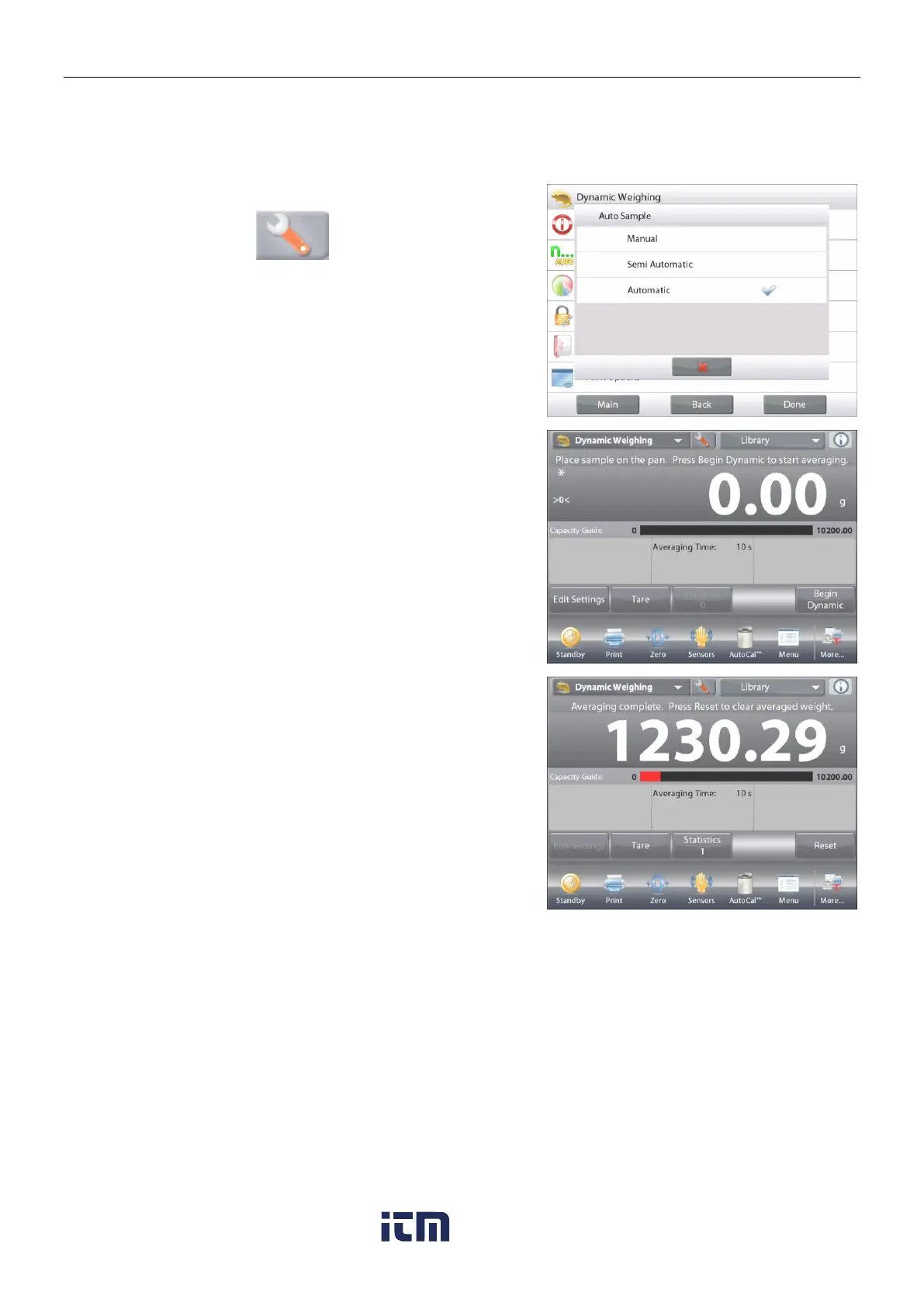
The cycle begins when an object (animal) is placed on the pan, and the held value is automatically reset
when the object is removed from the pan (10-second delay).
To enable this feature, enter the Dynamic Weighing Setup menu.
Press Auto Sample, and change the mode to Automatic.
The Dynamic – Automatic screen appears with the default
(or last) Averaging Time displayed.
Place objects on the pan to begin.
The cycle starts automatically.
After the cycle ends, remove the sample and the balance returns to
the Home screen automatically.
w ww . . co m
information@itm.com1.800.561.8187













 To Next Page