EN-102 EXPLORER BALANCES
5.4 User Management
Enter this menu to set user profiles and password policy.
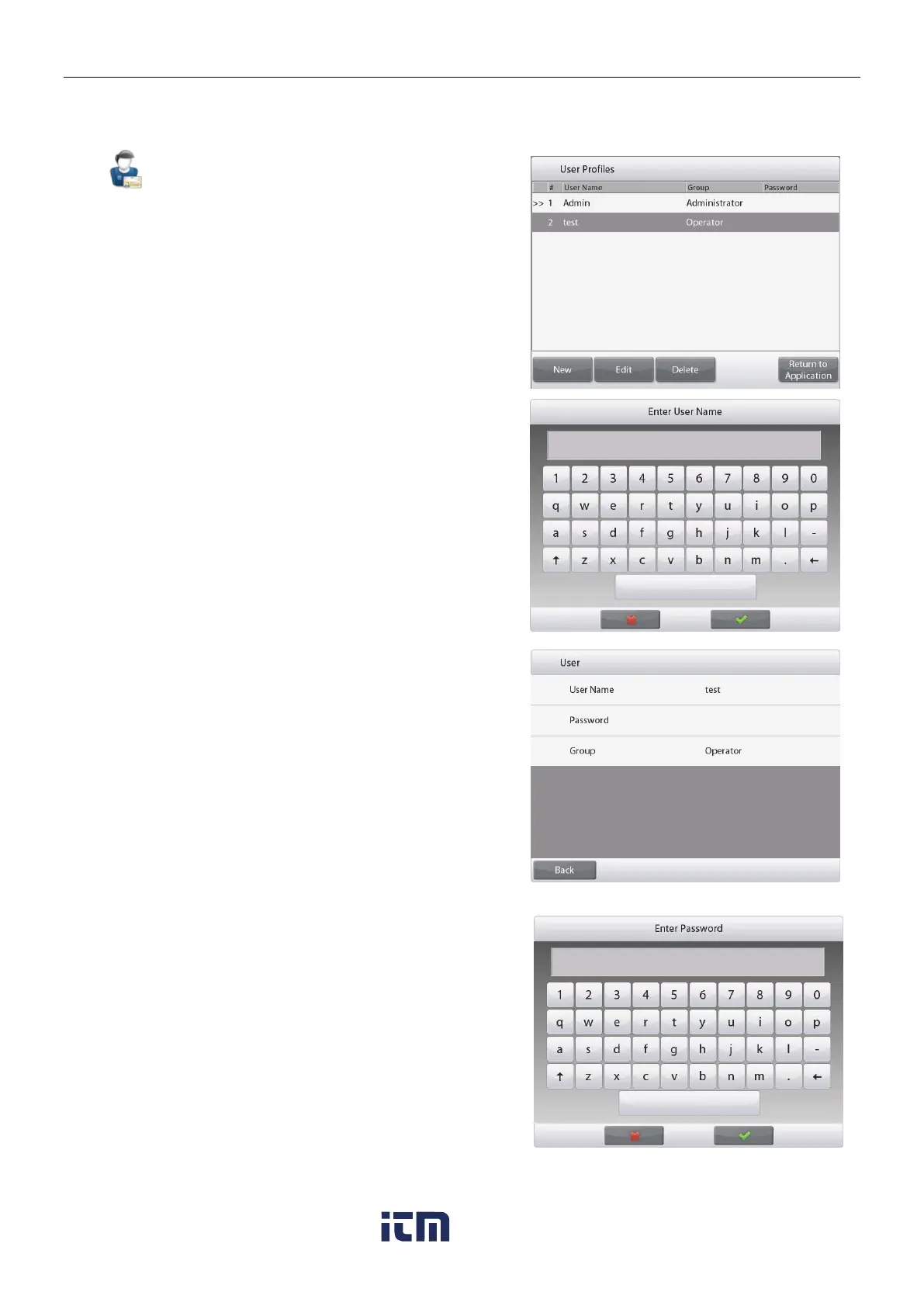
To create new users or edit or delete
the current users.
To add new user, press the New
button and insert a user name, and
then press .
To edit a user, select the user you
want to edit and press the Edit button.
You can change User Name,
Password and Group for each user.
To edit the password for the user,
press the Password button and input
a new password. After that press .
Password must contain 8~10 characters with
combination of letters and numbers.
w ww . . co m
information@itm.com1.800.561.8187













 To Next Page