EXPLORER BALANCES EN-25
4.1 Weighing
Note: Before using any application, be sure the balance has been leveled and calibrated.
Use this application to determine the weight of items in the selected unit of measure.
Note: The Explorer is shipped with all units enabled.
Weighing
1. In the upper left portion of the home screen, select Weighing (this application is the default).
2. Press Tare or Zero if necessary to begin.
3. Place objects on the pan to display the weight. When stable, the * appears.
4. The resulting value is displayed in the main Weighing Line in the active unit of measure.
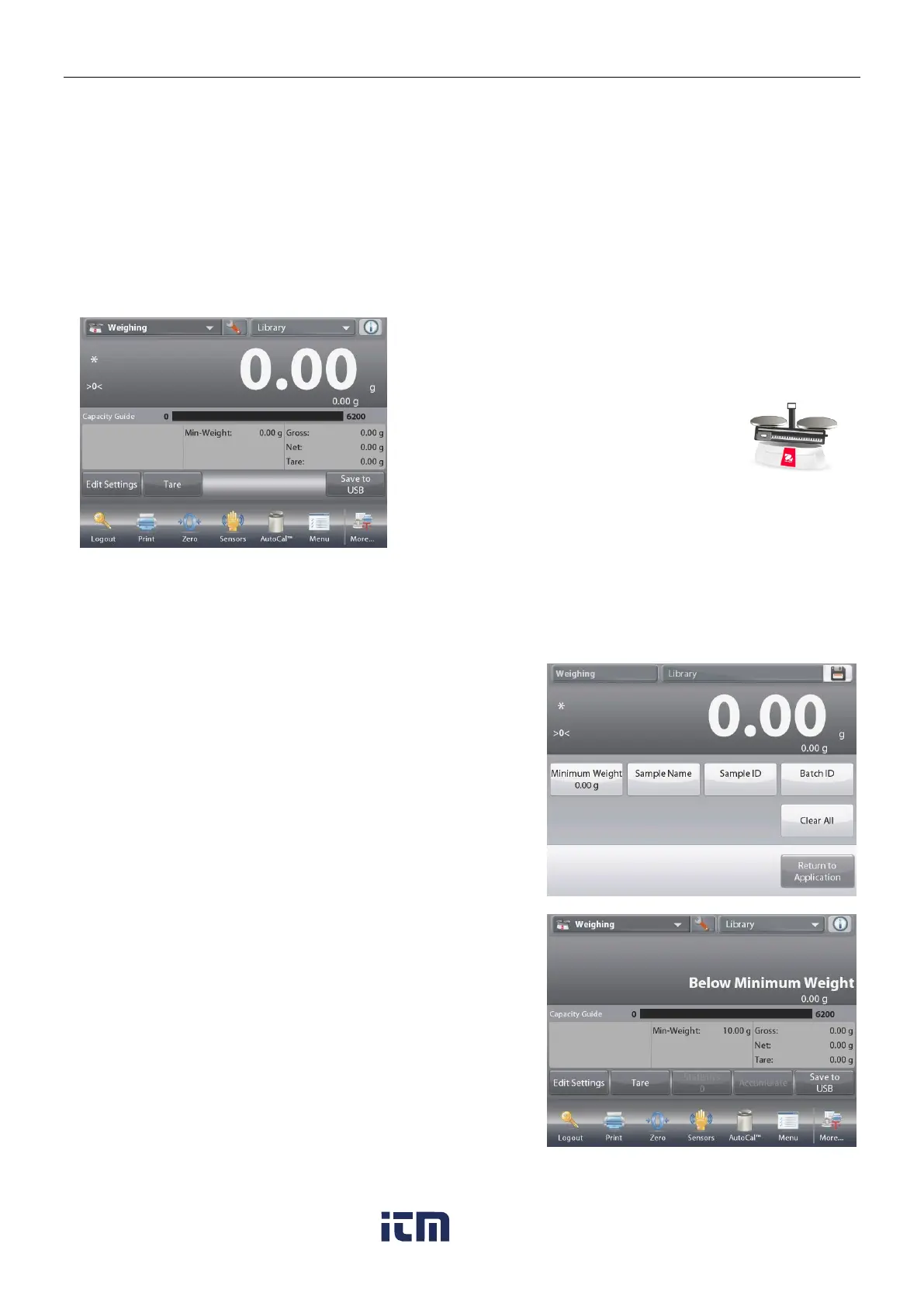
The WEIGHING Home screen
Main Display Line
Second Display Line (not shown)
Reference Fields
Application Buttons
Functions
To view or adjust the current settings
Touch the
Edit Settings
button. The Settings screen appears.
Minimum Weight: establish a minimum weight value to
be used to verify a reading.
Sample Name:
establish a name for your sample
Batch ID:
establish an ID for your sample batch.
Sample ID: establish an ID for your sample.
Clear All: clear all items in Edit Settings to default
settings.
To adjust the Minimum Weight value, touch the
Minimum Weight
button.
If an actual weight is below the established Minimum
Weight value, the screen will show Below Minimum
Weight.
w ww . . co m
information@itm.com1.800.561.8187













 To Next Page