EasyManua.ls Logo

OHAUS Explorer EX423N/E - Application Setup

OHAUS Explorer EX423N/E
164 pages
Print Icon
To Next Page IconTo Next Page
To Previous Page IconTo Previous Page
Loading...
EXPLORER BALANCES EN-33
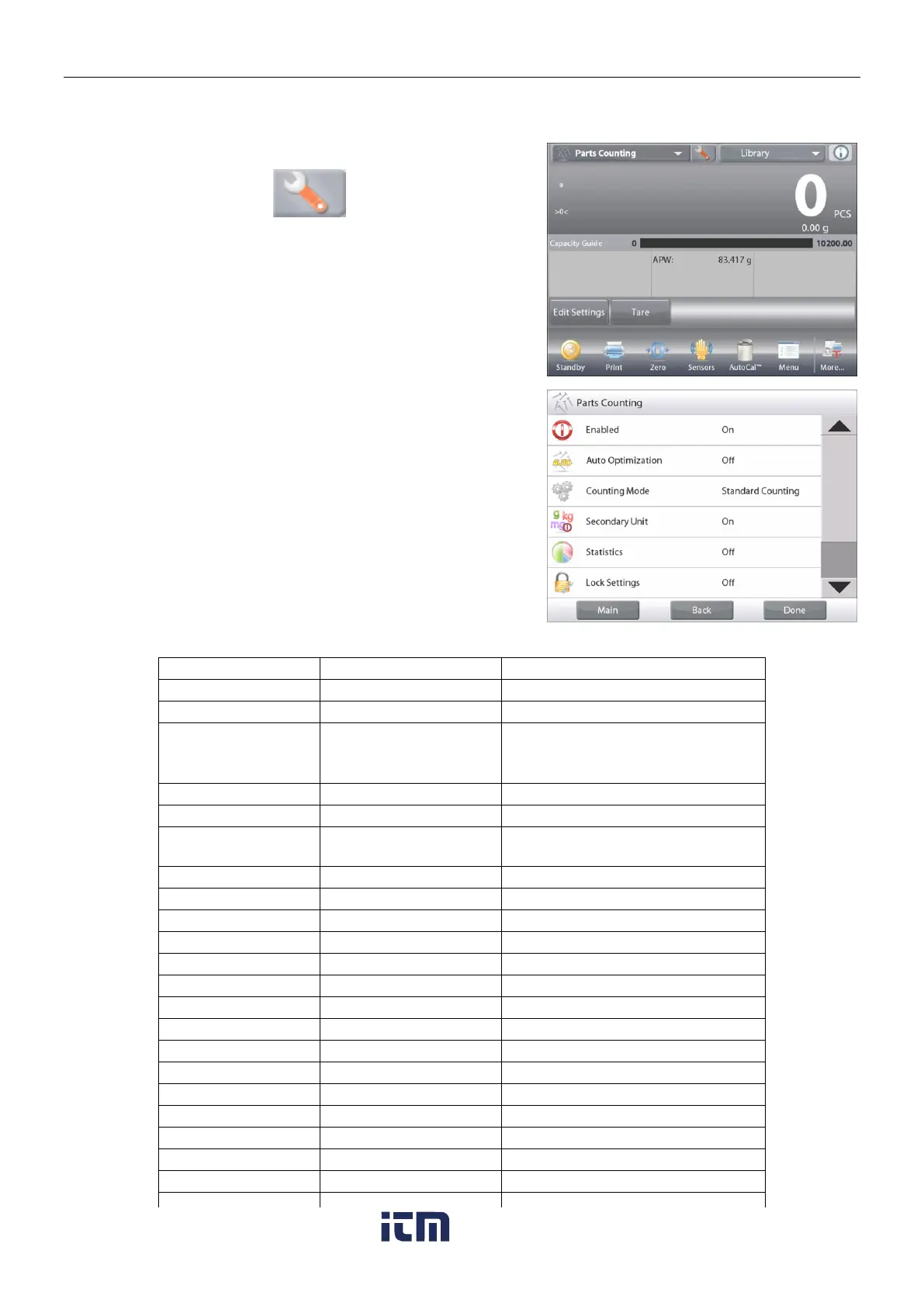
4.2.2 Application Setup
The Application can be customized for various user preferences.
Touch the
Setup Icon
(wrench) to enter
Application Setup
.
The Application Setup Menu appears.
Select the list item to view or change the setting as
desired.
To return to the Application home screen, touch
Done
.
The Counting Application Setups are below (defaults in Bold).
Item
Available Settings
Comments
Enabled
On, Off
Turns Application on/off
Auto Optimization
On, Off
Counting Mode
Standard Counting,
Check Counting,
Fill Counting
Select the Mode
Secondary Unit
On, Off
To show the Second Display line
Statistics
Off, Manual, Auto
Lock Settings
On, Off
Press to lock the current setting(s)
so they cannot be changed.
Reference fields
APW
On, Off
The APW is displayed
Gross
On, Off
Gross weight is displayed
Net
On, Off
Net weight is displayed
Tare
On, Off
Tare weight is displayed
Target
On, Off
Used for Check-Fill only
Difference
On, Off
Used for Check-Fill only
Over Limit
On, Off
Used for Check-Counting only
Under Limit
On, Off
Used for Check-Counting only
Print Options
See Printing Section.
APW
On, Off
Sample Size
On, Off
Target
On, Off
Used for Check-Fill only
Difference
On, Off
Used for Check-Fill only
Over Limit
On, Off
Used for Check-Counting only
Under Limit
On, Off
Used for Check-Counting only
w ww . . co m
information@itm.com1.800.561.8187

Table of Contents

Related product manuals