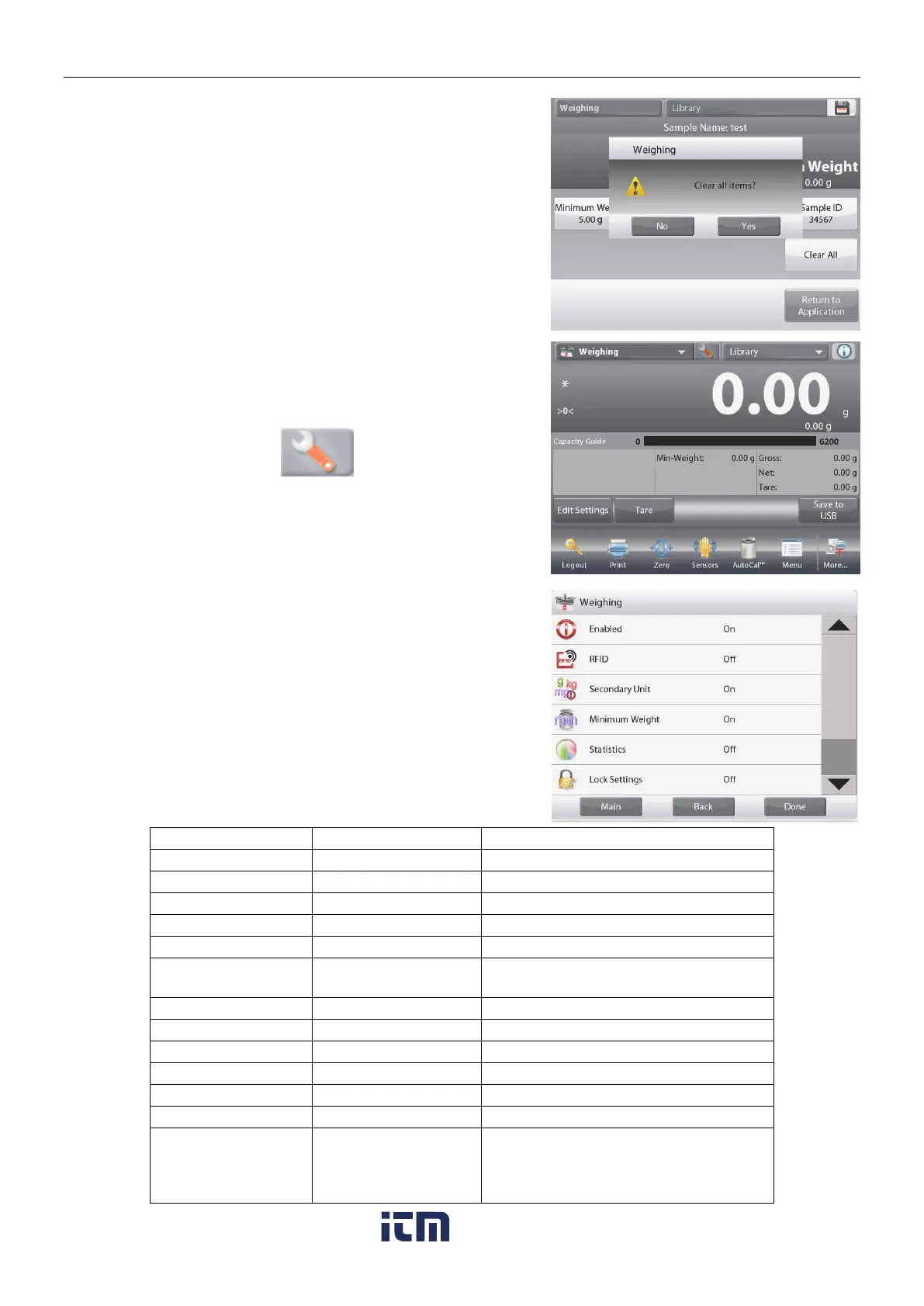
To clear the Minimum Weight, Sample Name, Batch
ID and Sample ID you set, touch the Clear All button.
Touch Yes to confirm.
4.1.2 Application Setup
The Application can be customized for various user preferences.
Touch the
Setup Icon
(wrench) to enter
Application Setup
.
The Application Setup Menu is now displayed.
Select the list item to view or change the setting as
desired.
To return to the Application home screen, touch Done.
The Weighing Application Setups are below (defaults in Bold)
To read RFID code to get sample name
To show the Second Display line
Press to lock the current setting(s) so
they cannot be changed.
Gross weight is displayed
On, Off, Below
Minimum Weight
Below Minimum Weight: both the
weight value and the text "Below
Minimum Weight" will be printed when
weight is below minimum.
Note: When RFID is turned on, the RS232 printing function will be disabled.
w ww . . co m
information@itm.com1.800.561.8187













 To Next Page