EN-86 EXPLORER BALANCES
4.13.2 Begin Pipette Adjustment Process
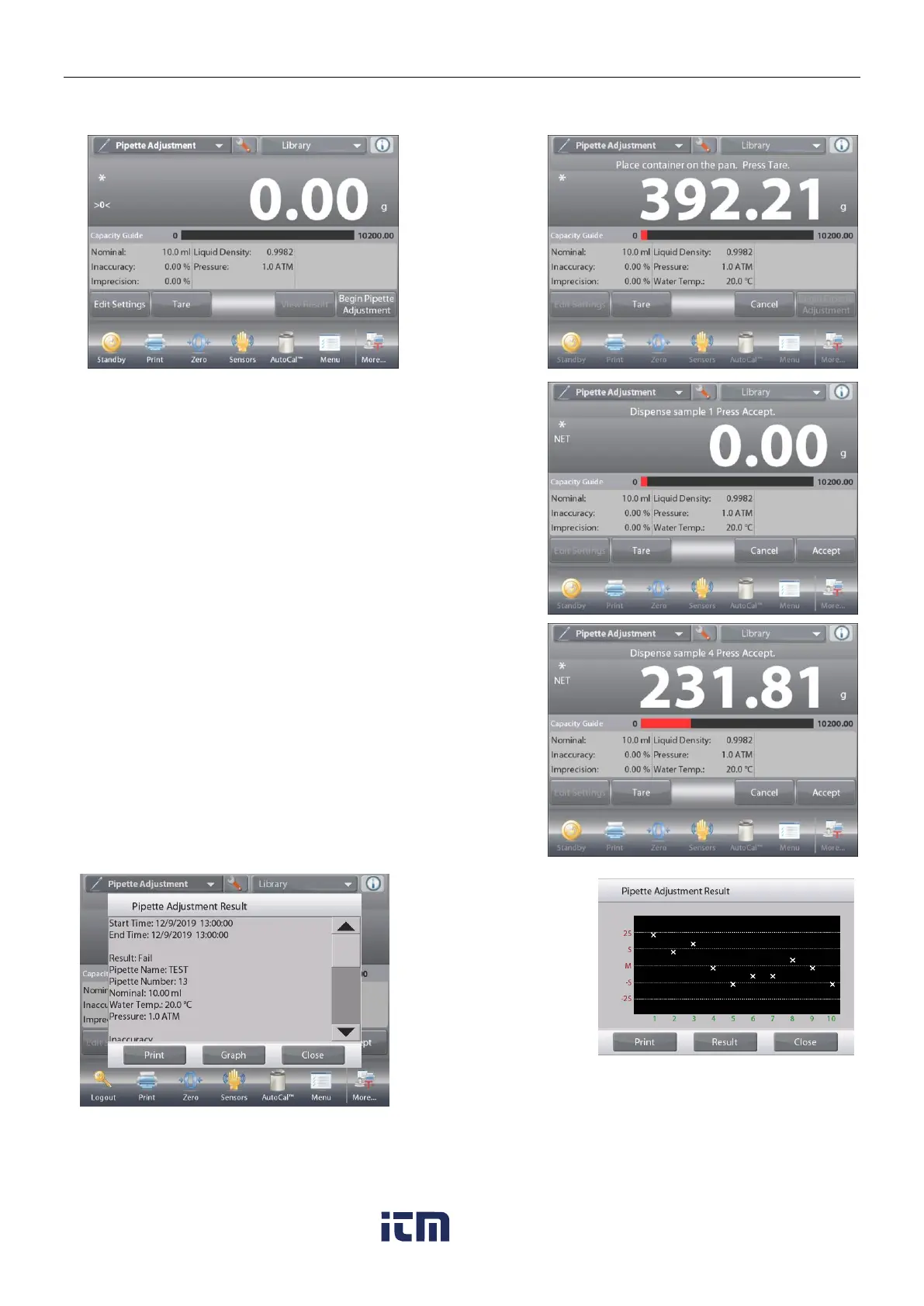
Touch
Begin Pipette
Adjustment.
Follow the
screen
instructions, to
Place container
on the pan.
Then Press
Tare.
Step 1 – Dispense the First Sample
Follow the screen instructions, then press
Accept
to store the
first sample weight (liquid).
Continue to follow the screen instructions by dispensing
samples and pressing Accept to store each sample weight
(liquid).
The default number of samples is 10.
It can be changed in Setup, from 2 to 30 samples.
Once all the sample
weights have been
dispensed,
the Results screen is
automatically
displayed.
Press
Graph
to see
results plotted. Press
Result
to return to the
result screen. Press
Close
to return to the
Pipette Adjustment
home screen.
Note: To view either the results or graph screens again from the home screen, press the View Result button.
To start a new Pipette Adjustment process, press Begin Pipette Adjustment.
w ww . . co m
information@itm.com1.800.561.8187













 To Next Page