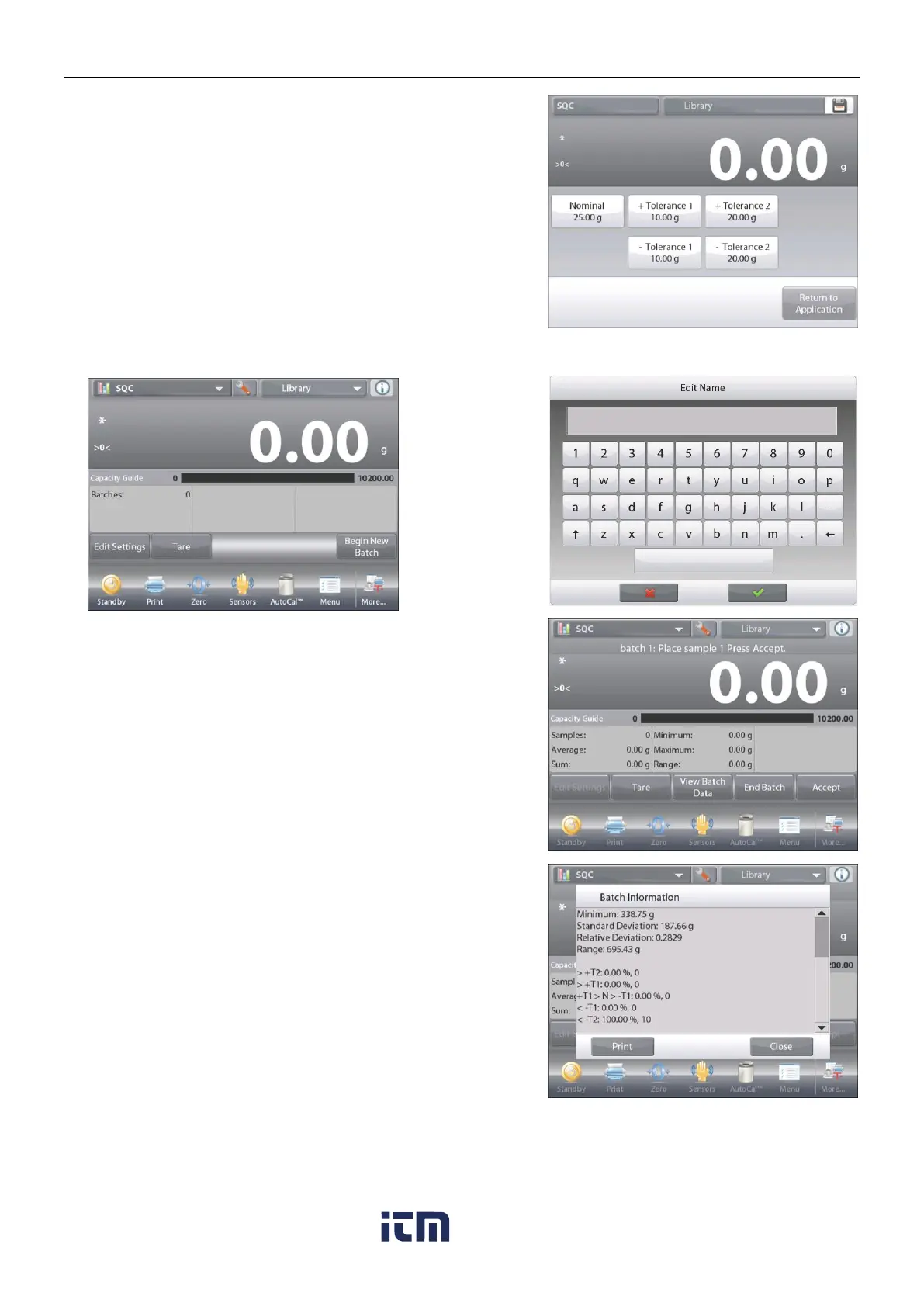
Continue to enter the required information following the above
procedure:
Positive Tolerance 1, via the +Tolerance 1 button.
Negative Tolerance 1, via the –Tolerance 1 button.
Positive Tolerance 2, via the +Tolerance 2 button.
Negative Tolerance 2, via the –Tolerance 2 button.
Tolerances can be in either weight (default) or percent –
See
Application Setup
, Section 4.14.3.
When finished, press Return to Application and the SQC home
screen appears.
4.14.2 Begin the SQC Process
Touch the
Begin
New Batch
button.
First Batch: the
screen prompts
for the Batch
name.
Enter the Batch
name, then
press .
The Process screen is then displayed.
Follow the screen instructions, then press Accept
to store the sample weight.
The current number of
Samples
, along with the
Average
,
Sum
,
Minimum
value,
Maximum
value, and
Range
are displayed.
Continue to follow the screen instructions by weighing samples
and pressing Accept to store each sample’s weight.
The sample size is 10 (default).
It can be changed in Setup from 2 to 130 pieces.
At any time, press
End Batch
to see the Individual results
screen, showing results for the current Batch.
Once all the samples have been weighed,
the
Results
screen appears automatically.
If the COM interface is enabled, press
Print
to send the results
either to a computer or a printer.
Press
Close
to return to the current Batch process.
A message offers the chance to save the batch, if desired.
w ww . . co m
information@itm.com1.800.561.8187













 To Next Page