EXPLORER BALANCES EN-71
4.10.3 Measuring the Density of a Buoyant Material Using Water
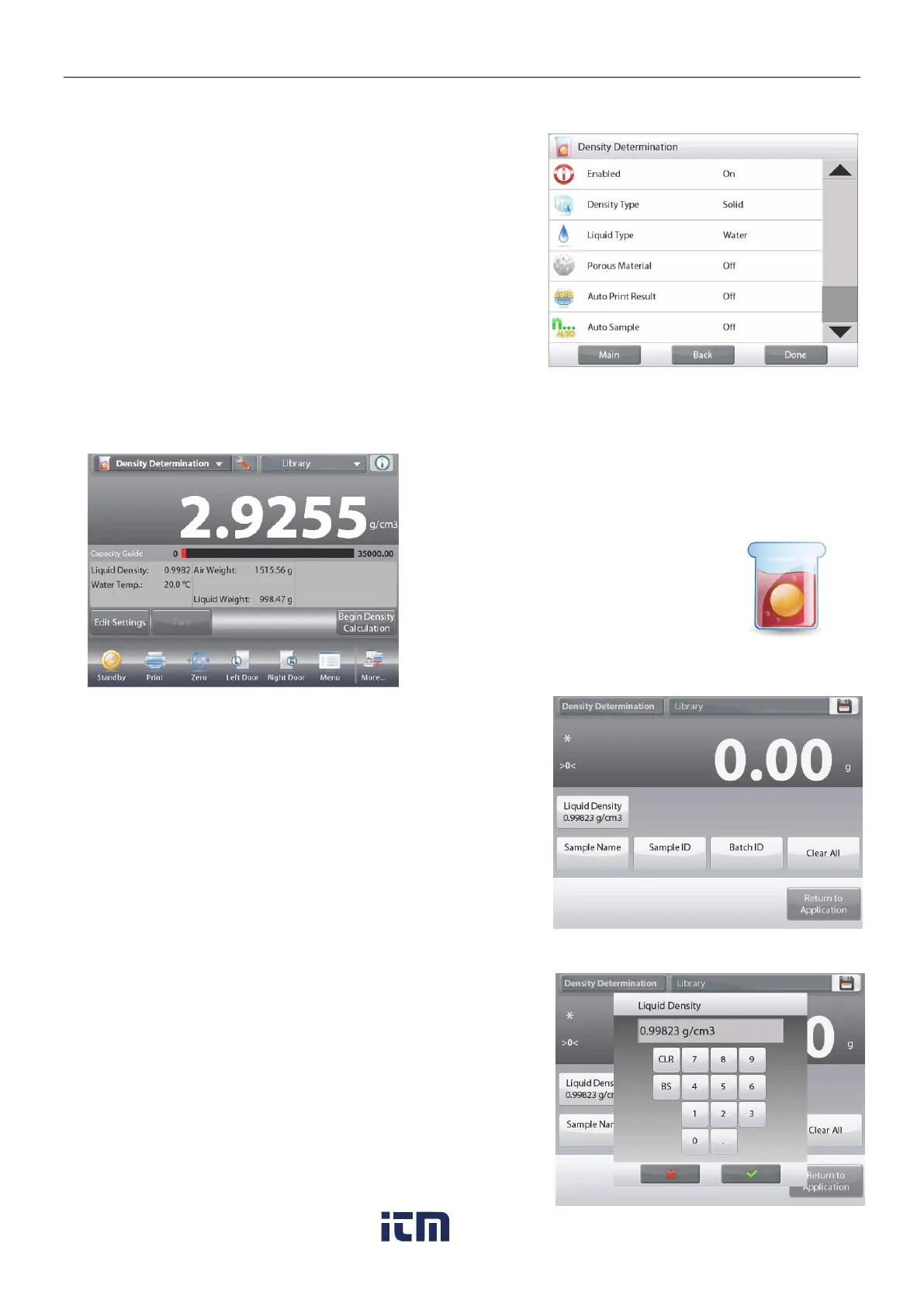
Press the Setup button (the wrench) to open Settings screen.
Confirm the following Setups are selected:
Density Type: Solid
Liquid Type: Water
Porous Material: Off
Press
Done
to return to the Density Determination home screen.
Follow the same procedure as Solid Material above, except in
Density Determination step 2, push the sample down into the
liquid until it is fully submerged.
4.10.4 Measuring the Density of a Solid Using an Auxiliary Liquid
To enable this feature, enter the Density Setup menu and select the following:
Density Type: Solid; Liquid Type: Other; Porous Material: Off. (See Application Setup.)
The DENSITY DETERMINATION – SOLID Home screen
Main Display Line
Second Display Line
Reference Fields
Application Buttons
Functions Application Icon
Confirm the default values displayed (Liquid Density, etc) are
correct.
To edit the default values, touch
Edit Settings
and the
application Settings screen appears.
Settings available:
Liquid Density, Sample Name, Sample
ID, Batch ID, Clear All.
Note: please refer to section 4.1.1 for details about setting
Sample Name, Sample ID, Batch ID and Clear All.
Functions Available:
Return to Application
To adjust the Liquid Density value, touch the Liquid Density
button.
Measure the actual liquid density of the Density setup and enter
it.
A numeric input window appears.
Key in the density in g/cm
3
, then press .
The display returns to the previous screen with the
new value highlighted.
w ww . . co m
information@itm.com1.800.561.8187













 To Next Page