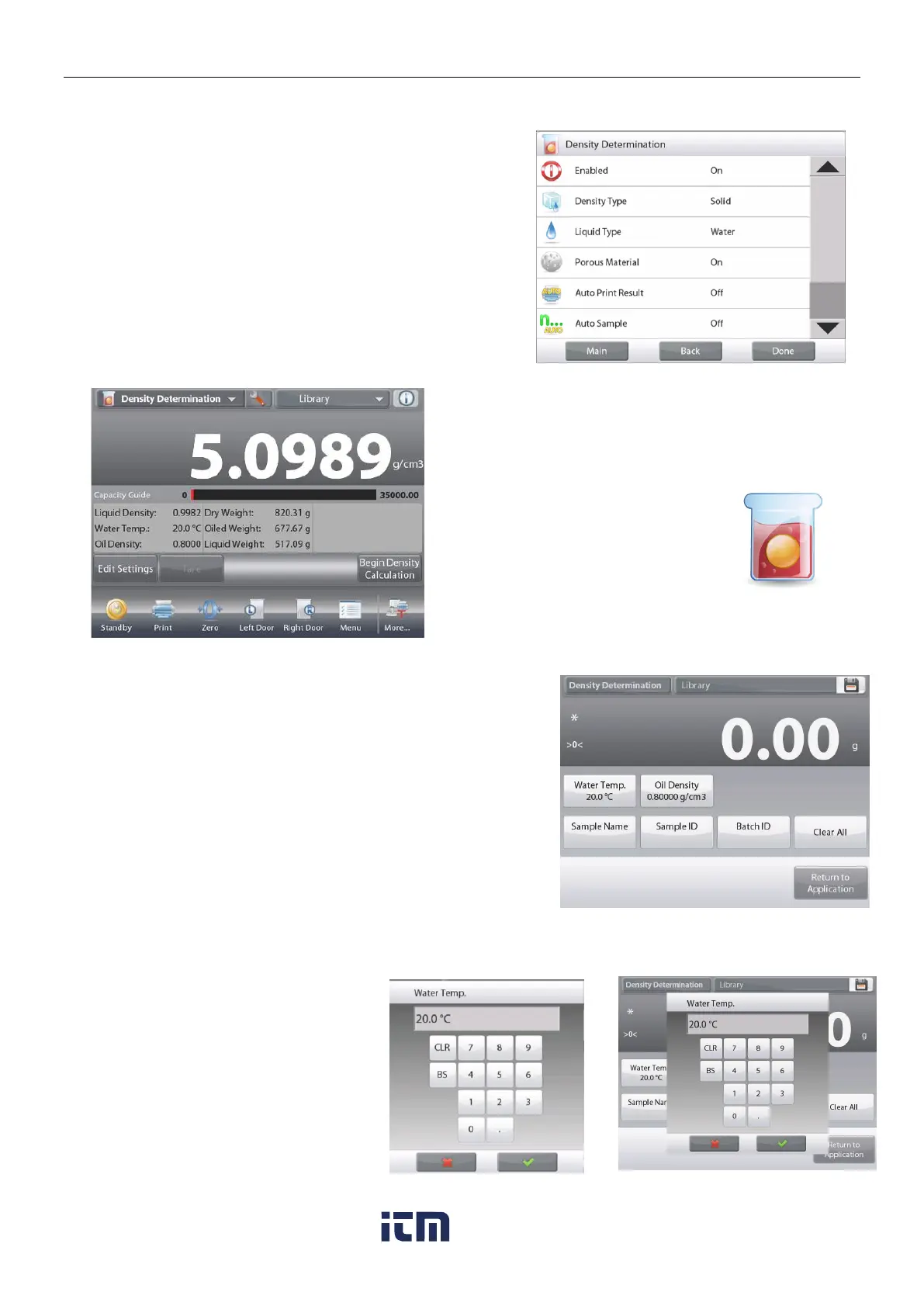
To enable this feature, enter the Density Determination
Setup menu, and set the following:
Density Type: Solid
Liquid Type: Water
Porous Material: On
Confirm the default values displayed (Water Temp) are correct.
To edit the default values, touch
Edit settings
.
The Settings screen appears.
Settings available:
Water Temp, Oil Density, Sample
Name, Sample ID, Batch ID, Clear All.
Note: please refer to section 4.1.1 for details about setting
Sample Name, Sample ID, Batch ID and Clear All.
Functions Available:
Return to Application
The balance calculates water density based on the water
temperature value entered (look-up table).
Measure the actual water temperature using a precision
thermometer.
To adjust the Water Temperature or Oil Density values,
touch the Water Temp or Oil Density button.
Numeric input windows appear.
Key in the desired value,
then press .
The display returns to the previous
screen with the new value highlighted.
To return to the Density Determination
home screen, touch
Return to Application.













 To Next Page