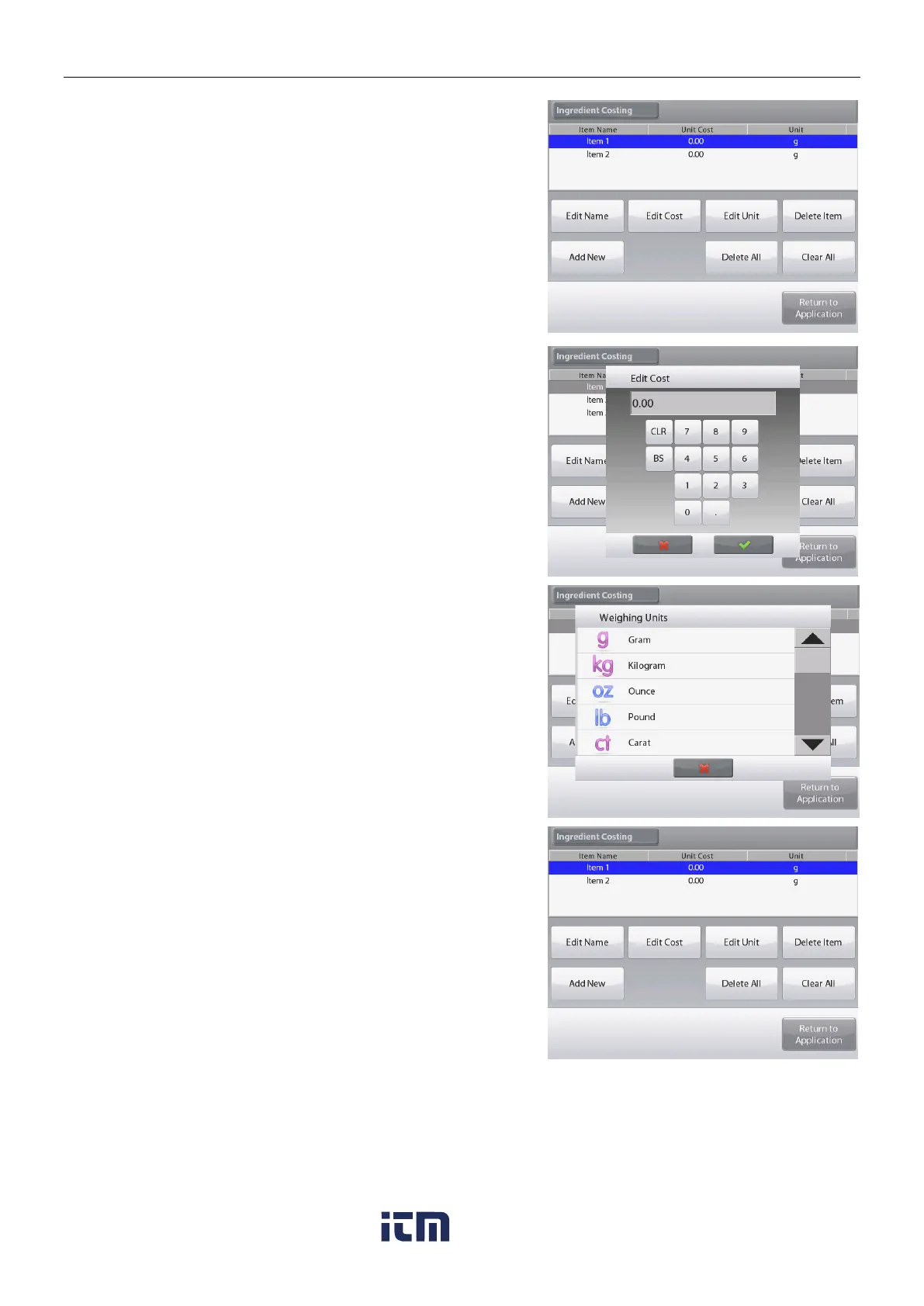
To change the default component cost per unit,
Press Edit Cost.
The numeric entry screen appears.
Enter the new weight, then press .
The display returns to the previous screen with the new value
highlighted momentarily.
To change the default component Unit, press Edit Unit.
The Weighing Units screen appears.
Continue adding items as required, using Add New.
New items can be added at any time.
To delete an item, touch the item to highlight it,
then press Delete Item.
To clear all items, press Clear All. A confirmation is required.
When finished, press
Return to Application
.
w ww . . co m
information@itm.com1.800.561.8187













 To Next Page