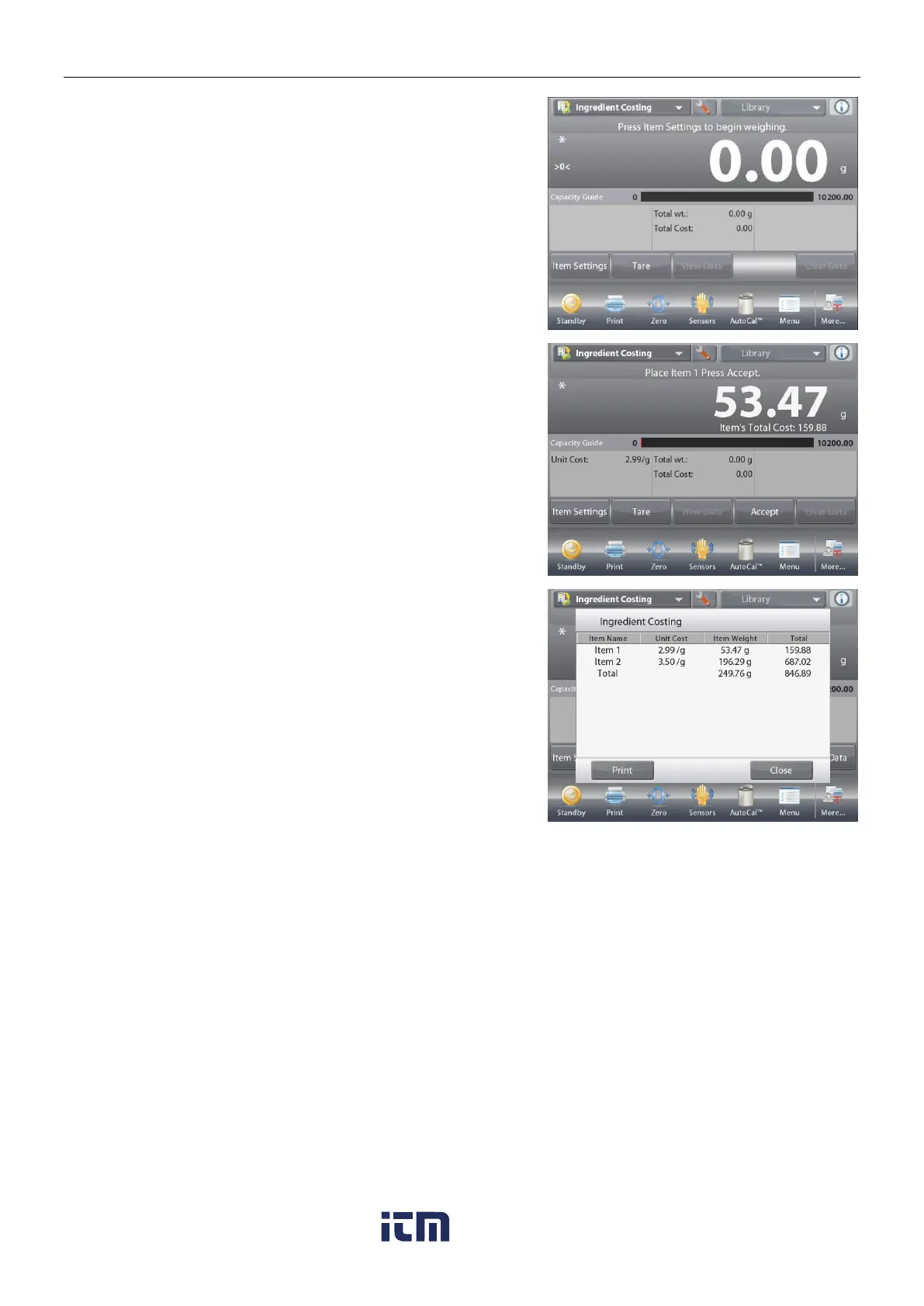
Once setup is complete and the application screen is displayed,
follow the screen instructions:
Add the first item then press Accept to store the value in
memory.
The weight of the item is recorded,
then the screen prompts for the next component.
Unit Cost
,
Total Weight
and
Total Cost
are also displayed.
Continue follow the screen instructions to add the items to the
pan and touch the Accept button until each item has been
weighed.
Press the View Data button at any time to show the current
results: (Item, Item Cost and Item Weight).
After the last item has been weighed, press View Data to see
the results.
(Cancel the current data set by pressing
Clear Data
.)
Ingredient Costing Results.
Press Print to send the data to the enabled COM port.
Press Close to close the results window and return to the
Application home screen.
w ww . . co m
information@itm.com1.800.561.8187













 To Next Page