EXPLORER BALANCES EN-37
Accumulating displayed values & Viewing data – Manual
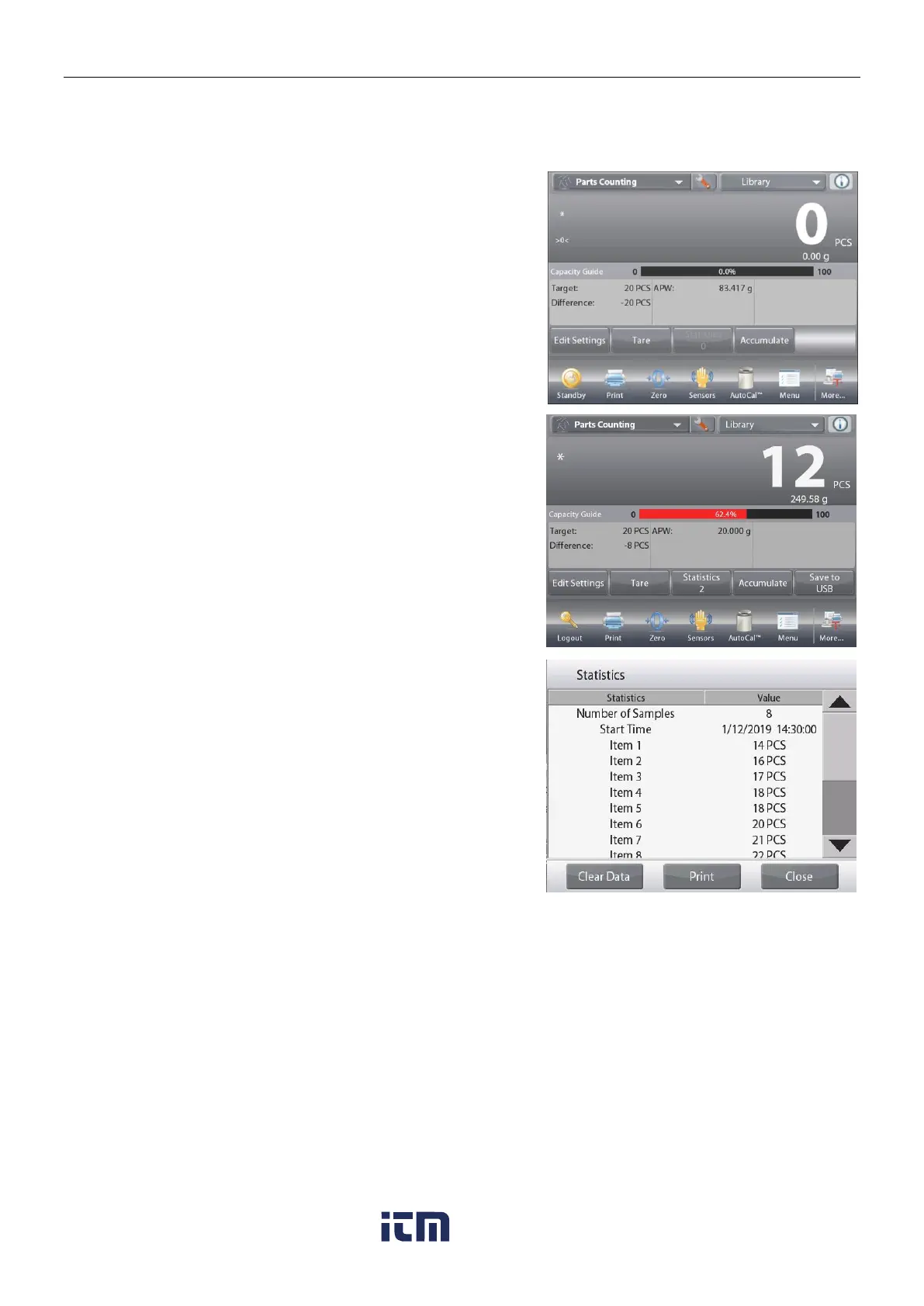
Once Statistics is enabled, two buttons appear on the Application screen:39
Statistics and Accumulate.
To add the sample to the data set, place the item on the pan and
press Accumulate.
When stable, the Statistics button lights briefly to show the item
is added to the set and the data set quantity increments by one.
Continue to add items and press Accumulate to build the
statistical data set
At any time, press the
Statistics
button to view the results.
The Statistics Results screen
Press Print to send to the enabled COM port
Press Close to return to the Application home screen with
the current statistics set or
Press
Clear Data
to clear the results and return to the
Application home screen.
Statistics – Automatic
Statistics Automatic mode is similar to manual mode (above) except the first stable weight is automatically
captured. Thus the Accumulate button is not used.
w ww . . co m
information@itm.com1.800.561.8187













 To Next Page