Connect+® Series Operator Guide
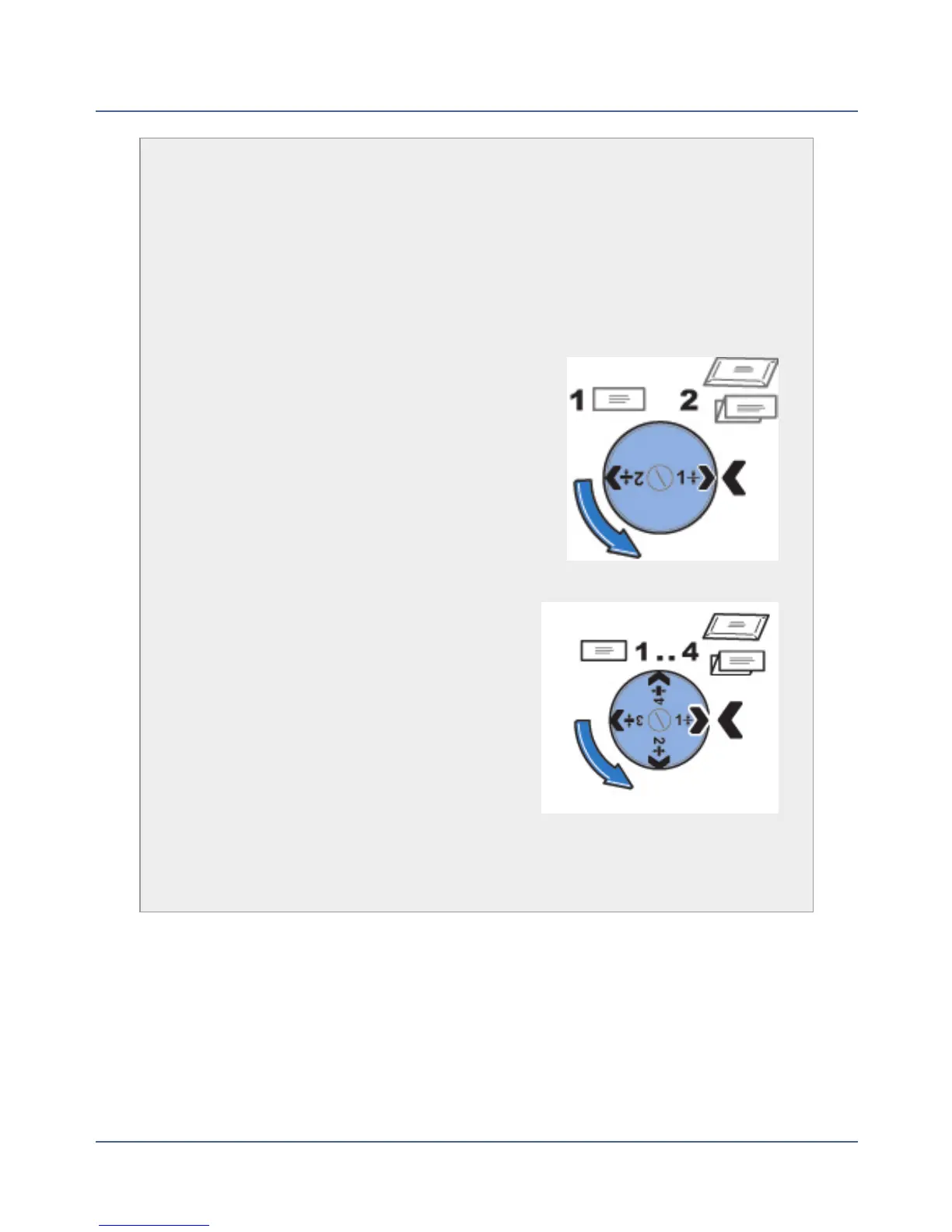
Thickness Adjustment Knob
The thickness adjustment knob is located beneath the feeder cover. Turn
this knob to adjust for the thickness of the envelopes.
To set, turn the knob until the arrow on the knob lines up with the arrow to the
right as shown below. The arrow on the knob snaps into position.
Connect+® 1000 and Connect+® 2000 Systems
l
Setting 1: Use this setting for postcards mail
pieces that are 0.007 inches (0.18 mm) to
0.375 inches (9.52 mm) thick.
l
Setting 2: Use this setting for mail pieces that
are greater than 0.375 inches (9.52 mm) to the
maximum of 0.625 inches (15.9 mm) thick.
Connect+® 3000 Systems
l
Setting 1: Use this setting for postcards and
mail pieces that are less than 0.25 inches
(6.35 mm) thick.
l
Setting 2: Use this setting for mail pieces
that are greater than or equal 0.25 inches
(6.35 mm) thick, but less than 0.50 inches
(12.7 mm) thick.
l
Setting 3: Use this setting for mail pieces
that are greater than or equal to 0.50
inches (12.7 mm) thick, but less than 0.625
inches (15.9 mm) thick.
l
Setting 4: Use this setting for mail pieces that are greater than or equal to
0.50 inches (12.7 mm) thick, but less than 0.625 inches (15.9 mm) thick.
10
SV62250 Rev. G











 To Next Page