Chapter 3
How Markers are Added/Dropped
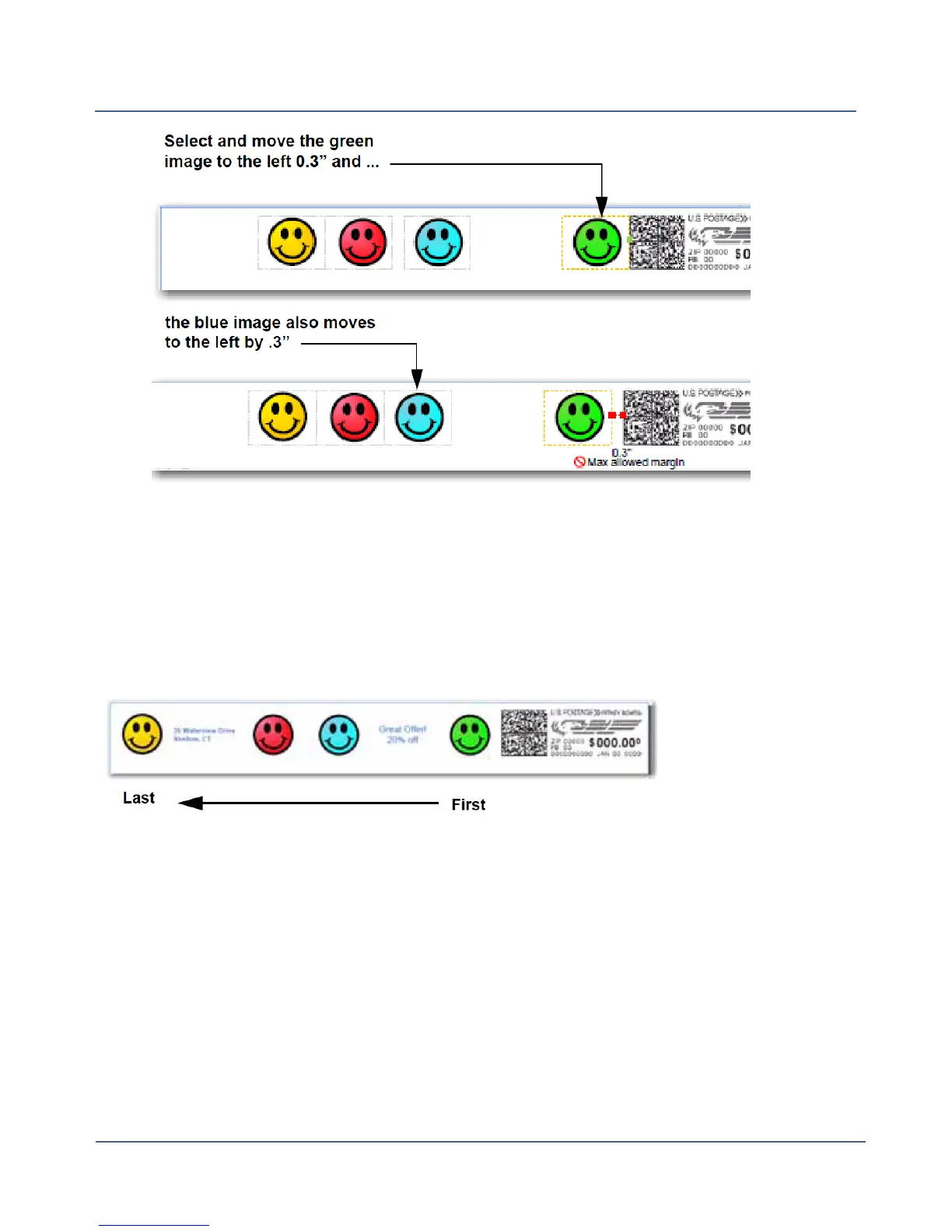
The diagram below shows the default order in which non-postal elements (graphic images,
text messages, return addresses) are dropped from the Transpromotional zone if the envel-
ope size changes during a WOW mail runand an element(s) will not fit. The postal elements
are restored in the reverse order.
You can specifiy which images or messages you do not want dropped. The default drop-
order will remain the same but the image or message you select will be skipped during the
drop. Refer to Changing the Image/Message Drop Order.
Notes on drop order:
l
When a right justified element is dropped, the other right justified images shift to the right.
The distance of the shift is equal to the size of the image plus its margin.
l
When a left justified element is dropped, the other left justified images do not shift or
change position.
75
SV62250 Rev. G











 To Next Page