Operating Basics
R&S
®
RTC1000
30User Manual 1335.7352.02 ─ 02
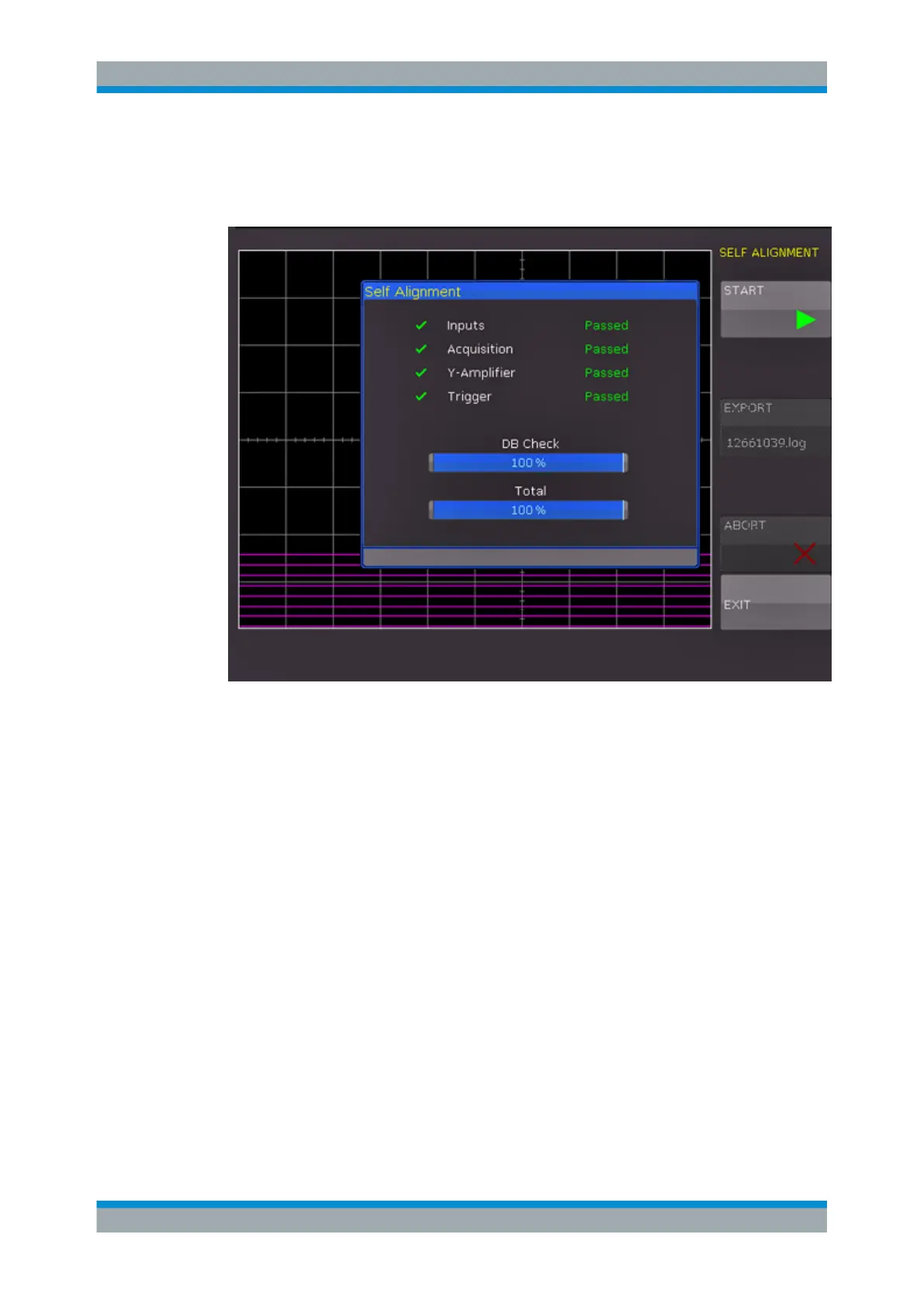
3. Press "START".
The procedure can take up to 16 minutes.
Figure 3-4: Self-alignment successful
If an error occurs during the self-alignment although it has been carried out as descri-
bed, export the .log file in the "SELF ALIGNMENT" menu and send it to customer-
support@rohde-schwarz.com. You can save the .log file to a USB flash drive.
3.8 Firmware Update
Your instrument is delivered with the latest firmware version. Firmware updates are
provided on the Internet at www.rohde-schwarz.com/firmware/rtc1000. Along with the
firmware file, you find the Release Notes describing the improvements and modifica-
tions.
Make sure to update the firmware if a new version is available.
1. Download the firmware installation file RTC1002.FWU to a USB flash drive.
2. Connect the USB flash drive to the USB connector at the front of the instrument.
3. Press the SETUP key.
4. Go to menu page 2/3.
Firmware Update



 To Next Page