SYNAX200 Set-Up Interfaces 10-1
DOK-SYNAX*-SY*-07VRS**-PR01-EN-P
10 Set-Up Interfaces
10.1 General Information
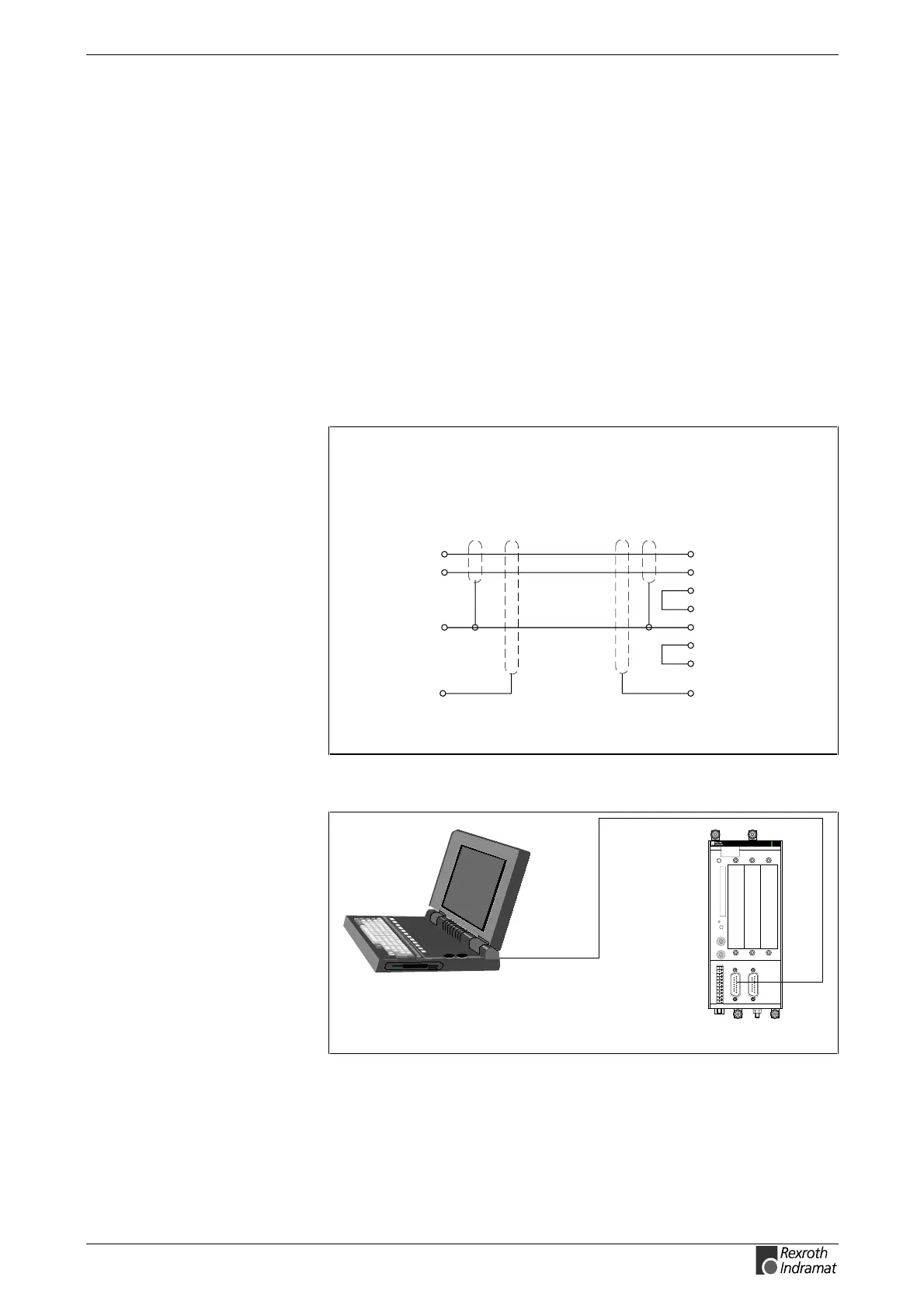
The PC set-up software SynTop is connected to the PPC by means of a
serial interface. This uses the PPC interface X10 or X16. The choice of
the interface can be made using a parameter. The interface X10 is
galvanic seperated and therefore it should be used preferably.
10.2 Connecting the PPC
Use the standard control cable IKB0005 to connect the PPC.
2
pin
3
7
signal
TxD
RxD
SGND
15 pin D-subminiature, connector
PPC (X10, X16) terminal / PC
2
pin signal
3
7
8
5
4
6
RxD
TxD
RTS
CTS
SGND
DTR
DSR
connector
housing
9-pin D-subminiature, bushing
SY7PR057.FH7
connector
housing
Fig. 10-1: IKB0005
RS232
SynTop
SY7PR058.FH7
PPC-R02.2
H1
PROG
X10
8888
RECO
Fig. 10-2: Connecting SynTop to the PPC



 To Next Page