8-6 Set-Up SYNAX200 Ring SYNAX200
DOK-SYNAX*-SY*-07VRS**-PR01-EN-P
Routing and Mounting
When routing and mounting the fibre-optics cables, please note that the
specific load data do not damage the fibre-optics cables.
The minimum bend radius may not be exceeded (e.g., when routing
around corners).
The maximum cross stress may not be exceeded (e.g., when routing
around corners). In cable channels, please note that the fibre-optics cable
is not subjected to excessive cross stress. This can be caused for
example by the weight of power cables.
Routing over sharp edges or pointy, uneven surfaces must be avoided.
Any cuts or mechanical damage could cause interference.
Avoid twisting the fibre-optics cable when routing. There may be no
tension in the final position of the fibre-optics cable.
8.3 Set-Up
Preparations
The correct connection of the fibre-optics cable should be checked before
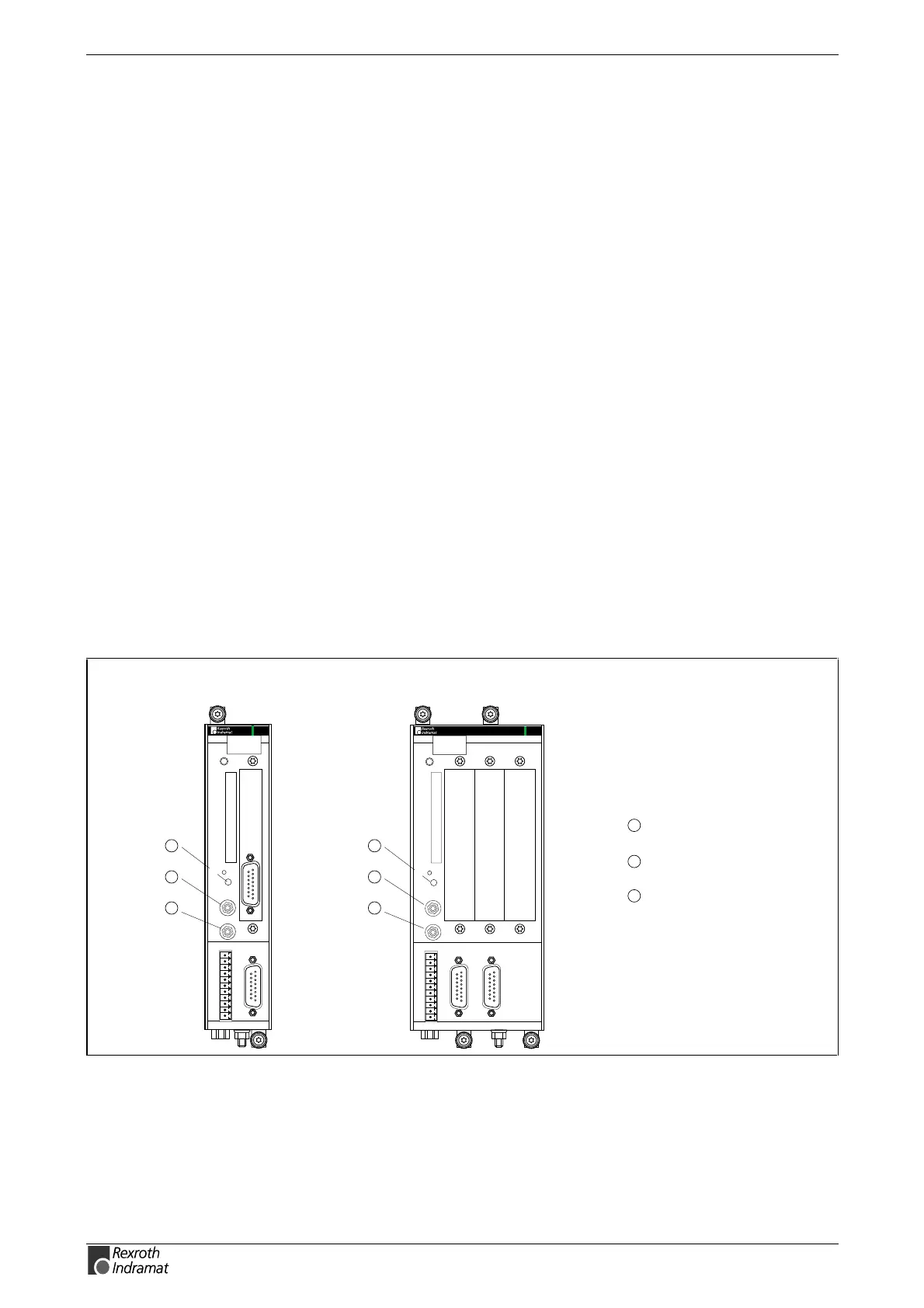
by hand. Is the transmiter output (TX) connected to a receiver input (RX)?
5
4
6
5
6
4
PPC-R02.2PPC-R01.2
6
5
4
Distortion display H2
for SERCOS interface
Fibre-optic emitter
for SERCOS interface
Fibre-optic receiver
for SERCOS interface
8888
PPC-R01.2
H1
PROG
U2
X1
I1
I3
I2
Q1
Q2
24V
e
0V
e
Bb
Bb
24V
0V
S1
RX
TX
U1
RESET
H2
DIST
COM
X16
S2
X10
PPC-R02.2
H1
PROG
U2
X10
X1
Q1
Q2
24V
e
0V
e
Bb
Bb
24V
0V
S1
RX
TX
U1
RESET
H2
DIST
COM
X16
U3 U4
8888
I1
I3
I2
S2
RECO
RECO
Fig. 8-12: Connections PPC
Bend radius
Cross stress
Do not twist fibre-optics cable



 To Next Page