Reference Manual
00809-0100-4026, Rev FA
July 2009
Rosemount 5400 Series
7-10
The Configuration Mode
Tab
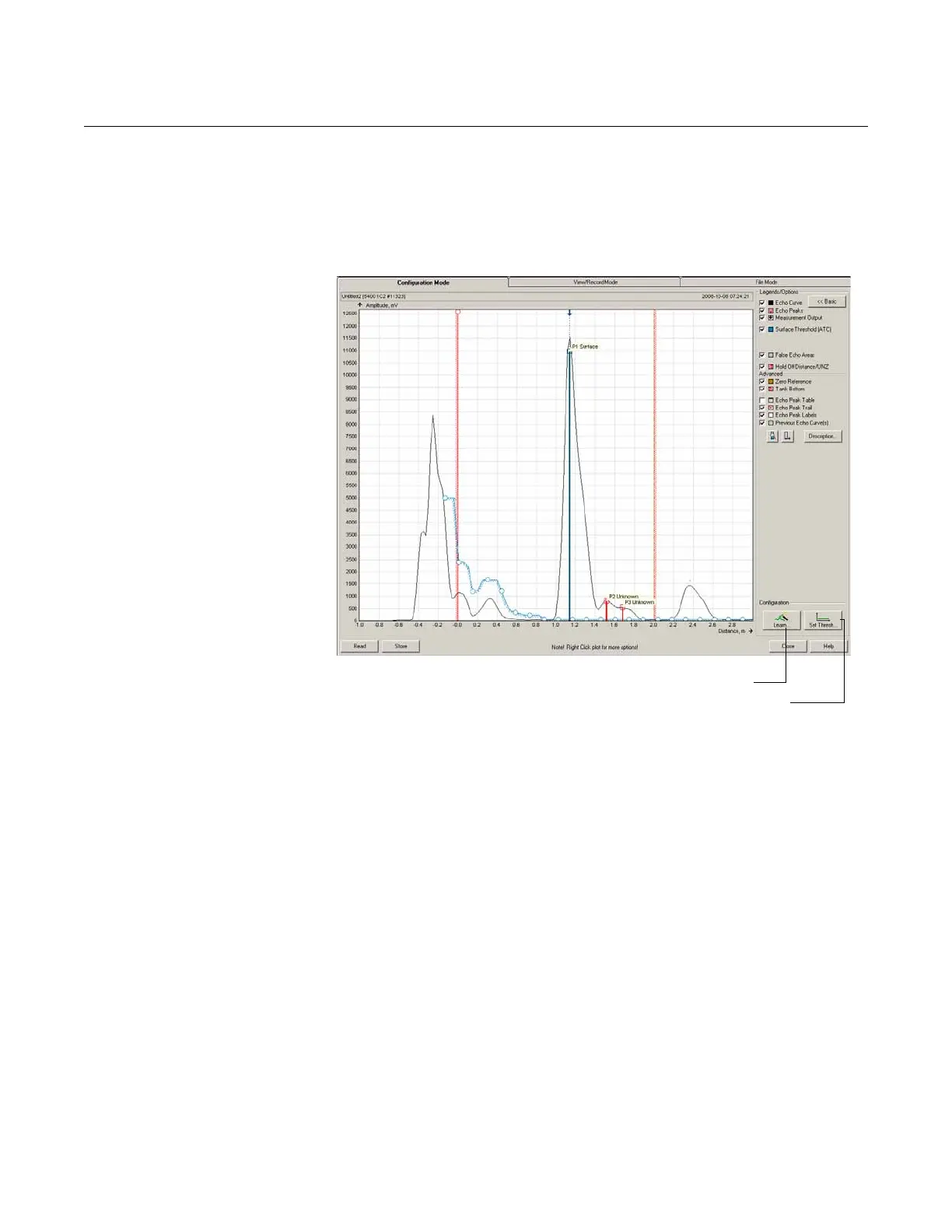
The Configuration Mode tab allows for adjustment of the different amplitude
thresholds. When clicking the Echo Curve icon under Device Config/Setup,
the Echo Curve Analyzer window appears with the Configuration Mode tab
selected:
Figure 7-8. Echo Curve Analyzer
plot in Configuration mode.
The Measure and Learn function in Rosemount Radar Master automatically
creates an Amplitude Threshold Curve (ATC) used by the 5400 transmitter to
find the surface pulse. The ATC is adapted to the shape of the measurement
signal as described in “Echo Tuning” on page 5-10.
To create an Amplitude Threshold Curve (ATC), click the Learn button in the
Echo Curve Analyzer/Configuration Mode window. By clicking the Learn
button, the Measure and Learn function is activated and creates an ATC that
filters out all disturbing echoes. The ATC can also be edited manually if further
fine tuning is needed.
The Configuration Mode window also allows the changing of the amplitude
thresholds manually, simply by dragging the corresponding anchoring points
in the plot to the desired positions.
Note that by changing the amplitude thresholds in the Echo Curve plot
manually, the Automatic mode is disabled for the corresponding threshold.
The Set Thresholds button sets the ATC to a fixed value based on the
configured Dielectric Constant of the product.
To register a false echo, right-click and select Register as false echo.
Set Threshold
Measure and Learn















 To Next Page