Reference Manual
00809-0100-4026, Rev FA
July 2009
5-15
Rosemount 5400 Series
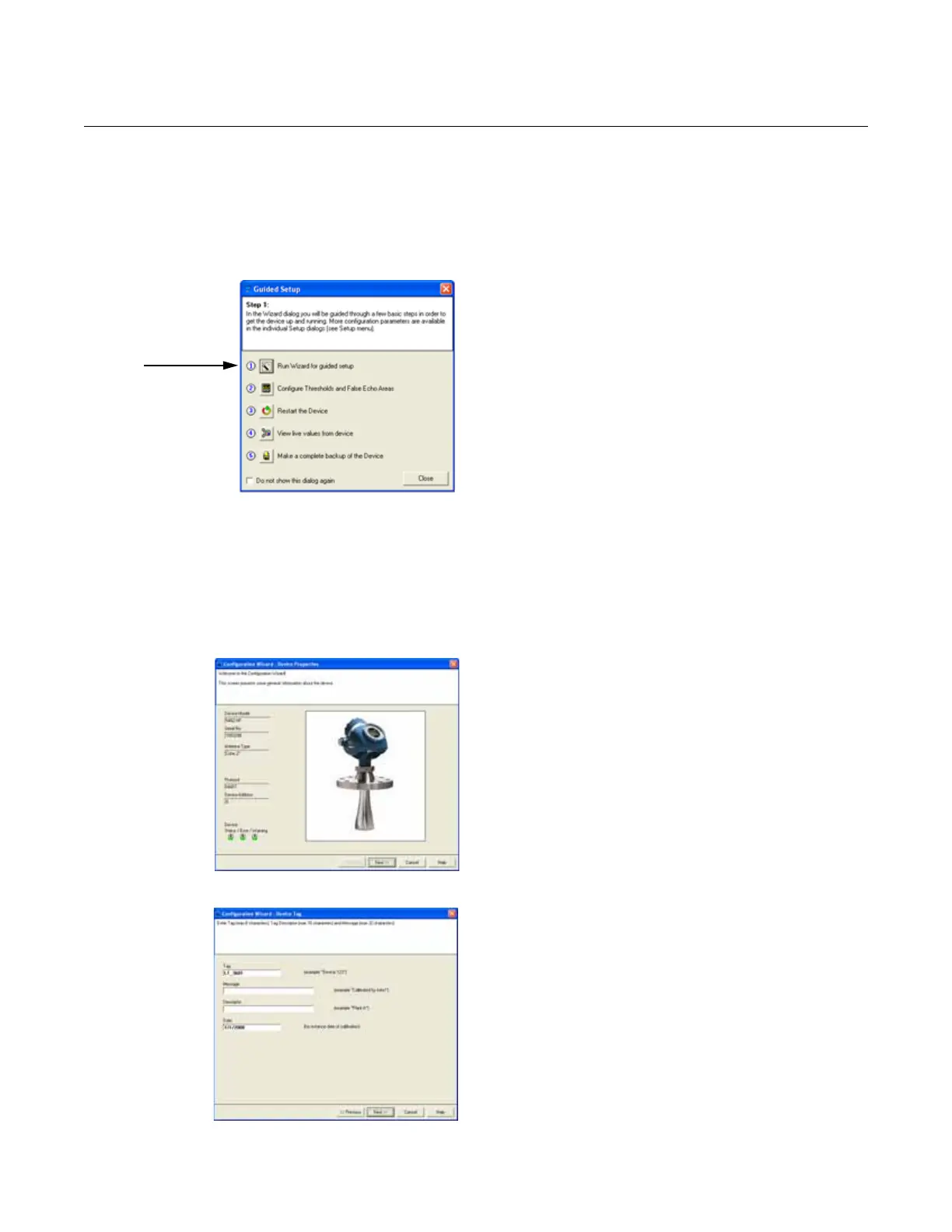
Guided Setup The following description tells how to use the RRM Guided Setup. The
corresponding HART commands (275/375 Handheld Communicator Fast Key
Sequence) are also shown. The Guided Setup is useful for those unfamiliar
with the 5400 transmitter.
Guided Setup and Configuration Wizard
1. Start the RRM program. RRM automatically
presents a list of available transmitters. Select
the desired transmitter. The transmitter is now
connected and the Guided Setup window
appears.
2. In the Guided Setup window , click the Run
Wizard... button and follow the instructions
through a short transmitter installation
procedure.
Note! The Guided Setup is an extended
installation guide including more than just the
configuration Wizard. It can be disabled by
deselecting the Open Guided Setup dialog
after Connect check-box in the Application
Preferences window (menu option
View > Application Preferences).
Device Properties
3. The first window in the configuration wizard
presents general information that is stored in
the transmitter database, such as device
model, serial number, antenna type,
communication protocol, and device address.
Verify that the information matches the
ordering information.
Device Information
4. The Tag, Message, Descriptor, and Date
information is entered in this window. This
information is not required for the operation of
the transmitter and may be left out, if desired.
HART command: [2, 2, 1].















 To Next Page