Reference Manual
00809-0100-4026, Rev FA
July 2009
Rosemount 5400 Series
5-16
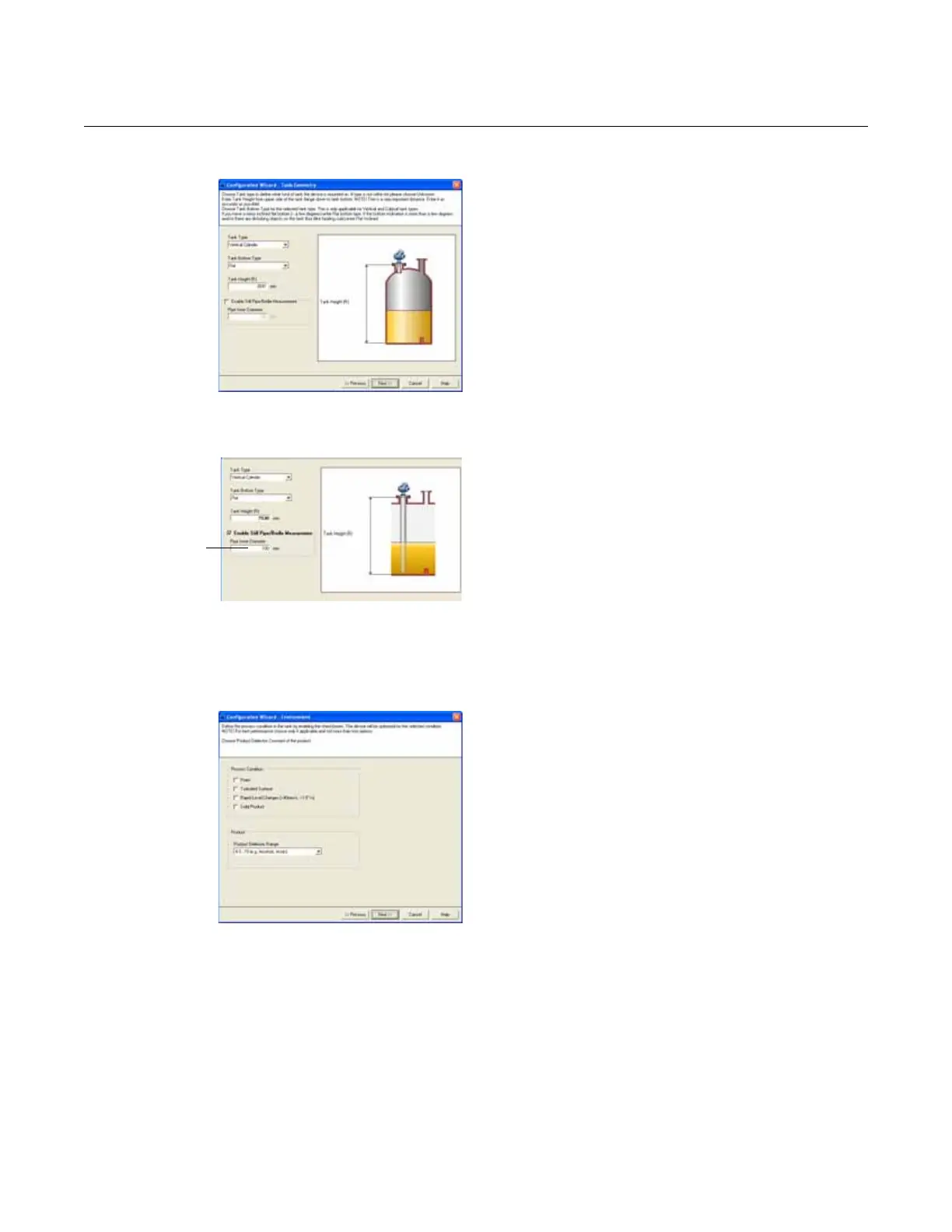
Tank Geometry
5. Choose the Tank Type corresponding to the
actual tank. If none of the available options
matches the tank, choose Unknown.
HART command: [2, 1, 2, 1].
Tank Bottom Type is important for the
measurement performance close to the tank
bottom.
HART command: [2, 1, 2, 2].
Tank Height is the distance from the Upper
Reference Point to the Lower Reference Point
(see “Tank Geometry” on page 5-3). This
number needs to be as accurate as possible.
HART command: [2, 1, 2, 3].
Select the Enable Still-Pipe/Bridle
Measurement check-box and enter the Pipe
Inner Diameter if the transmitter is mounted
on a Still-Pipe.
HART command: [2, 1, 2, 4] / [2, 1, 2, 5].
For more information, see “Tank Geometry”
on page 5-3.
Tank Environment
6. In the Process Condition box, select the
check-boxes that correspond to the conditions
of the tank. Select as few options as possible
and no more than two. See “Process
Conditions” on page 5-5 for more information.
The Dielectric Chart lists the dielectric
constants of a large number of products and
can be opened by selecting View > Dielectric
Constant Chart menu option.
Choose the Product Dielectric Range that
corresponds to the current product. If the
correct range value for this parameter is
unknown, or the contents in the tank are
continually changing, choose Unknown.
HART command: [2, 1, 3, 2].
Enter inner
diameter of
the pipe















 To Next Page