Reference Manual
00809-0100-4026, Rev FA
July 2009
7-27
Rosemount 5400 Series
Application Errors
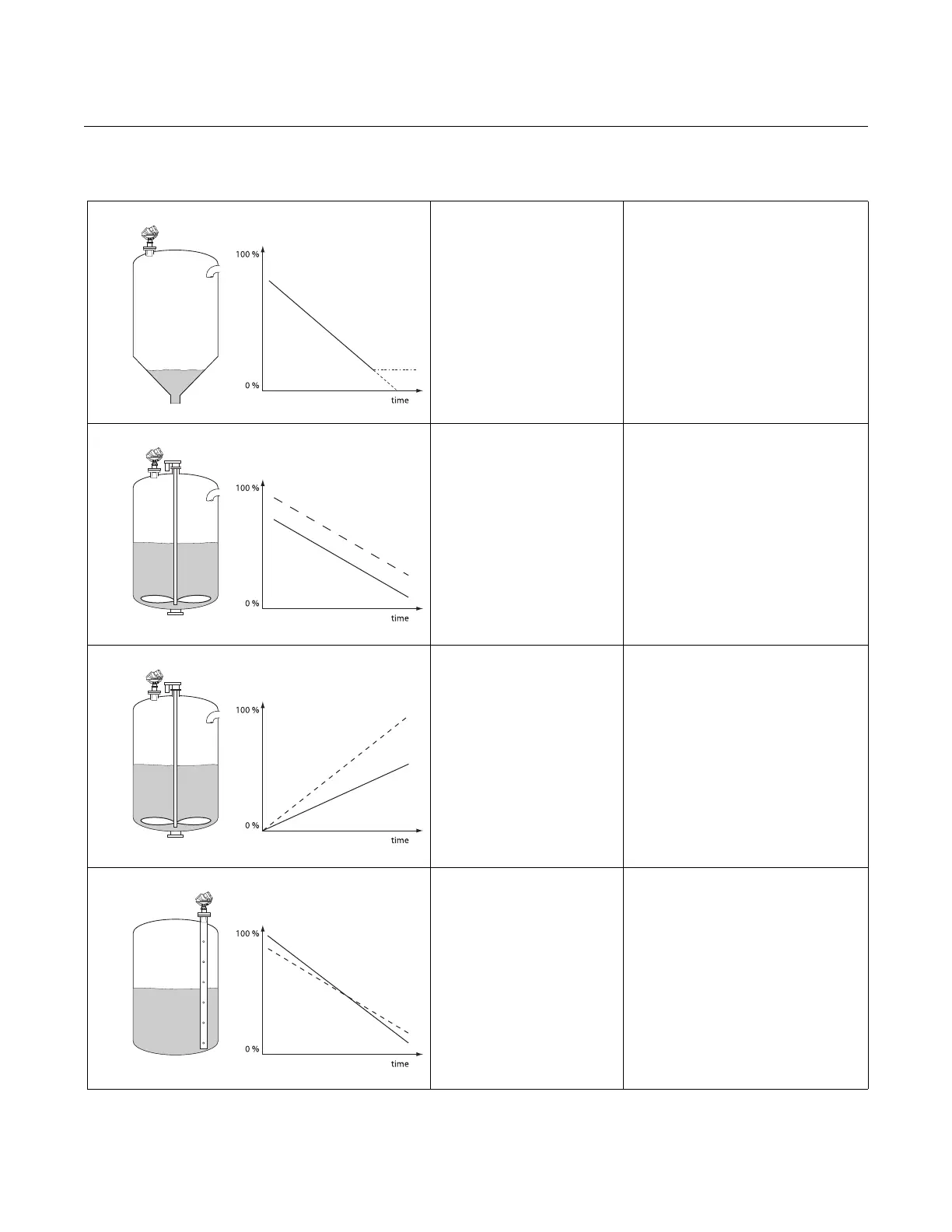
When product surface is near
the tank bottom, the transmitter
enters alarm mode (see “Alarm
Mode” on page 5-9).
May be caused by reduction of projected
surface area close to sloping tank bottom.
Action:
• Increase parameter Empty Tank
Detection Area if measurement in this
region is not crucial, see “Empty Tank
Detection Area” on page C-4 and C-8
• Make sure that the Bottom Echo
Visible parameter is not set, see
“Bottom Echo Visible” on page C-4
and C-7
Incorrect level. Action:
• Check Tank Height configuration
• For rapid level changes, check the
Damping Value. (See “Damping
Value” on page C-6)
Incorrect level. May be caused by wrong Range Value
settings.
Action:
• Check that the Upper Range Value
matches the 100 % level in the tank
Incorrect level when using a
pipe.
May be caused by an incorrectly
configured Pipe Inner Diameter.
Action:
• Check that the actual Pipe Inner
Diameter matches the configured
Inner Diameter















 To Next Page