Reference Manual
00809-0100-4026, Rev FA
July 2009
Rosemount 5400 Series
C-10
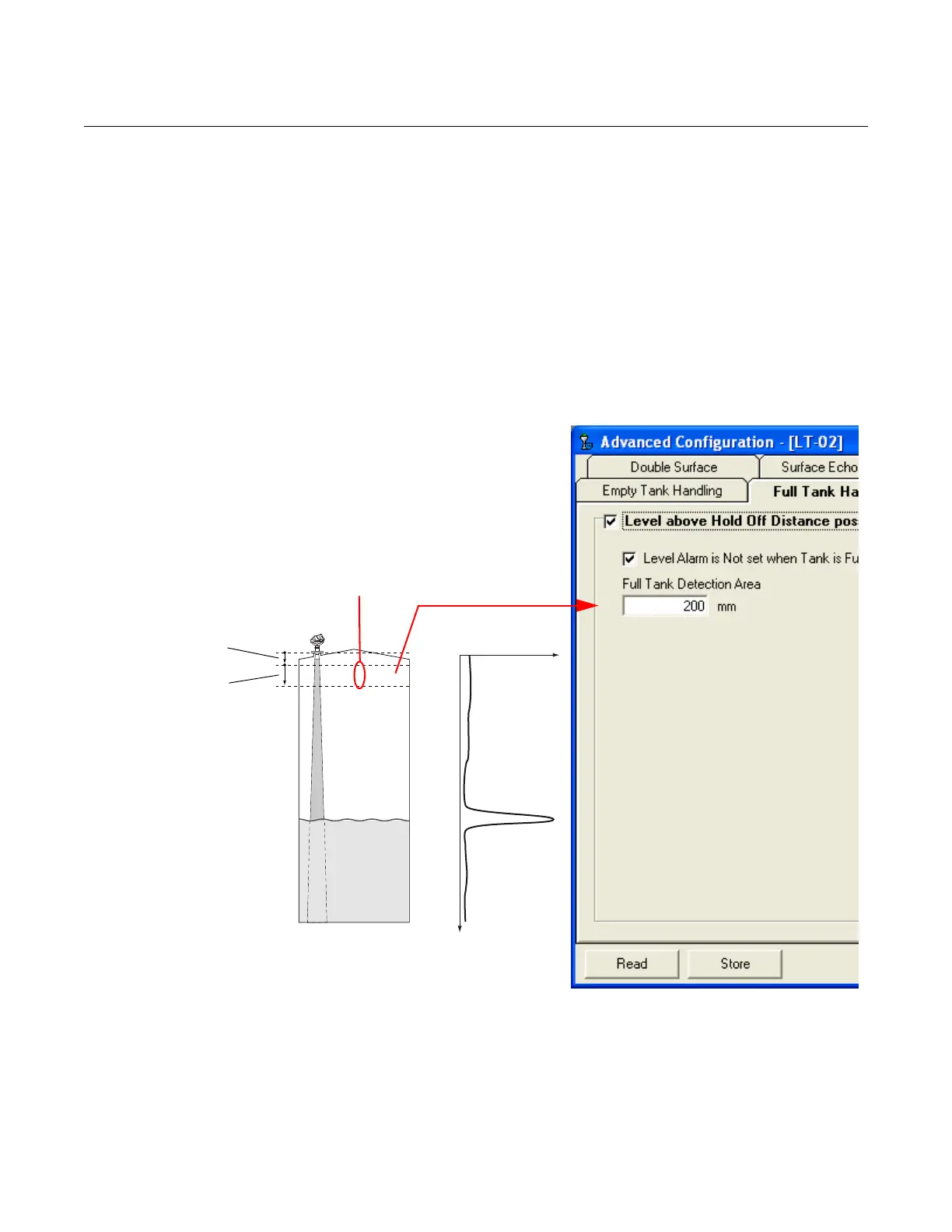
Full Tank Handling With the Full Tank Handling function product levels close to the antenna can
be reported as a Full Tank. Normally, measurements are not allowed closer
to the antenna than specified by the Hold Off Distance parameter. If the
product level enters the Hold Off Distance region, the transmitter reports
Measurement Error and starts searching for the surface.
By setting the Level above Hold Off Distance possible parameter, the
transmitter reports Full Tank when the product level enters the Hold Off
Distance region. Note that:
• The region where the tank is considered full is specified by the Full
Tank Detection Area
• The level alarm for Full Tank is normally disabled
Amplitude
Distance
If the product surface
is lost in this region
the transmitter
presents full tank.
Full Tank
Detection
Area
Hold Off
Distance















 To Next Page