Reference Manual
00809-0100-4026, Rev FA
July 2009
Rosemount 5400 Series
6-2
VIEWING
MEASUREMENT DATA
Using the Display Panel The Rosemount 5400 transmitter uses an optional Display Panel to present
measurement data. When the transmitter is switched on, the Display Panel
presents information such as transmitter model, measurement frequency,
software version, communication type (HART, FF), serial number, HART
identification tag, setting of write protection switch, and Analog Output
settings.
When the transmitter is operating, the Display Panel presents Level, Signal
Amplitude, Volume and other measurement data, depending on the Display
Panel configuration (see “Specifying Display Panel Variables” on page 6-3).
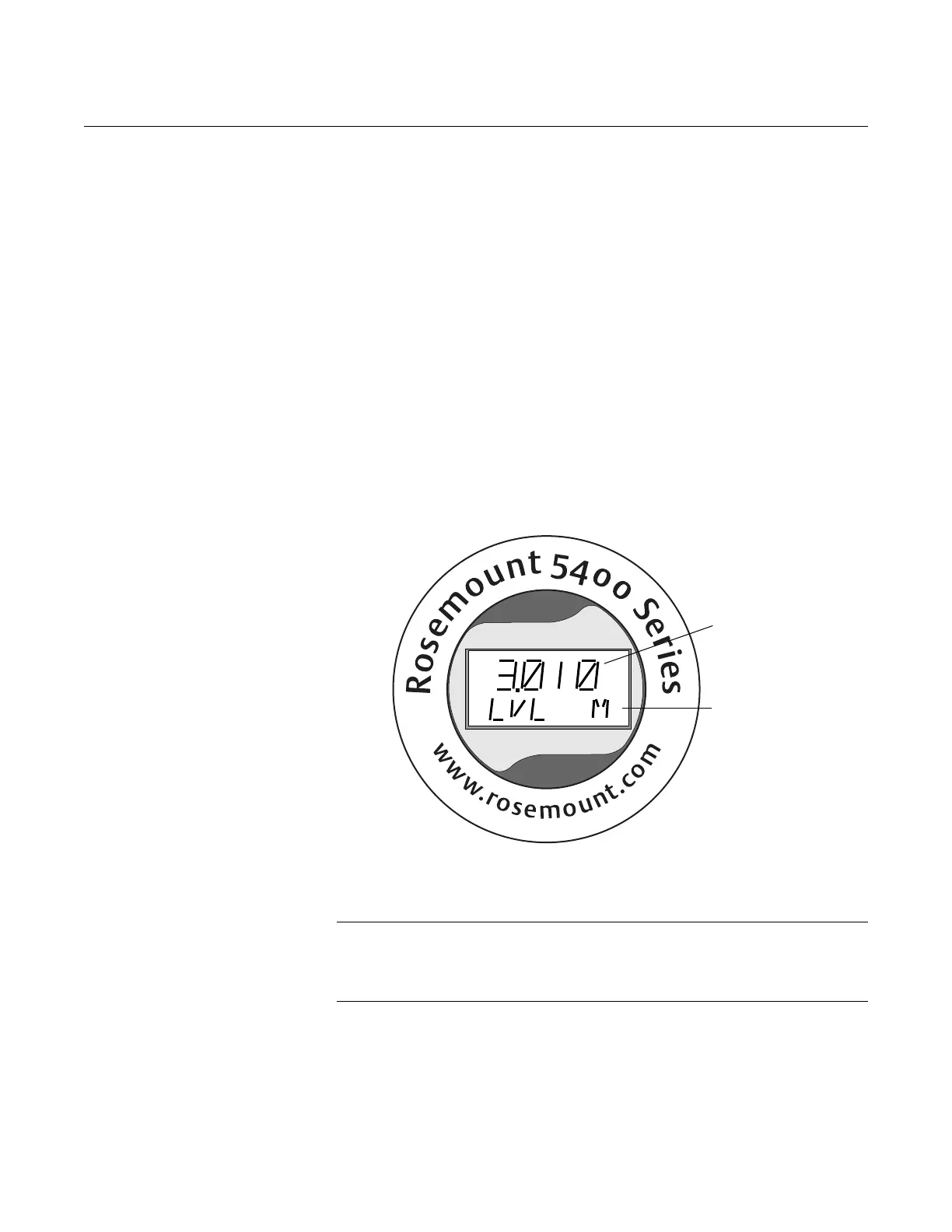
The display has two rows, with the upper row showing the measured value
and the bottom row showing the parameter name and measurement unit. The
display toggles between the different variables every 2 seconds. Variables
can be selected to be presented by using a 275/375 Handheld Communicator,
the AMS Suite, or the Rosemount Radar Master (RRM) software.
Figure 6-1. The 5400 Display
Panel.
Error messages are listed in sections “LCD Error Messages” on page 6-8 and
“LED Error Messages” on page 6-9.
NOTE!
A malfunctioning display panel may only be replaced by service personnel at
Emerson Process Management Service Department and must not be
replaced while the transmitter is in operation.
Toggling between
measurement
parameter and
measurement unit
Measurement value















 To Next Page