Reference Manual
00809-0100-4026, Rev FA
July 2009
Rosemount 5400 Series
C-8
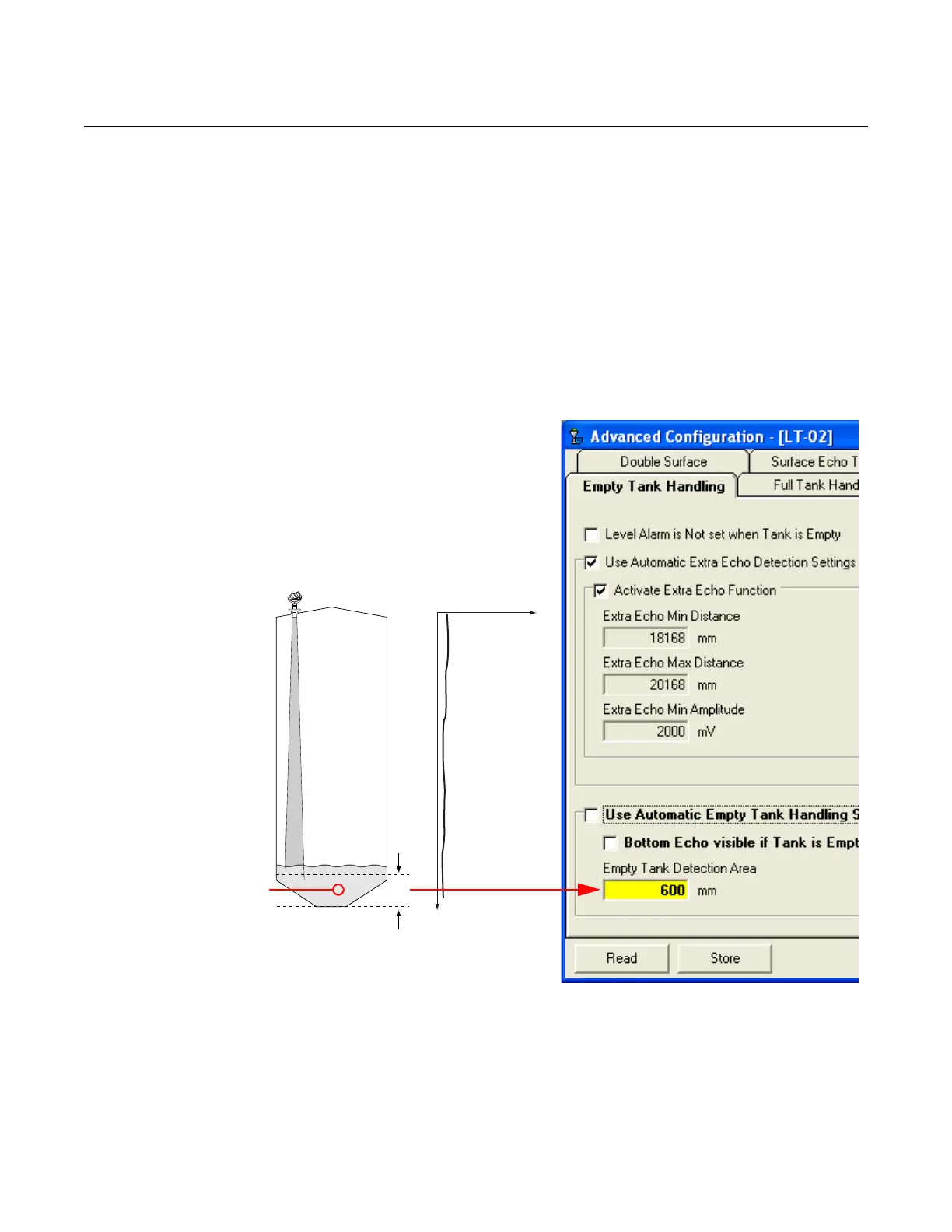
Empty Tank Detection Area
If the signal from the product surface is lost within the region given by the
parameter Empty Tank Detection Area, the tank is considered empty and the
product level is presented as zero.
If the surface is lost above the Empty Tank Detection Area, the transmitter
starts searching the entire tank for the surface.
The Empty Tank Detection Area can be increased if the surface is lost outside
the Empty Tank Detection Area in a non-critical region of the tank.
1. Disable Use Automatic Empty Tank Handling Settings.
2. Type the desired value in the Empty Tank Detection Area input field.
See “Empty Tank Detection Area” on page C-4 for further information.
Amplitude
Distance
If the product
surface is lost in this
region the tank is
considered empty.















 To Next Page