Panandzoomacrossthemap.
(NudgetherockerpadontheGPS
MAPscreentogettoPLANNING
mode).
2.PLANNING
ROUTES
MENU
Logdata
Dataandtrail
logging
4.TRIPLOG
Elevation
data
Elevation
prole
Satelliteacquisition
screen
9.GPSSTATUS
Maximum
Signalto
NoiseRatio
Satellites’
atomic
clocktime
Signal
indicator
Average
Signal
toNoise
Ratio
(SNR)
Built-inelectroniccompass
withdirectionindicator
Calibrate
Compass
Orange
tippednorth
indicator
Bearing
indication
givenhere
Pointer
6.COMPASS
Yourpositiononthemap
1.GPSMAP
Togglemaps
ZoomIn
Databoxes
ZoomOut
NorthUp/
TrailUp
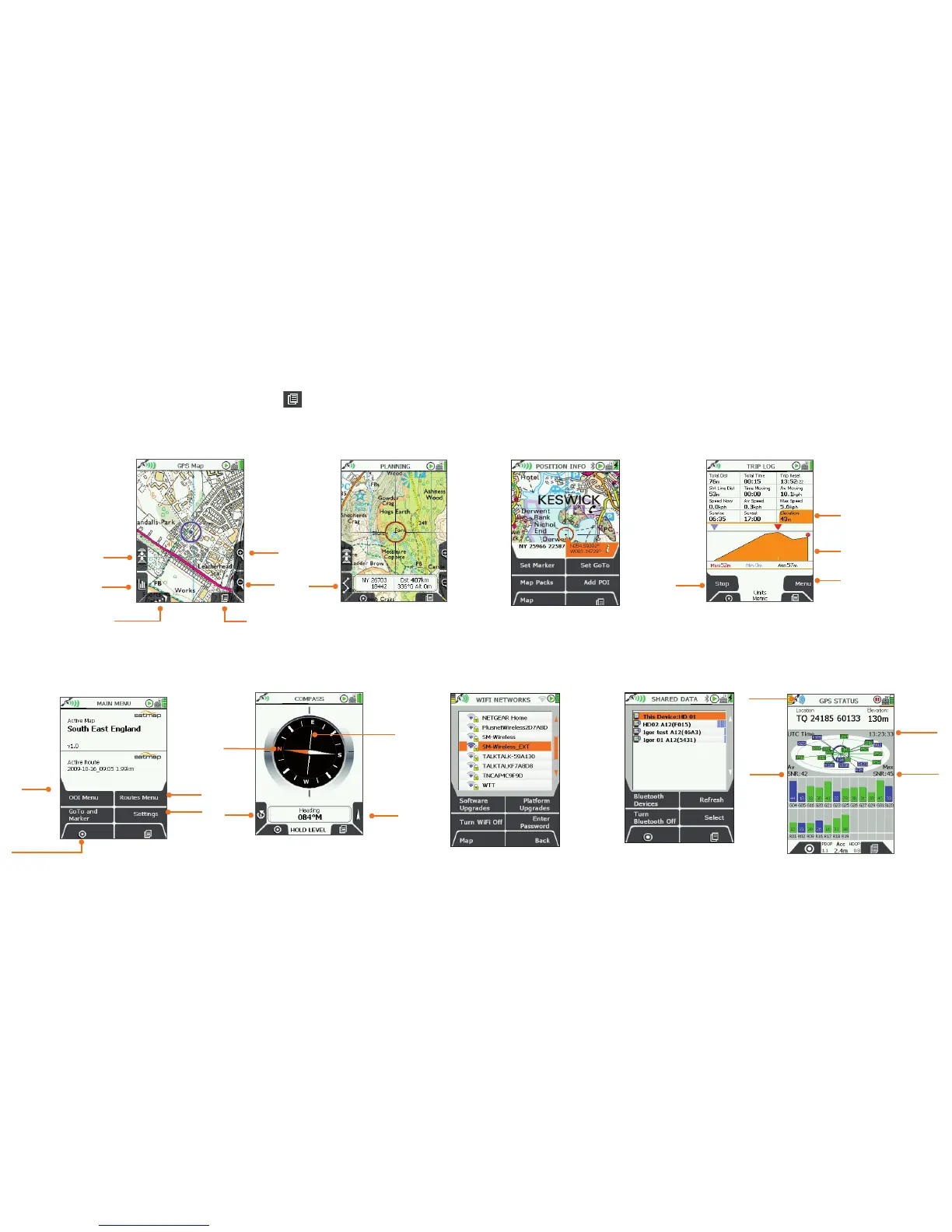
4. NinePrimaryScreens
NinePrimaryScreens
(GPS MAP/PLANNING → POSITION INFO → TRIP LOG → MAIN MENU → COMPASS → Wi-Fi NETWORKS → DATA SHARE → GPS STATUS)
Use the lower right button
(PrimaryScreens ) to scroll through the primary screens which give you access to the main GPS features.
You can also move the rocker pad left/right to scroll through these options.
3.POSITIONINFO
8.SHAREDDATA
NearbyActive20unitsthat
mayhaveshareabledata,
showingname&uniqueID.
Extrafunctions
Menufor
trail
conversion
options
Accesstomain
functions
5.MAINMENU
Add/View
OOIs
Add/View
Routes
GPSMap
(your position
on the map:
U-R-Here
button)
Settings
Page
Forward
7.Wi-FiNETWORKS
Wi-Ficonnectivityfor
SoftwareUpdate
(RouteSync-pending)



 To Next Page