Software v3.0.11065
© Satmap Systems Ltd 2017
50
6. MAINMENU:SettingsMenu(...cont)
6.19 CalibrateCompass
(GPS MAP → MAIN MENU → Settings → Calibrate
Compass)
Ideally you should calibrate your compass before
every trip to get the most accurate bearings. It only
takes a few moments, and is very straight forward.
When the GPS unit leave the factory it will have
basic calibration settings installled, by regual
calibration when used will improve the results.
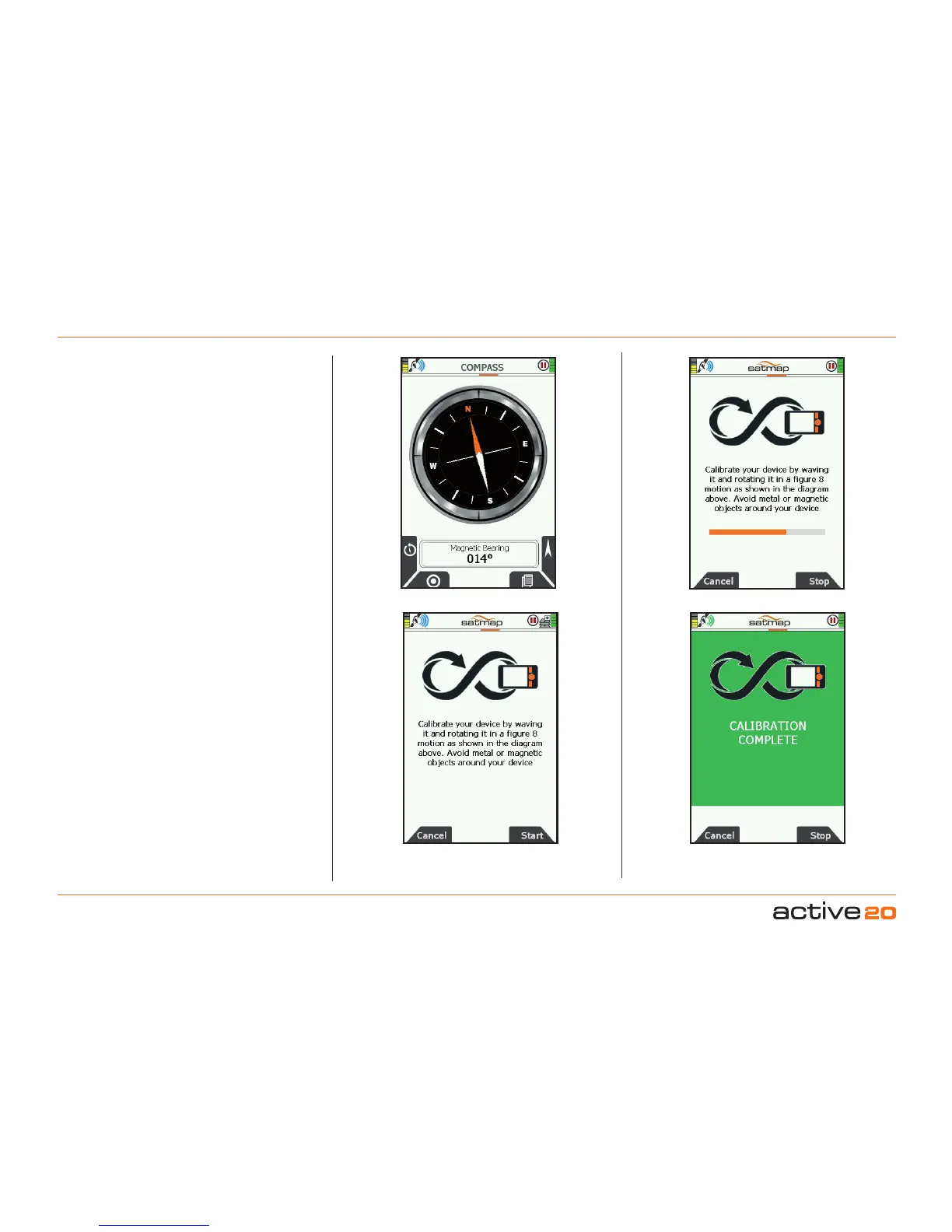
The 3-Axis compass can be calibrated from either
the COMPASS screen (by pressing the left-hand
circular icon)- or from the Settings Menu (by
pressing Calibrate Compass)
As this is a 3-Axis Compass the calibration neededs
to be carried out in a "swooping" figure-of-8 fashion.
This is so that all 3 axes (X, Y and Z) can be fully
calibrated.
During the process, a progress bar will appear, and
final when complete a green "Calibration Complete"
screen will appear. Press the Stop button to return
to the previous screen
Please Note: When in motion it is better to use the
GPS compass over the electronic compass. The GPS
compass requires forward motion to provide a heading;
it will not work when static. See GPS Settings to
control the speed at which the GPS compass overrides
the electronic compass: 'GPSUsedasHeadingat'.
Use on a Bike with iron content: Just like a
regular compass, nearby iron content will cause
the Compass to deviate from true. This especially
so if clamped to a bike with iron handlebars, frame
or nearby compents. In this instance, it is probably
better to rely on the gPS compass whilst in motion,
or simply detach the Active 20 from the mount if a
station compass reading is required.



 To Next Page