Software v3.0.11065
© Satmap Systems Ltd 2017
62
7. MAINMENU:RoutesMenu(...cont)
7.5 ROUTEEDITScreen
(GPS MAP → MAIN MENU → ROUTES MENU →
(folder/route) → Edit)
Alternative access:
(GPS MAP/PLANNING → click on route → Choose
Information Type → select route via centre press →
ROUTE MAP → Edit)
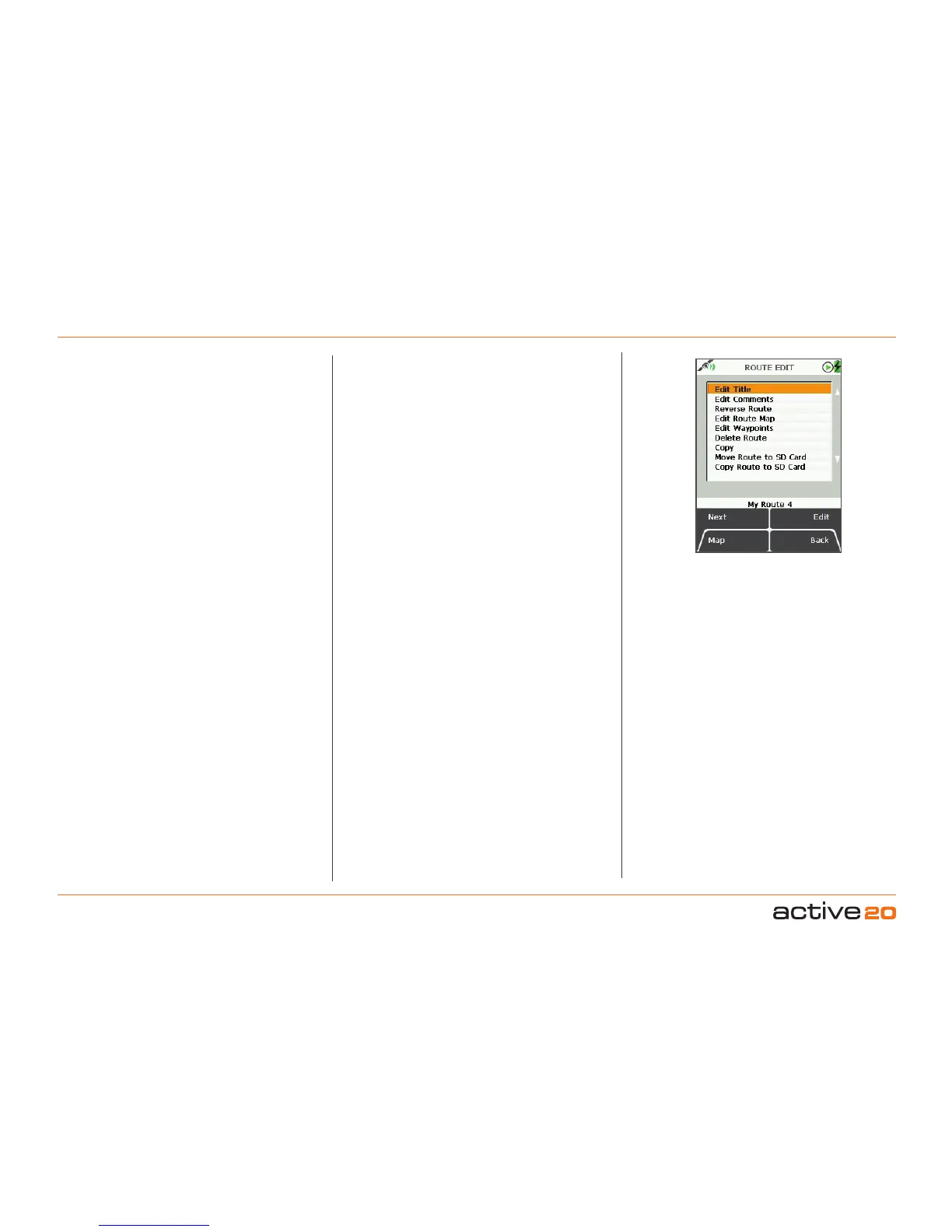
To access the ROUTE EDIT screen, highlight the
route to be edited in the ROUTES MENU (section
8.00), and pressEdit
.
In selecting either EditTitle or EditComments you
will bring up an on-screen keypad. When using the
keypad for labelling, either press Select or centre
press the rocker pad to select entries. Use the Shift
button for upper case letters, the More button offers
more characters.
Buttons:
Next
Press Next or use rocker pad to scroll down options
Map
Return to last map screen
Edit
Either press Edit button or centre press rocker pad to
access alpha-numeric keypad for labelling.
Note: This button changes depending on the option
selected. Other options include Copy, Move,Delete,
Reverse.
Back
Return to ROUTESMENU
When the title and any comments have been
entered, the ROUTEMAP screen will be annotated
with the new title and comments. (To get to the
ROUTEMAP screen, select View on the ROUTES
MENU
screen).
The menu options on the ROUTEEDIT screen are
as follows;
• Edit Title
• Edit Comments
• Reverse Route
• Edit Route Map
• Edit Waypoints
• Edit Active Route Colour
• Delete Route
• Copy
• Move Route to/from SD Card*
• Copy Route to/from SD Card*
*The last two options on the list become available only
when a mapcard has been inserted and is not write-
protected.
ROUTE EDIT
screen



 To Next Page