Software v3.0.11065
© Satmap Systems Ltd 2017
45
6. MAINMENU:SettingsMenu(...cont)
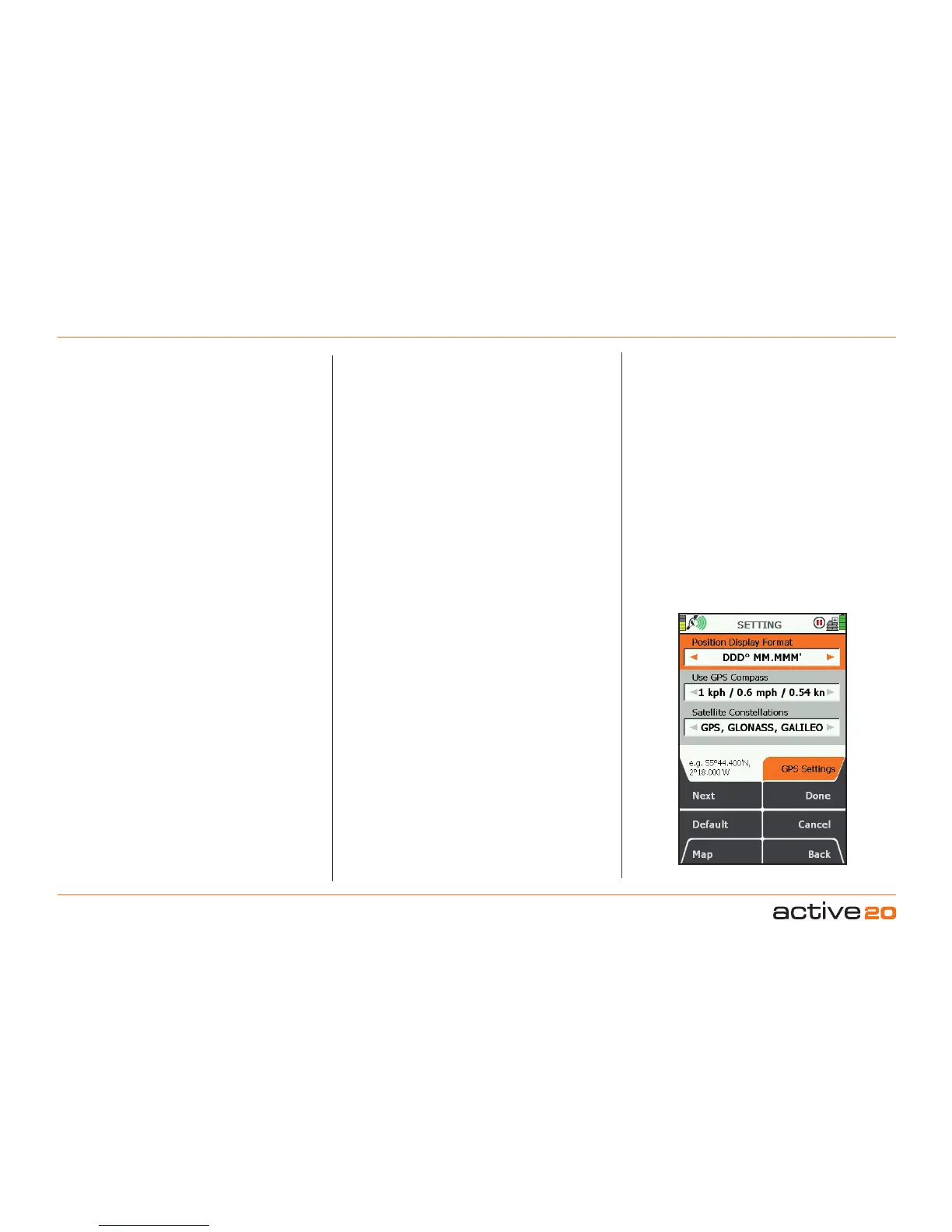
6.13 GPSSettings
(GPS MAP → MAIN MENU → Settings → GPS
settings) `
PositionDisplayFormat
(i.e.gridreferenceformat)
Use the rocker pad, moving left/right to select from
Degreesdecimal(DD.DD);
Degrees,minutesdecimal(DDMM.MM);
Degreesminutes,secondsdecimal(DMS.S);
BritishGrid.
OSGB(OrdnanceSurveyGB);
GermanGrid;
UTM(UniversaltransverseMercator);
MGRS(MilGridRefSystem);
GARS(GlobalAreaReferenceSystem);
CH1903/LV03SwissGrid;
SwedishGridRT90;
FrenchGridLambert2E;
FrenchGridLambert93;
IrishGridITM;
IrishGridIG;
PakistanMG;
NewZealandTM;
Maidenhead
PSAD5621N(Guyana)
Press Done or centre press the rocker pad to return
to SETTINGS MENU.
OSGB grid references are given to 10 figures. If you
are working to 6-figure grid references, set the last 2
digits of each number set to 0.
UseGPSCompass
The Active 20 has an electronic compass (good
when stationary) and a GPS compass (good when
in motion), and switches between the two at a
preset speed. In this setting you are able to select
the speed at which the GPS compass overrides
the electronic compass. The GPS compass is more
accurate the faster you go.
Use the rocker pad, moving left/right to select from
Never, then from 1 kph/0.5 mph to 16 kph/10
mph.
Press Done or centre press the rocker pad to return
to SETTINGSMENU.
SatelliteConstellations
GPS,GLONASS,GALILEO
This is the default & recommended setting for best
all-round performance, allowing the GPS unit to
access all the major global satellite networks.
GPSOnly
Specifiaclly some users may want to use only GPS
(American) satellites for thier global navigation. In
this mode the GPS module uses slightly less power,
but occasionally the GPS location may be worse
under certain circumstances than using GPS,
GLONASS & GALILEO.
TestMode(origin)
In this mode a simulated GPS signal is given to the
unit and it starts a pseudo track from the Origin (lat
0, Long 0). In certain circumstances this is used for
software development & testing. PleaseNote: this
mode is not suitable for outdoor activity navigation.
TestMode(UK)
In this mode a simulated GPS signal is given to the
unit and it starts a pseudo track from a position in
the West of England. In certain circumstances this
is used for software development & testing. Please
Note: this mode is not suitable for outdoor activity
navigation.
DemoMode
This mode is typically used by retailers wishing to
have the unit periodically reset to defaul settings
and display a moving map on the screen. Best used
with a relevant MapCard fitted. Please Note: this
mode is not suitable for outdoor activity navigation.
Off
In this mode the GPS signal is turned Off.



 To Next Page