Software v3.0.11065
© Satmap Systems Ltd 2017
93
14. Grids(...cont)
14.11EditAOIsWithinaGrid
(GPS MAP → MAIN MENU → OOI Menu → OOI
Folders → Select Grid → Select AOI → Edit)
Alternative access:
(GPS MAP/PLANNING → click on AOI → Choose
Information Type → select AOI via centre press → AOI
details → Edit)
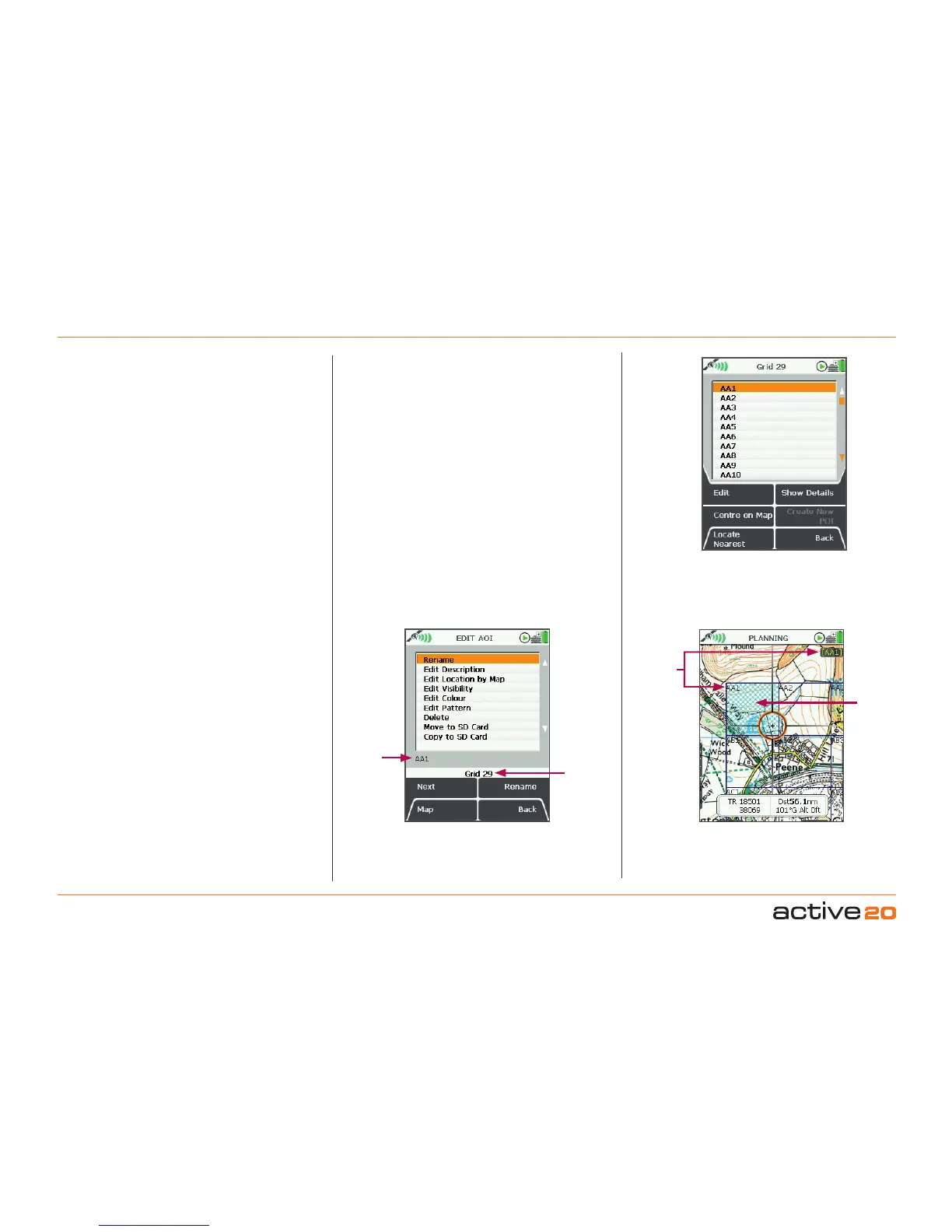
Individual AOIs within a grid can be edited in the
same way as regular AOIs. Go to the OOIFolders,
highlight the grid and press Select to list the AOIs
that make up the grid. By pressing Edit
you will be
taken to the EDITAOI menu. Here you will be able
to change the colour and pattern of individual AOIs
within a grid. (Please refer to the AOI section for more
information on the EDITAOI menu options).
From the grid screen you will also be able to centre
an AOI on the map or locate the nearest AOI to your
current location. Pressing the ShowDetails button
will give you a description of the AOI selected. You
can also access the edit options from this screen.
(Please refer to section above for more on the Choose
InformationType window).
Note: Only individual AOIs within a grid can be made
visible or invisible. An entire grid cannot be made
visible or invisible, unless you set the visibility options
of a folder containing the grid.
Editing GRIDs
Grid
Name
Edited
AOI
within a
grid
AOI
Name
AOI
Name
Buttons:
Edit
Go to EDITAOI screen
CentreonMap
Go to PLANNING screen with the AOI in the centre
LocateNearest
Go to PLANNING screen and show nearest AOI to
current location
ShowDetails
Go to AOI details screen
Back
Return to the OOIMenu



 To Next Page