Software v3.0.11065
© Satmap Systems Ltd 2017
72
10. ObjectsofInterest(OOI's)
10.1 OOIMenu
(GPS MAP → MAIN MENU → OOI Menu)
OOIs are ObjectsOfInterest and collectively refer
to all 'points' of interest. They consist of the following
'objects':
• POIs (Points of Interest)
• AOIs (Areas of Interest)
• LOIs (Lines of Interest)
• Grids
• IOIs (Items of Interest)
OOIs can contain a description with richtextand
pictures, both of which can only be added via
SatSYNC 1.5 or higher. These can be retrieved
from third party applications such as geocaching.
com, Google Maps, Google Earth etc.
Note: OOIs created on the unit can only have a
description with simple plain text. The only OOIs
that will work on software versions 1.4 and lower
are POIs with plain or rich text.
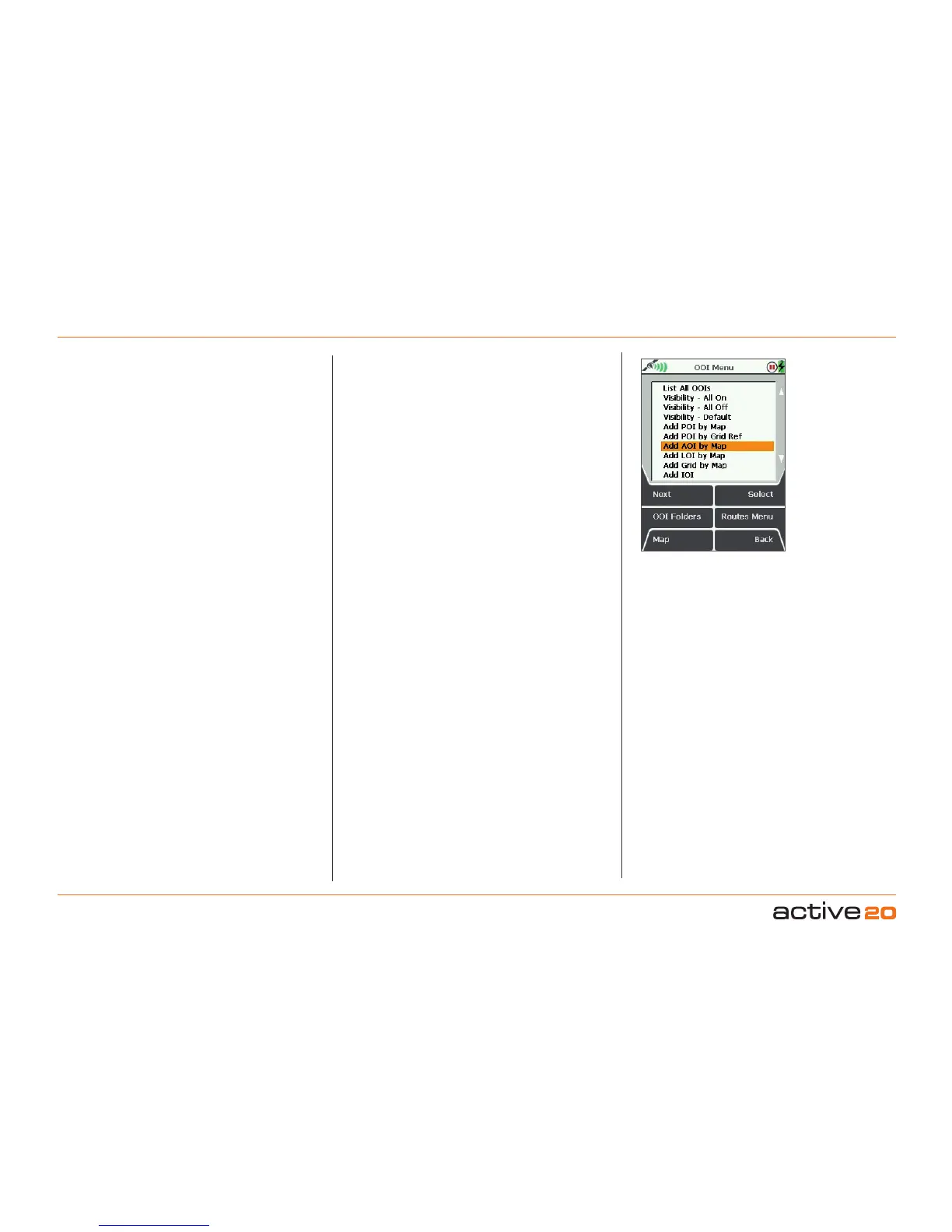
The OOI Menu shows options for managing and
creating all OOIs:
• List All OOIs
• Visibility - All On
• Visibility - All Off
• Visibility - Default
• Add POI by Map
• Add POI by Grid Ref
• Add AOI by Map
• Add LOI by Map
• Add Grid by Map
• Add IOI
OOI Menu
Create new POIs, AOIs, LOIs, Grids and IOIs from
the OOIMenu using the 'Add' options.
Users can easily hide or show all OOIs on the
Internal Storage and SD card, and visibility can
be set individually at folder level or globally. Icons
are only available for POIs and can also be set
individually or at folder level.
From the OOIMenu you are also able to access the
OOIFolders where all OOIs are stored, as well as
the Routes Menu for creating and managing your
routes.
Buttons:
Next
Move down to next option
OOIFolders
Access all folders containing OOIs
Map
Return to GPSMap screen
Select
Press Select or centre press the rocker pad to
select an option from the menu
RoutesMenu
Access the RoutesMenu
Back
Gobackto
MAINMENU
•ListAllOOIs
Takes you to the last visited OOI Folder.
•Visibility-AllOn
All OOIs will be displayed on the map, regardless
of the folder and individual settings.
•Visibility-AllOff
All OOIs will not be displayed on the map,
regardless of the folder and individual settings.
•Visibility-Default
(Recommended option)
Respects individual settings of each OOI.
Use 'Default' visibility to allow visibility to be
editable for individual OOIs.



 To Next Page