Software v3.0.11065
© Satmap Systems Ltd 2017
33
6.5 HibernateSettings
(MAIN MENU → Settings → Hibernate)
Hibernate
This function puts the GPS unit into a low power
sleep.mode that allows a very fast re-start. Ideal for
lunch breaks!
Whilst in hibernate, the screen goes dark, and the
unit does not log any stats or GPS data.
After the hibernate period, the unit will turnoff.
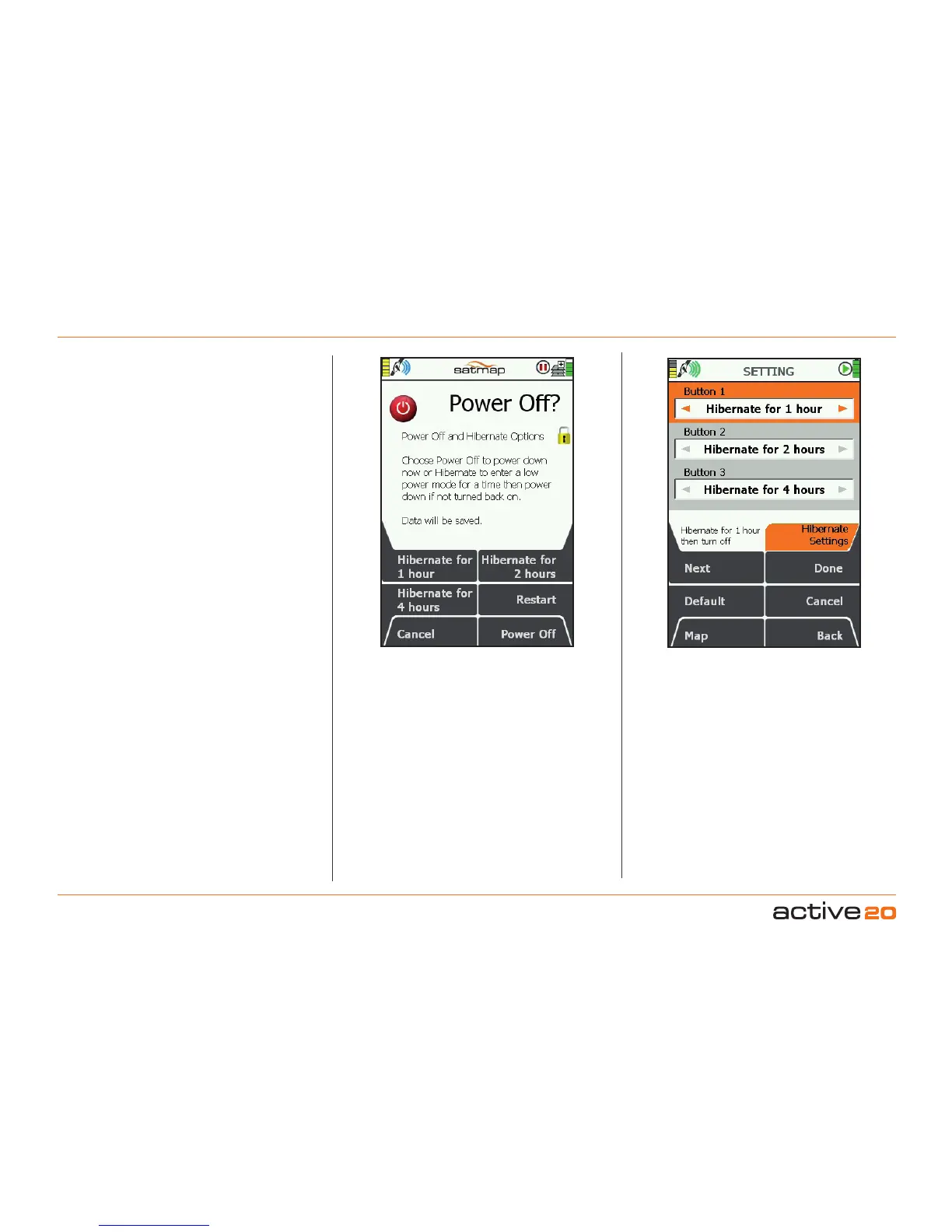
Pressing the Power button brings up the Power
Off? screen, which displays various Hibernate timer
periods.
The buttons can be user configured (if so desired) in
the Hibernate Settings screen.
Hibernate Time options range from 1 Minute to 12
Hours.
The Restart button is a handy control to restart tyhe
GPS unit. This occasionally is nessessary in the
event of some type of Software Upgrades where
you will be requested to restart the Active 20 unit.



 To Next Page