Software v3.0.11065
© Satmap Systems Ltd 2017
32
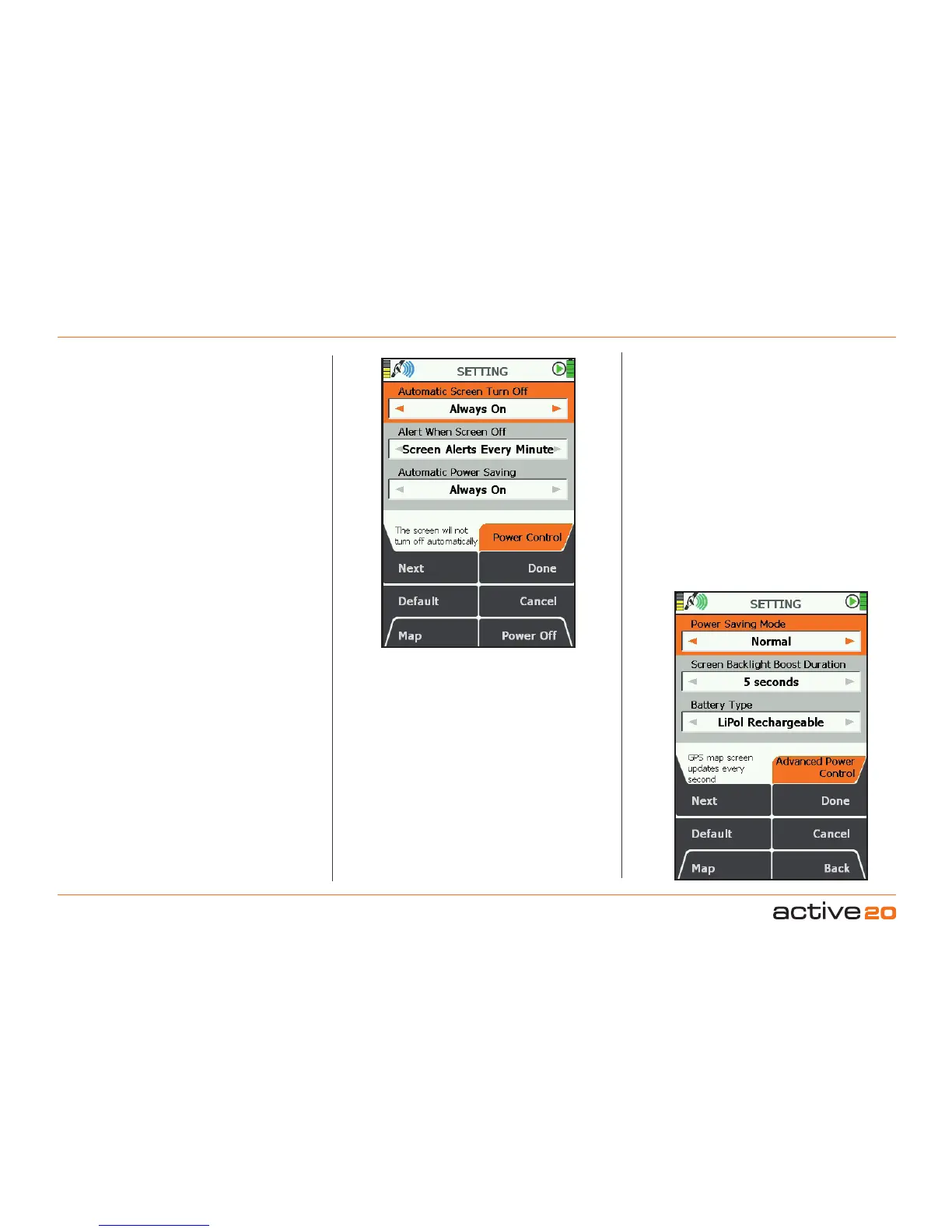
6.3 PowerControl
(MAIN MENU → Settings → Power Control)
AutomaticScreenTurnOff
This is a power saving option.
• Use the rocker pad, moving left / right to select
desired time before the screen will turn off
leaving the unit still operating
• Press Done or centre press the rocker pad to
return to SETTINGSMENU.
• GPS lock will be maintained and the unit will
continue to log your position.
• To instantly re-activate the screen, press any
button, except when the screen is locked. In
this case, use the power button.
AlertWhenScreenOff
Use the rocker pad, moving left/right to toggle
between Off and Screen Alerts Every Minute.
Press Done or centre press the rocker pad to return
to SETTINGS MENU.
With the alerts mode selected the screen will flash
on at 1 minute intervals to remind you the unit is
switched on—particularly useful when dark.
Pressing the Default button restores the factory
settings:
AutomaticPowerSaving
• Use the rocker pad, moving left/right to select
desired time the unit will stay powered on for.
• Press Done or centre press the rocker pad to
return to SETTINGSMENU.
Note: Allowing the unit to power off will cause it to lose
GPS lock. However, if the unit is in hibernate mode,
then it will be able to acquire a lock very quickly after
powering on.
6. MAINMENU:SettingsMenu(...cont)
6.4 AdvancedPowerControl
(MAIN MENU → Settings → Advanced Power
Control)
PowerSavingMode
To save power, select Advanced power saving
mode and the screen will update every four seconds
instead of every second.
In this mode TrailUp is disabled and the Backlight
setting has a maximum value of 80%, but can
be temporarily be set to 100% by pressing the
backlight button.
• Use the rocker pad, moving left/right to select
Normal or Advanced.
• Press Done or centre press the rocker pad to
return to SETTINGSMENU.



 To Next Page