Software v3.0.11065
© Satmap Systems Ltd 2017
29
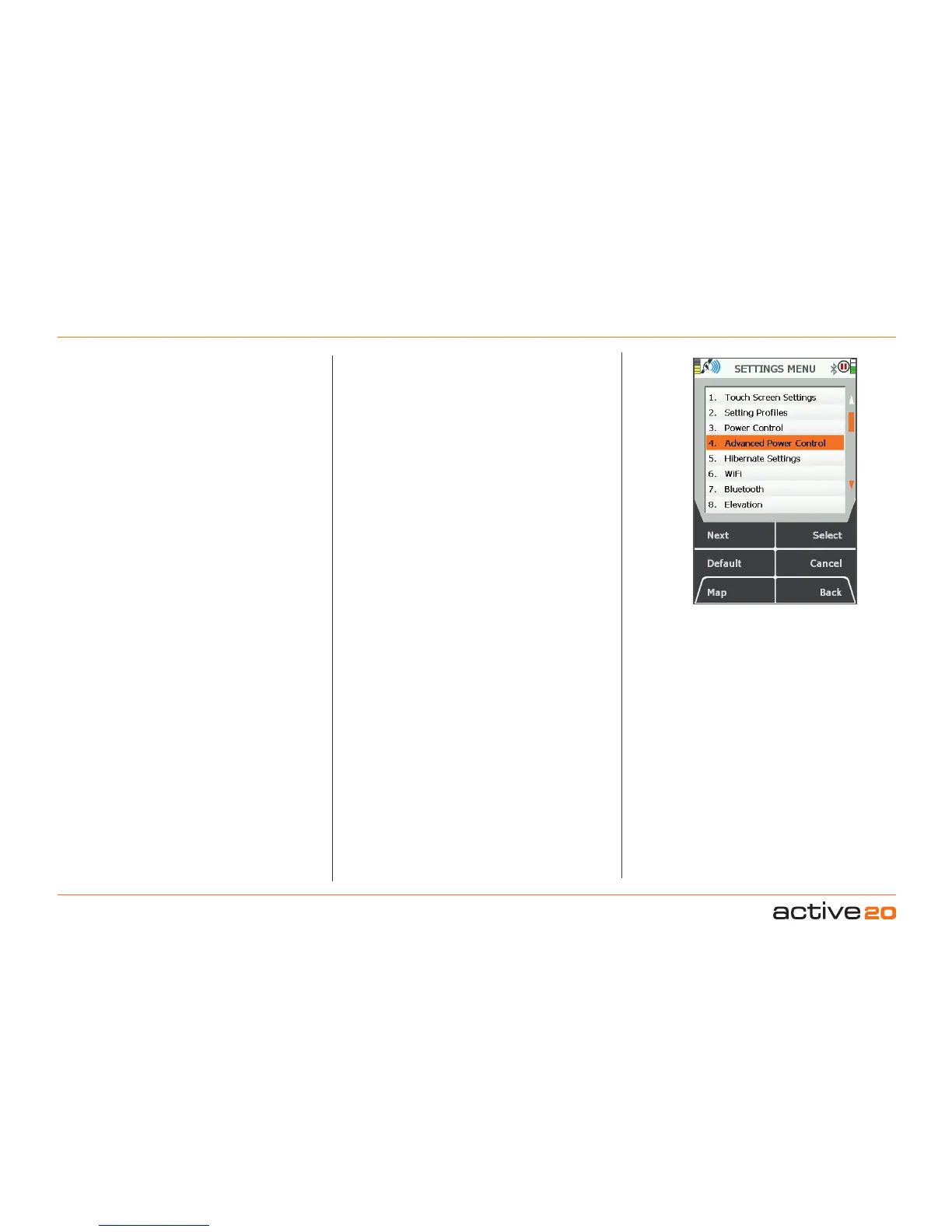
6.0 AccessSETTINGSMENUscreen
(GPS MAP → MAIN MENU → Settings)
The SETTINGSMENU screen gives you access to a
wide range of settings options.
In addition, use Memory Status to find out how
much RAM/operating memory you are using. If
the consumption is too high, you can reduce it by
adjusting SetTripData to 'Hide Inactive Routes' or
only show the start point of an inactive route ('Show
Inactive Routes SP').
The full list of settings options are:
1.TouchScreenSettings
2.SettingProfiles
3.PowerControl
4.AdvancedPowerControl
5.HibernateSettings
6.Wi-Fi
7.Bluetooth
8.Elevation
9.Backlight
10.2DataBoxLayout
11.4DataBoxLayout(upper)
12.4DataBoxLayout(lower)
13.GPSSettings
14.StaticPositionHold
15.LoggingOptions
16.MemoryStatus
17.UnitsandSetSpeed
18.CompassSettings
19.CalibrateCompass
20.SetTripData
21.VolumeControl
22.ButtonsControl
23.PanningSpeed
24.Cycling
25.DataSaveOptions
26.ListMode
27.SoftwareUpdates
28.ScreenDataOptions
29.TimeOffset
30.EnterUserName
31.Languages
32.About
At any point, should you wish to exit a settings screen,
either press Map (front left button) to go to the GPS
MAP/PLANNING screen, or press Back
(front right
button).
Buttons:
Next
Scroll through menu options. Alternatively use the
rocker pad to highlight an option.
Default
Takes you to the Default Settings screen with the
option to choose Yes or No. Pressing Yes takes you
to theDefaultOptions screen:
• Choose Clear All to reset all the user defined
settings, trail and GPS data, (including OOIs and
routes) to the factory set defaults. The unit will then
turn itself off.
• Choose Reset Settings to reset only the settings
data to the factory set defaults.
(If you choose Yes you will not be able to go back
without choosing one of these options).
Choose No to retain all current settings and return to
the SETTINGSMENU
.
Map
Return to last map screen
Select
Either press Select or centre press the rocker pad to
select the highlighted option
Cancel/Back
Return toMAINMENU
6. MAINMENU:SettingsMenu
Figure 7.00
SETTINGS Menu



 To Next Page