Software v3.0.11065
© Satmap Systems Ltd 2017
88
13. LOIs(LinesofInterest)(...cont)
13.9 EditVisibility
(GPS MAP → MAIN MENU → OOI Menu → OOI
Folders → Select LOI → Edit → Edit Visibility)
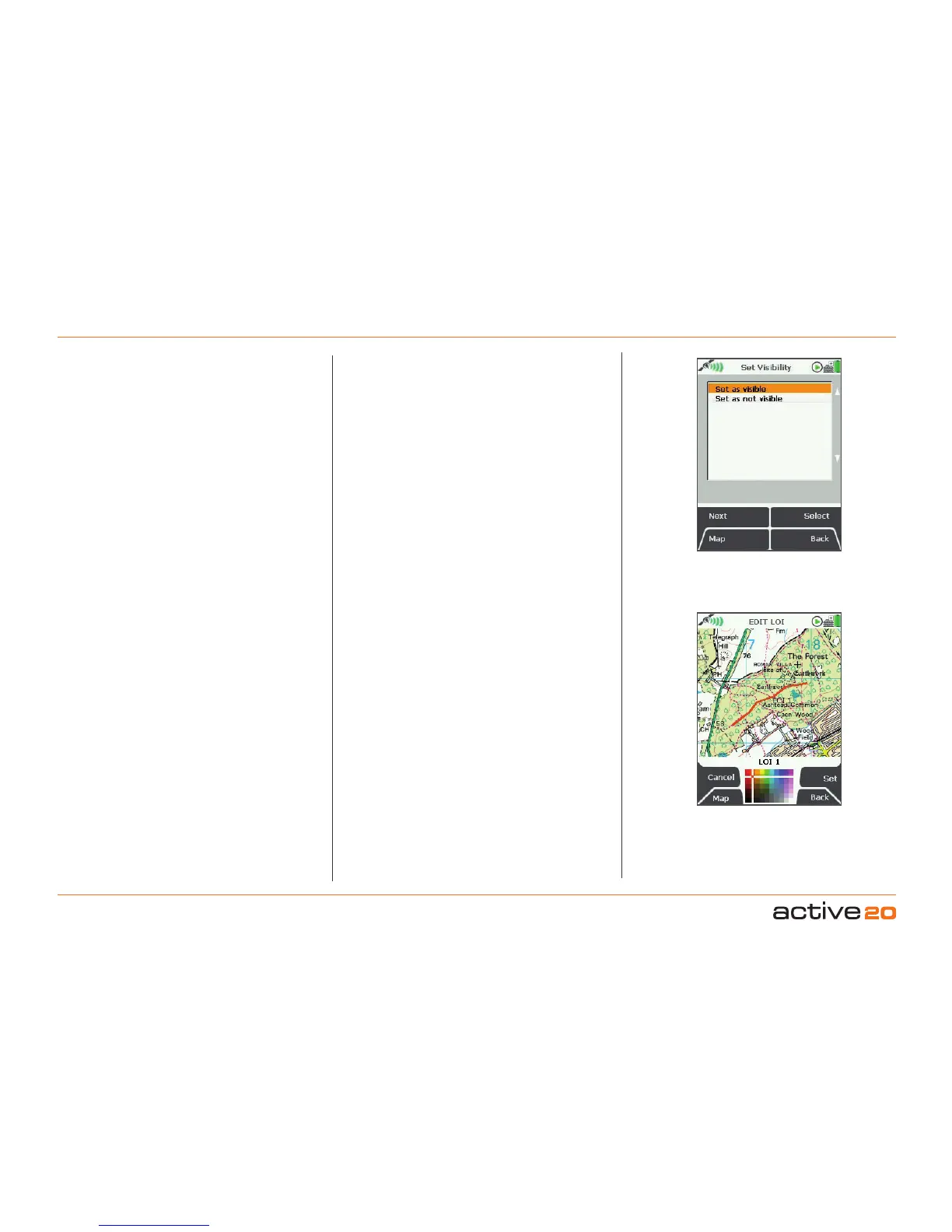
On selecting Edit Visibility you are taken to a
menu where you can hide or show your LOIs by
setting them as 'visible' or 'not visible' on your map.
Pressing Select takes you back to the edit menu.
Note: This is only respected if the global visibility is set
to 'Default' (GPS MAP → MAIN MENU → OOI Menu
→ 'Visibility - Default').
13.10EditColour
(GPS MAP → MAIN MENU → OOI Menu → OOI
Folders → Select LOI → Edit → Edit Colour)
Highlight Edit Colour and use the rocker pad
to make a selection from the colour palette. As
you move the rocker pad over a colour, the LOI
automatically changes colour on the map. Once
you are happy with the colour choice, press Set to
confirm or centre press the rocker pad. This will take
you back to the edit menu.
13.11Delete
(GPS MAP → MAIN MENU → OOI Menu → OOI
Folders → Select LOI → Edit → Delete)
HighlightDelete, then press Delete or centre press
the rocker pad to access a screen showing the
option to delete the LOI. When either Delete
or
Cancel
is selected, the screen will go back to the
EDITLOImenu.
Set LOI
visibility
Set LOI colour
13.12MovetoSDCard
(GPS MAP → MAIN MENU → OOI Menu → OOI
Folders → Select LOI → Edit → Move to SD Card)
(Only available if an SD card has been inserted)
. Move
the LOI from the SD card to the Internal Storage.
Highlight MovetoSDCard
and either press Move
or centre press the rocker pad. (Subsequently this
option becomes MovefromSDCard). The screen
will go to the OOIFolders and the LOI will appear
in the
SDCard folder. To move the LOI from the SD
card you will need to select Move from SD Card
from the edit menu.
13.13CopytoSDCard
(GPS MAP → MAIN MENU → OOI Menu → OOI
Folders → Select LOI → Edit → Copy to SD Card)
(Only available if an SD card has been inserted)
. Make
a copy of the LOI onto the SD card. Highlight Copy
toSDCard and either press Copy or centre press
the rocker pad. (Subsequently this option becomes
CopyfromSDCard). The screen will go to the
OOI
Folders and a copy of the LOI will appear in the SD
Cardfolder.



 To Next Page