Software v3.0.11065
© Satmap Systems Ltd 2017
41
6. MAINMENU:SettingsMenu(...cont)
6.10 DataBoxSettings
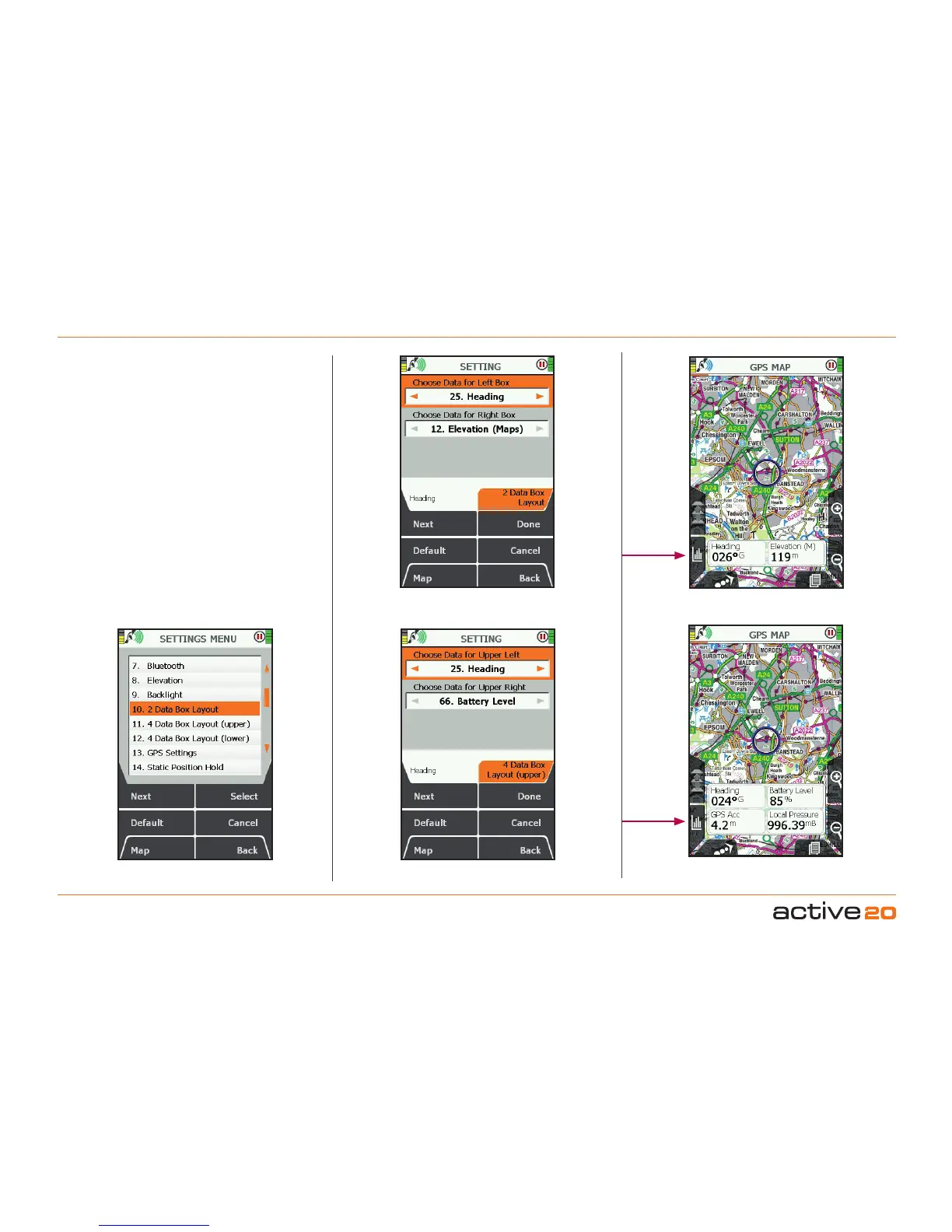
In the lower half of the GPS MAP screen two or four
Data Boxes can be toggled to show customised
information about your trip.
Data-2BoxLayout (MAIN MENU → Settings →
2 Data Box Layout)
For both the Left Box and the Right Box:
• Use the rocker pad, moving left/right to select the
desired option.
• Press Done or centre press the rocker pad to
return to SETTINGSMENU.
The data options are listed below and are the same
for both 2 data box and 4 data box layouts.
Pressing the Default button restores the factory
settings for this item.
2 Data Box Layout
4 Data Box Layout
Select items for the
Data Boxes
Toggle
Data Boxes
Toggle
Data Boxes



 To Next Page