Software v3.0.11065
© Satmap Systems Ltd 2017
65
7. MAINMENU:RoutesMenu(...cont)
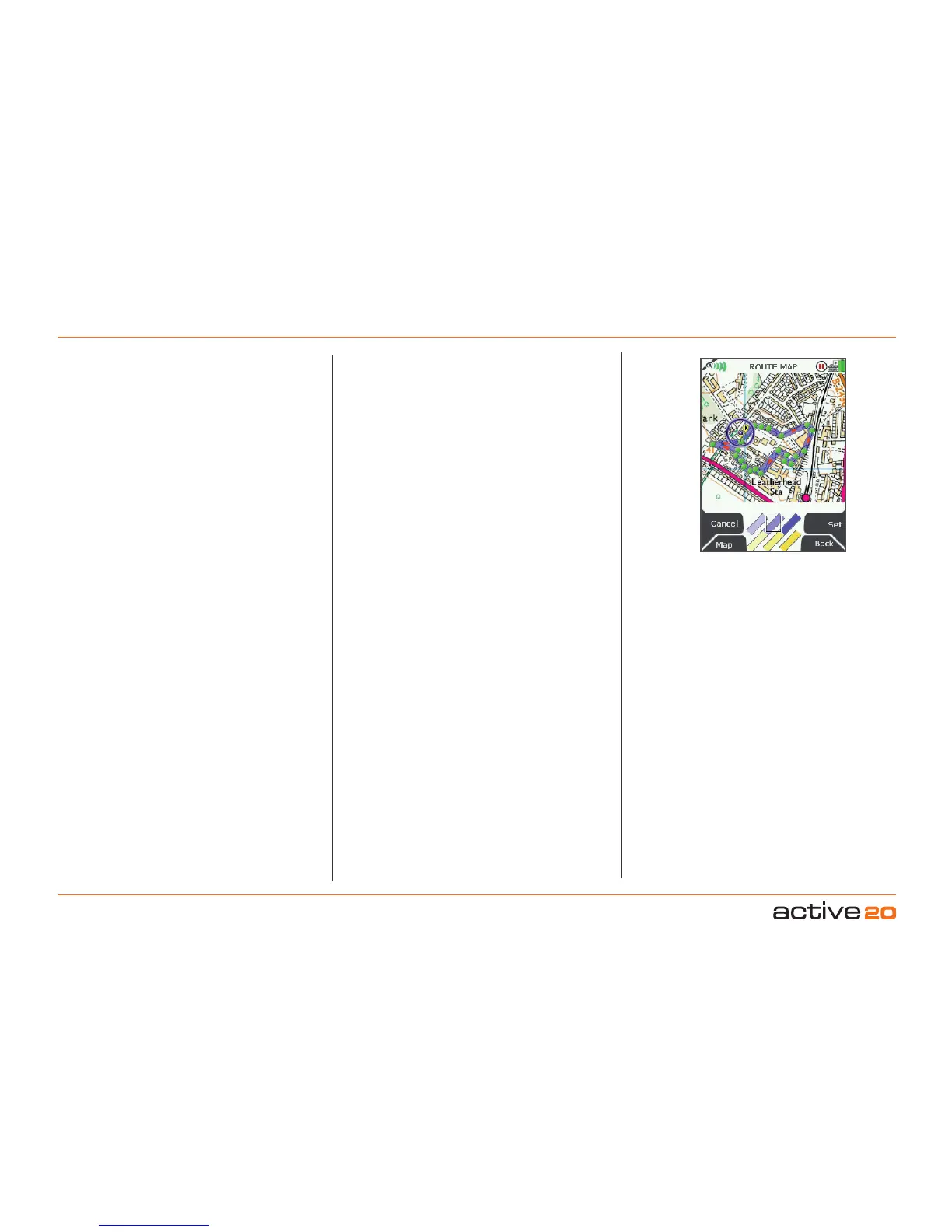
7.11 EditActiveRouteColour
(MAINMENU → ROUTES MENU → (folder/route) →
Edit → Edit Active Route Colour)
Highlight Edit Active Route Colour, press Edit
or centre press the rocker pad to access the
ROUTE MAP screen. Here you will be able to
customize the colour of your route. You are
able to choose from 6 options that range
between the two colours blue and yellow
with varying degrees of transparency. You
can make the appropriate selection to avoid
obscuring map details.
Use the rocker pad to move across the colours.
Once you are happy with the selection, press
Set or Back to go back to the RouteEditmenu.
7.12 DeleteRoute
(MAINMENU→ ROUTES MENU → (folder/route) →
Edit → Delete Route)
Highlight Delete Route, then press Delete to
access a screen showing the option to delete
the route. When either Delete or Cancel is
selected, the screen will return to the ROUTES
MENU
.
7.13 Copy
(MAINMENU → ROUTES MENU → (folder/route) →
Copy)
Press Copy to create a copy of the current
route which will appear in the same folder.
7.14 MoveRoutetoSDCard
(MAINMENU → ROUTES MENU → (folder/route) →
Edit → Move Route to SD Card)
(Only available if an SD card has been inserted).
Highlight Move Route to SD Card and either
press Move or centre press the rocker pad.
(Subsequently this option becomes Move Route
fromSDCard). The screen will go to the ROUTES
MENU and your route will appear in the SD Card
folder. It will no longer exist in its previous location.
7.15 CopyRoutetoSDCard
(MAINMENU → ROUTES MENU → (folder/route) →
Edit → Copy Route to SD Card)
(Only available if an SD card has been inserted).
Highlight CopyRoutetoSDCard and either press
Copy or centre press the rocker pad. (Subsequently
this option becomes Copy Route from SD Card).
The screen will go to the ROUTESMENU and you
can find a copy of the route in the SD Card folder.
Route colour options
The default colour for a route is
the medium blue option.



 To Next Page