Software v3.0.11065
© Satmap Systems Ltd 2017
46
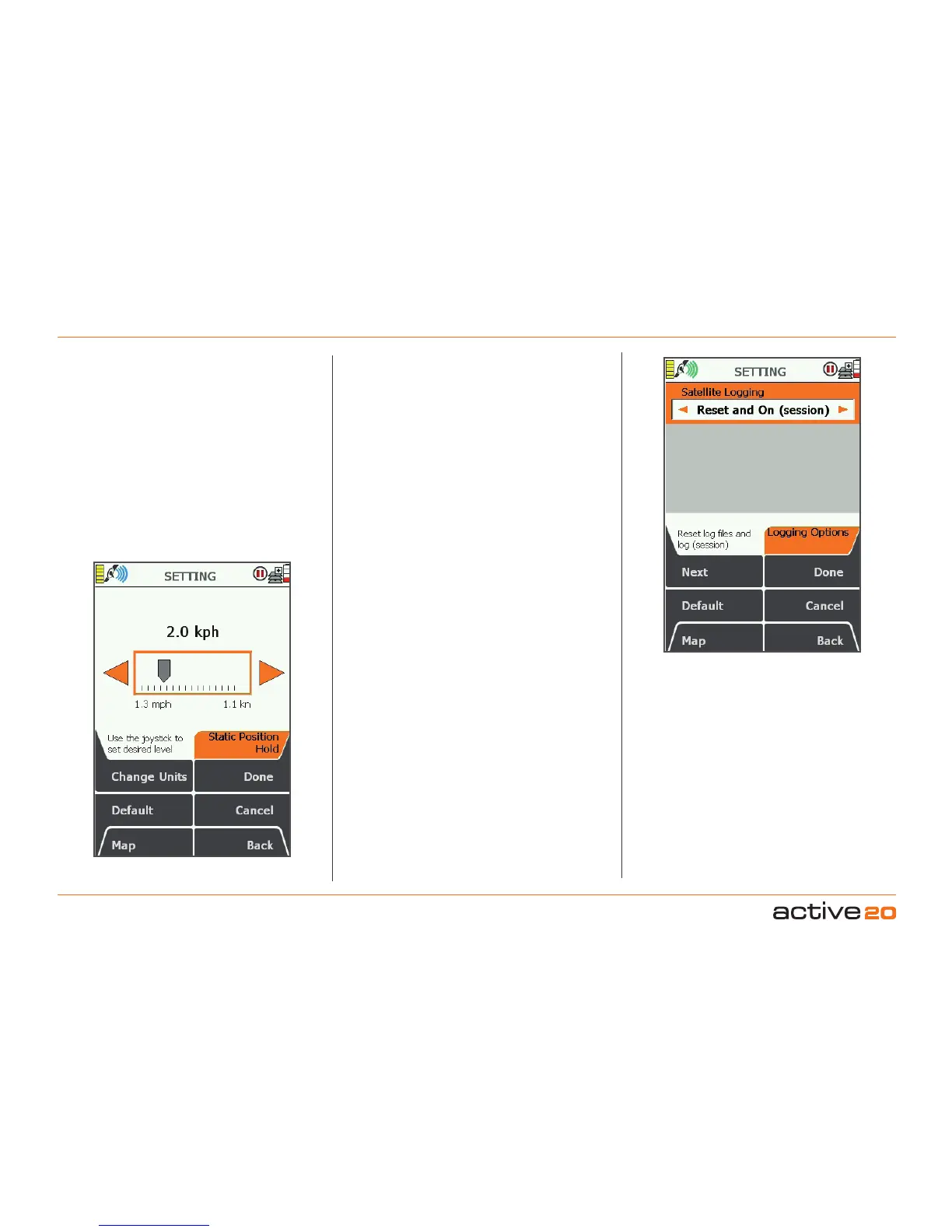
6.14 StaticPositionHold
(MAIN MENU → Settings → Static Position Hold)
StaticPositionHold
This function sets a threshold speed for the GPS
andhelps to prevent location "noise" (lots of
positioons dots - when in reality you may not be
moving). If this value is set too low - you may get
a lot of screen clutter. If you set this value high -
the GPS may tale a short while to react correctly
when you really are moving. In most instances, the
defaulat value should work fine.
6.15 LoggingOptions
(MAIN MENU → Settings → Logging Options)
LoggingOptions
This function is an advanced GPS logging data
setting. By default, this function is set to Off It
controls the creation of a log file from the uBlox
GPS module recored in a format called UBX,which
is used by downloadable software to analyise the
performance of the GPS.
Options include
a.Off
b.On(session)
c.On(always)
d.ResetandOff
e.ResetandOn(session)
f.ResetandOn(always)
PleaseNote:this logging data uses a lot of space
in Internal Memory, which will wquickly become full if
this function is inadvertantly left running.
If you are having unexplained GPS accuracy issues
with your unit, the Satmap tech team may advise
you to switch on this feature and e-mail the resulting
log file to Satmap for analysis and fault finding if
required.



 To Next Page