Software v3.0.11065
© Satmap Systems Ltd 2017
49
6. MAINMENU:SettingsMenu(...cont)
Settings for Grid Magnetic
Angle
Manual or Automatic Enter values for Manual
selection
6.18 CompassSettings
(GPS MAP → MAIN MENU → Settings → Compass
Settings)
This controls the data boxes that appear on the
COMPASS screen and POINTER screen, and how
the bearing options are displayed in the data box on
the GPSMAP screen.
There are three norths commonly used in Great
Britain:
• GridNorth: the direction of a grid line which is
parallel to the central meridian on the National
Grid.
• True North: the direction of a meridian of
longitude which converges on the North Pole.
• Magnetic North: the direction indicated by a
magnetic compass. Magnetic North moves slowly
with a variable rate and currently is West of Grid
North in Great Britain.
CompassDisplay
• Use the rocker pad, moving left/right to select from
Degrees, Cardinal points (e.g. N, NNE), or mil-
radians.
• Press Done or centre press the rocker pad to
return to SETTINGSMENU.
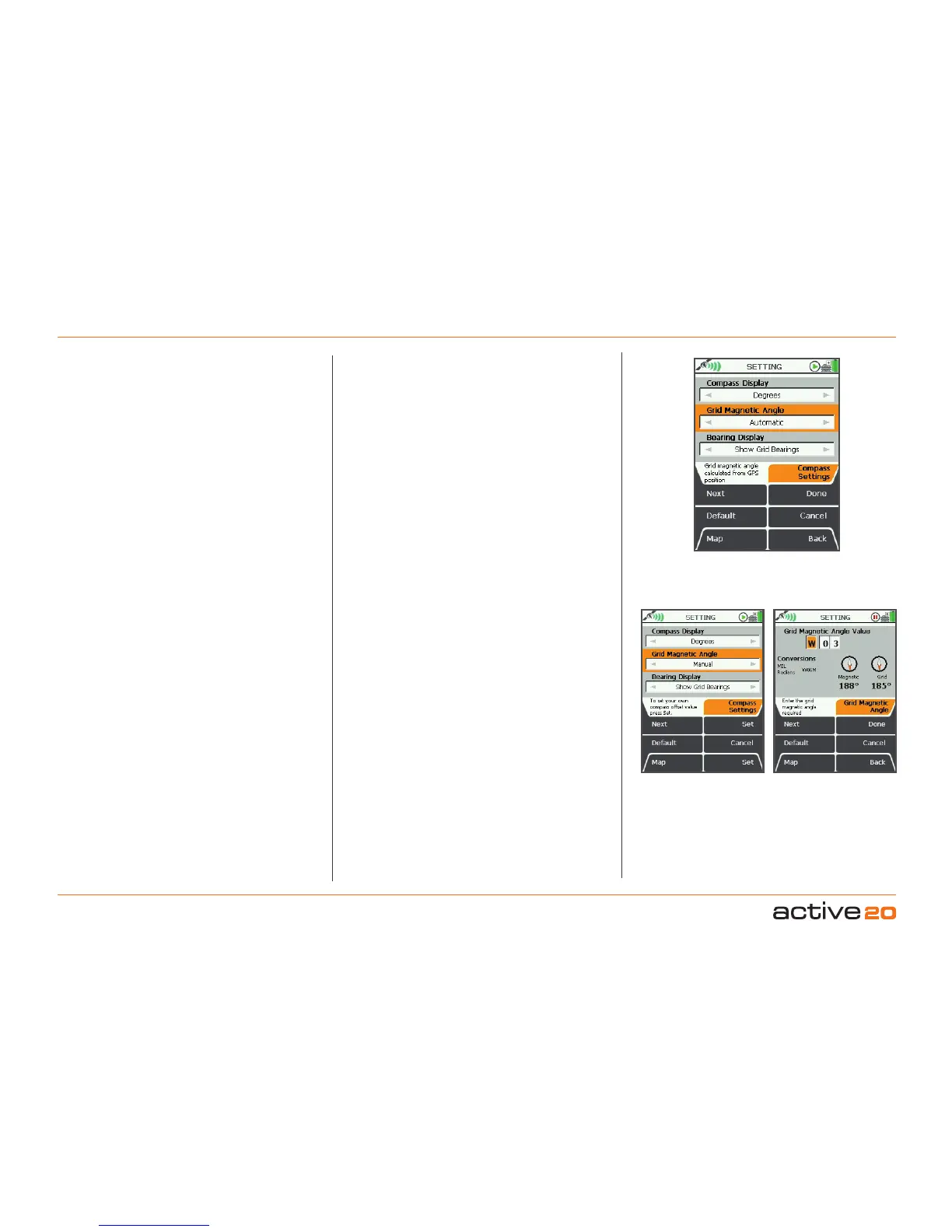
GridMagneticAngle
• Use the rocker pad, moving left/right to switch
between Manual and Automatic.
Press Done to select Automatic
.
If you want to set your Grid Magnetic Angle
manually, select Manual and then press Set. This
will take you onto a new SETTING screen on which
the Grid Magnetic Angle may be adjusted by
moving the rocker pad up/down.
Pressing the Default button restores the following
setting:
GridMagneticAngleValue:W 03
• Press Done or centre press the rocker pad to
return to CompassSettings screen. Press Done
again to return toSETTINGSMENU.
BearingDisplay
• Use the rocker pad, moving left/right to switch
between Show Grid Bearings and Show
MagneticBearings.
• Press Done or centre press the rocker pad to
return to SETTINGSMENU.
Pressing the Default button restores the following
settings:
CompassDisplay
Degrees
GridMagneticAngle
Manual
BearingDisplay
Show Grid Bearings



 To Next Page