Software v3.0.11065
© Satmap Systems Ltd 2017
71
9. ChooseInformationWindow
(GPS MAP → Choose Information Type via centre
press)
Alternative access:
(PLANNING → Choose Information Type via centre
press)
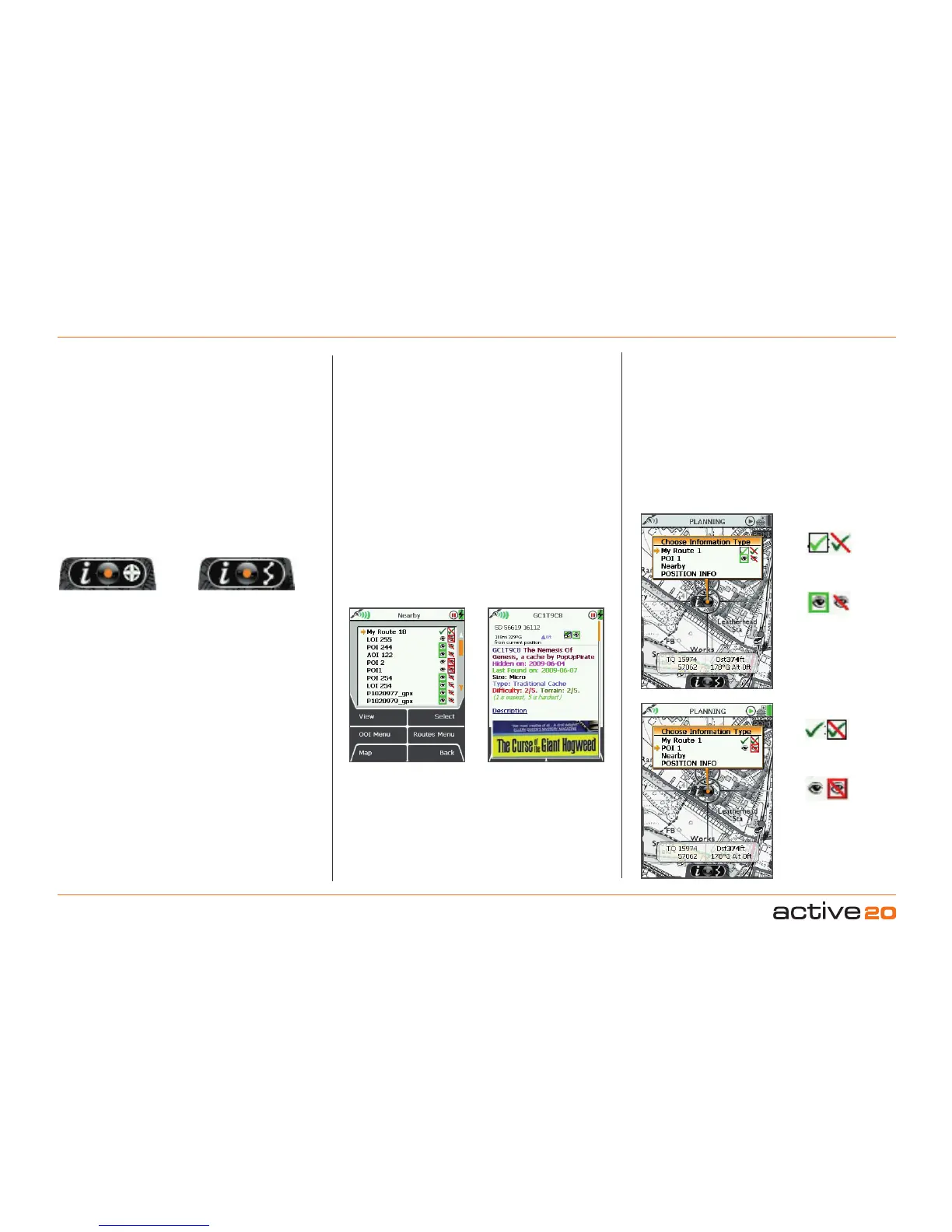
This window will be accessed via the GPSMAP
or
PLANNING screen, by centre pressing the rocker
pad on a route or OOI. When the locator circle is
over an OOI or a route, an indicator icon is displayed
at the bottom of the screen. It comprises of 3
elements:
• 'i' for information
• rocker pad image (in the centre)
• POI icon/route symbol
Active route
Visible OOI
Invisible OOI
Inactive route
OOI indicator icon Route indicator icon
Nearby routes &
OOIs
OOI details
Once you are in the Choose Information Type
window, you will be able to:
• Make OOIs visible and invisible (move the rocker
pad left/right to highlight relevant icon).
• Activate and deactivate routes (change time varies
depending on the size of the route).
• Centre press the rocker pad to view details of an
OOI.
• Go to the ROUTE MAP screen of any route,
shows your route on a map, with details such as
trip length, and gives you access to the Prole
screen).
• Access the Nearby option, which includes nearby
routes and OOIs.
To bring up the ChooseInformationType window:
On the GPS MAPscreen: your current location
has to coincide with a route or OOI.
OnthePLANNINGscreen: planning icon has to
be placed over any point on a route or OOI.
(Otherwise, centre pressing the rocker pad will bring up
the POSITION INFO screen).
By centre pressing the rocker pad on a route or OOI,
the screen turns gray and an overlay shows the
ChooseInformationType window.
To cancel the gray screen, press either of the front
buttons.
'Nearby'
is dened by an OOI reference point at a
radius of:
245m (804ft) at 1:50 000
122.5m (402ft) at 1:25 000
49m (160ft) at 1:10 000
A route is classified as being 'nearby' if any of the
three conditions are true:
• The cursor is within it's bounding area (a square or
rectangle which covers ALL the points in a route).
• The centre of the bounding area is nearby as
defined above for OOI reference points.
• The start point of the route is nearby as defined
above for OOI reference points.



 To Next Page