Software v3.0.11065
© Satmap Systems Ltd 2017
54
6. MAINMENU:SettingsMenu(...cont)
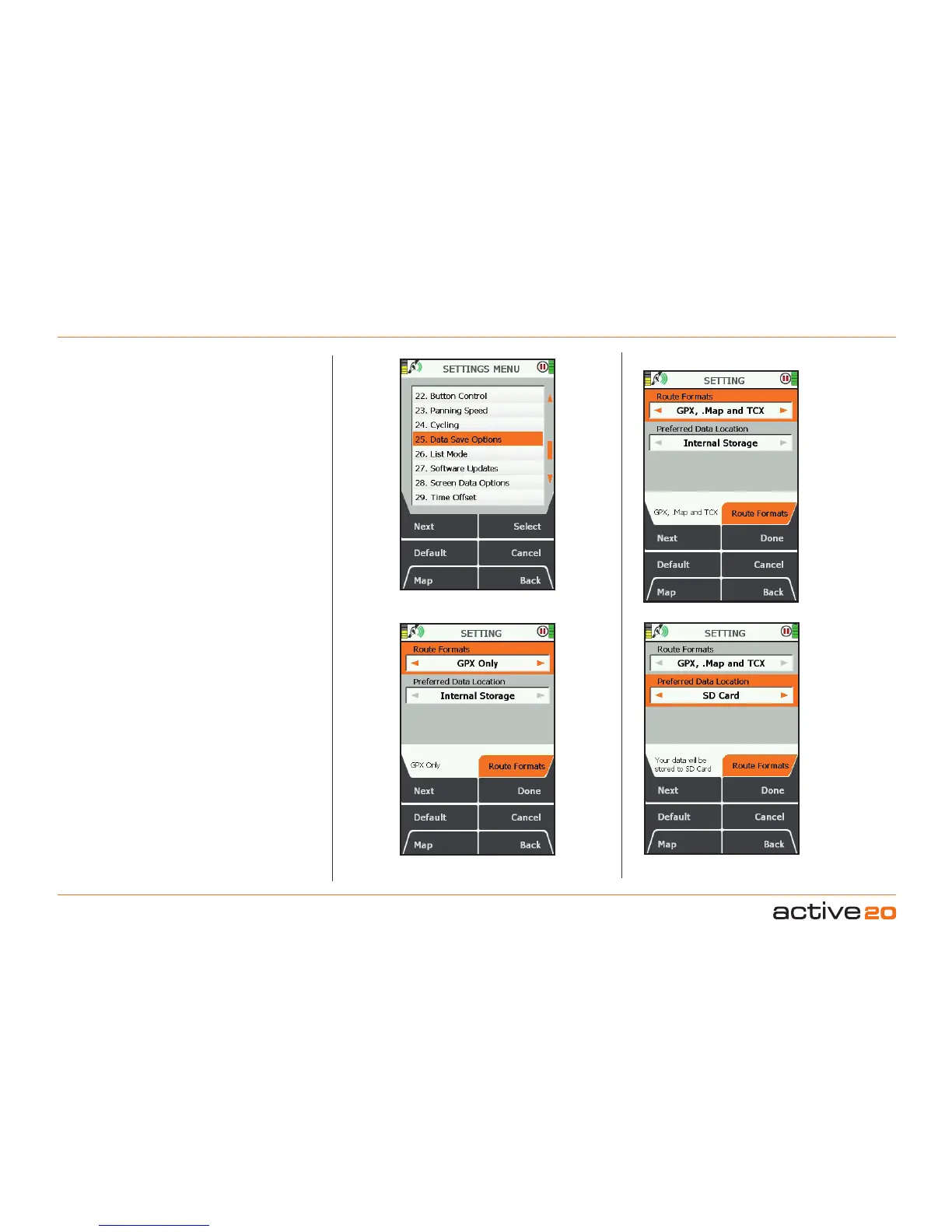
6.25 DataSaveOptions
(GPS MAP → MAIN MENU → Settings → Data Save
Options)
This option controls the format and location of your
saved activity data.
RouteFormat
Your routes can be saved in 3 formats
• GPX(preferred)
• .Map
• TCX
GPX is a universal route format widely used by
many Activity logging and Mapping web sites. It is
also easy to e-mail to friends and family as a file
attachment.
.MapIs the earlier proprietary format used by Active
10 and 12 GPS units, and is provided here for
backward compatibility
TCXis another popular format, used especially by
Garmin GPS units.
The smallest amount of storage space is used when
GPXOnly is selected.
Once completed, your activity files can be seen
and transferred from you Active 20 using either a
Windows/Mac browser or SatSYNC.
PreferredDataLocation
Select either
• InternalStorage,or
• SDCard
Top Tip: Use Internal Memory if you swap
MapCards frequently and wish to keep your routes
centralised on the GPS units; use SDCard if you
are doing very long trips and the size of your data
files is likely to be large.



 To Next Page