Software v3.0.11065
© Satmap Systems Ltd 2017
68
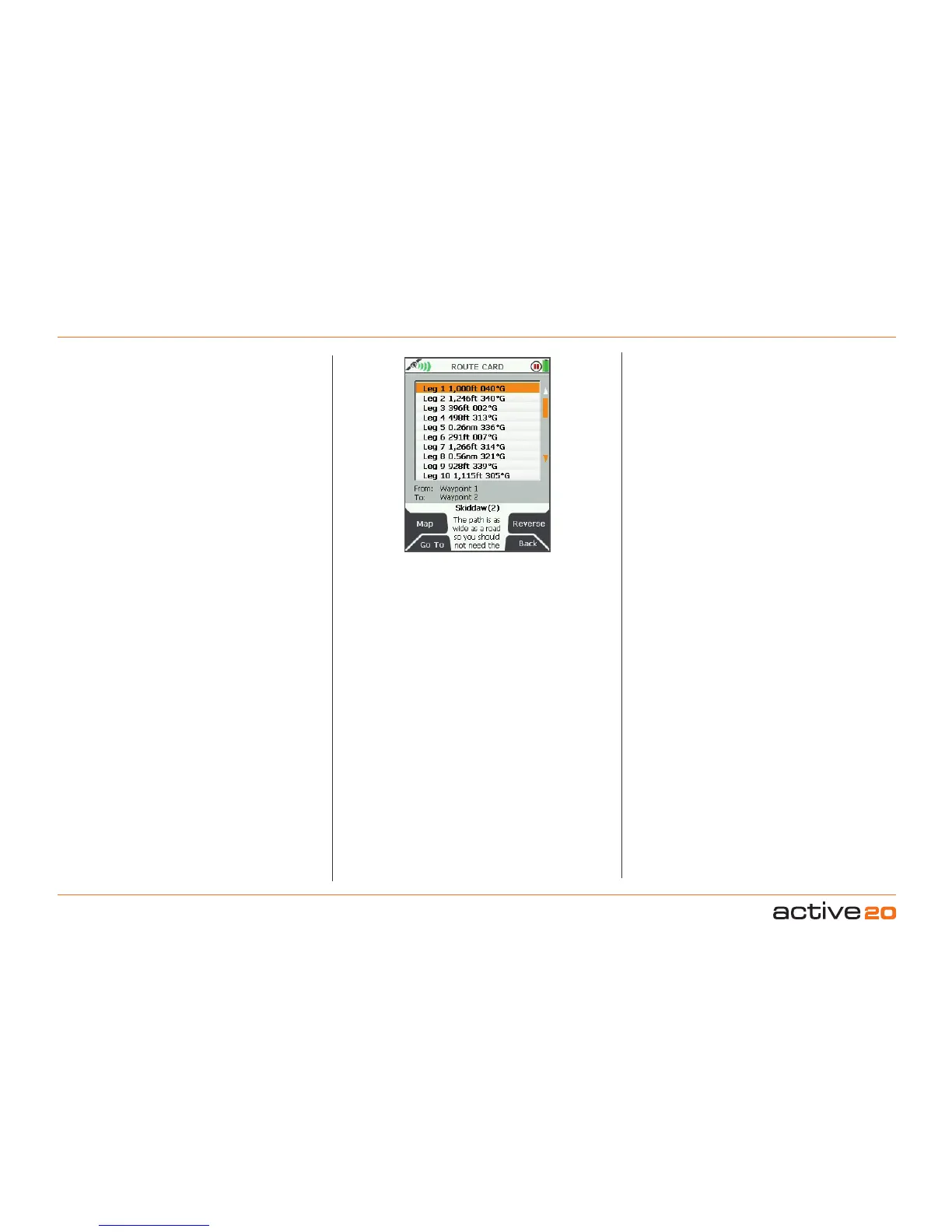
ROUTE CARD
screen
Accelerated scrolling: This is useful if you have a
long list of 'legs' and want to access a particular one.
Scroll through the list quickly by holding the rocker pad
up/down. Keep the rocker pad pressed up/down until
you reach the leg you are looking for.
7. MAINMENU:RoutesMenu(...cont)
7.18 ROUTECARDScreen
(GPS MAP → MAIN MENU → ROUTES MENU →
(folder/route) → View → Prole → Card)
The ROUTE CARD screen gives a list of 'legs'
(distance and bearing between 2 waypoints). At the
bottom of the screen you will see the start point and
end point of the highlighted leg. Below that is the
name and description of the route.
This screen is accessed from the ROUTE PLAN
screen.
Buttons:
Map
Go to ROUTEMAP screen
GoTo
Go to the start of the highlighted leg on the
PLANNING screen
Reverse
Reverse the sequence of waypoints
Back
Go to ROUTESMENU



 To Next Page