Software v3.0.11065
© Satmap Systems Ltd 2017
26
4.8 Screen8:SHAREDDATA(...cont)
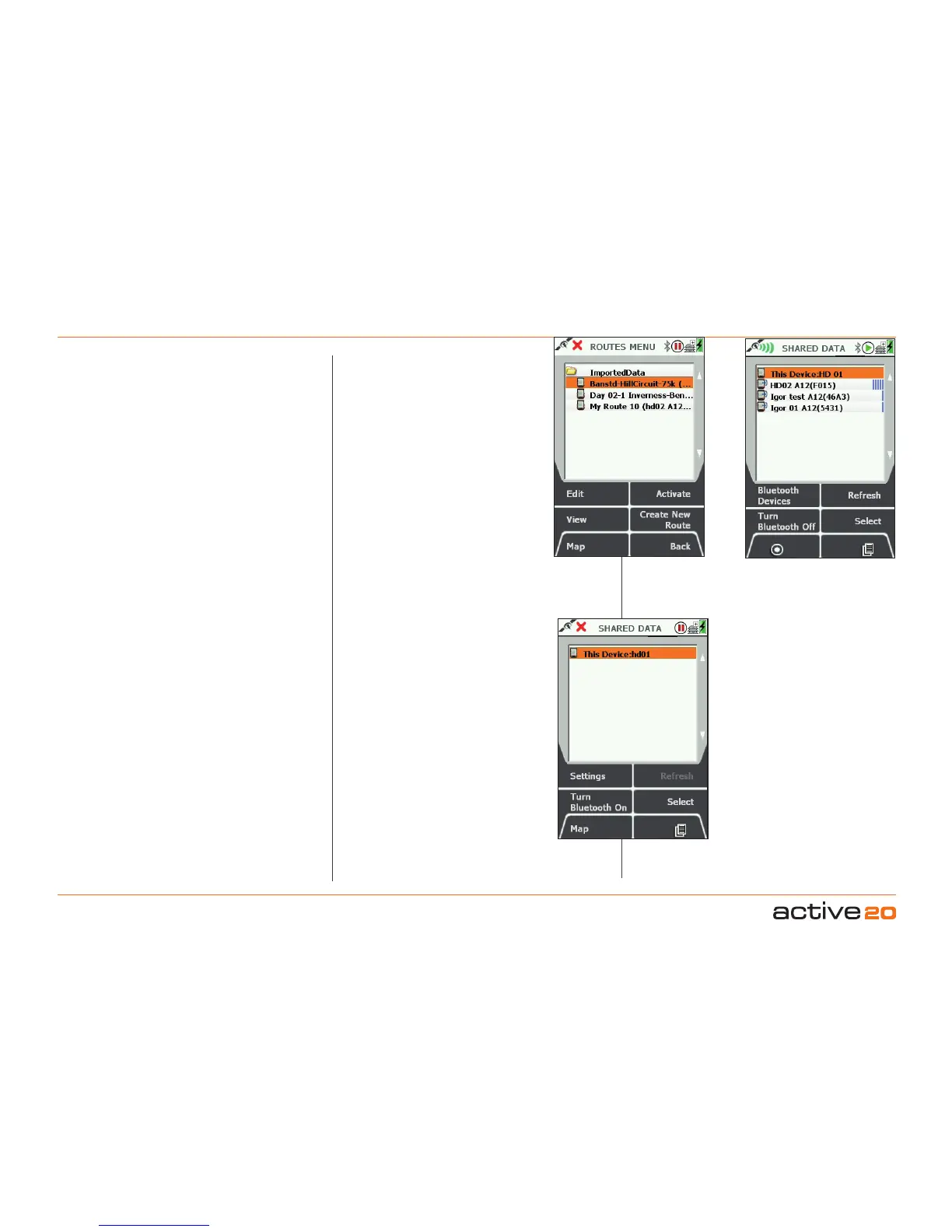
ImportedData.Once an item has been
fetched to your device, it will be placed in
the ImportedData folder on the Internal
memory. From here all the standard
ROUTES MENU functions are available.
The route that you have just imported
should be highlighted.
Shareable - by default. All imported
data is flagged as shareable by default. If
you wish to change this, Edit the route and
change the status to "NotShared"
SHAREDDATA-Otherbuttons:
Bluetooth Devices: this will hop to a
screen where all Bluetooth devices can
be observed - including Bluetooth Smart
Low Energy fitness sensors and other BT
devices generally.
Turn Bluetooth Off / On: When turned
Off - the BT icon will disappear from the
Status Bar and only the shareable data
on your own device can be inspected.
The SETTINGS button will hop to the
SETTINGS/Bluetooth screen.
Refresh: This button will rescan for nearby
Active 20's - and typically takes about 10
seconds. You may see the list move about
& reorder, depending on new devices in
range and signal strength.
Lists all nearby
Active 20's
Other Buttons
Bluetooth Off



 To Next Page