Software v3.0.11065
© Satmap Systems Ltd 2017
39
6. MAINMENU:SettingsMenu(...cont)
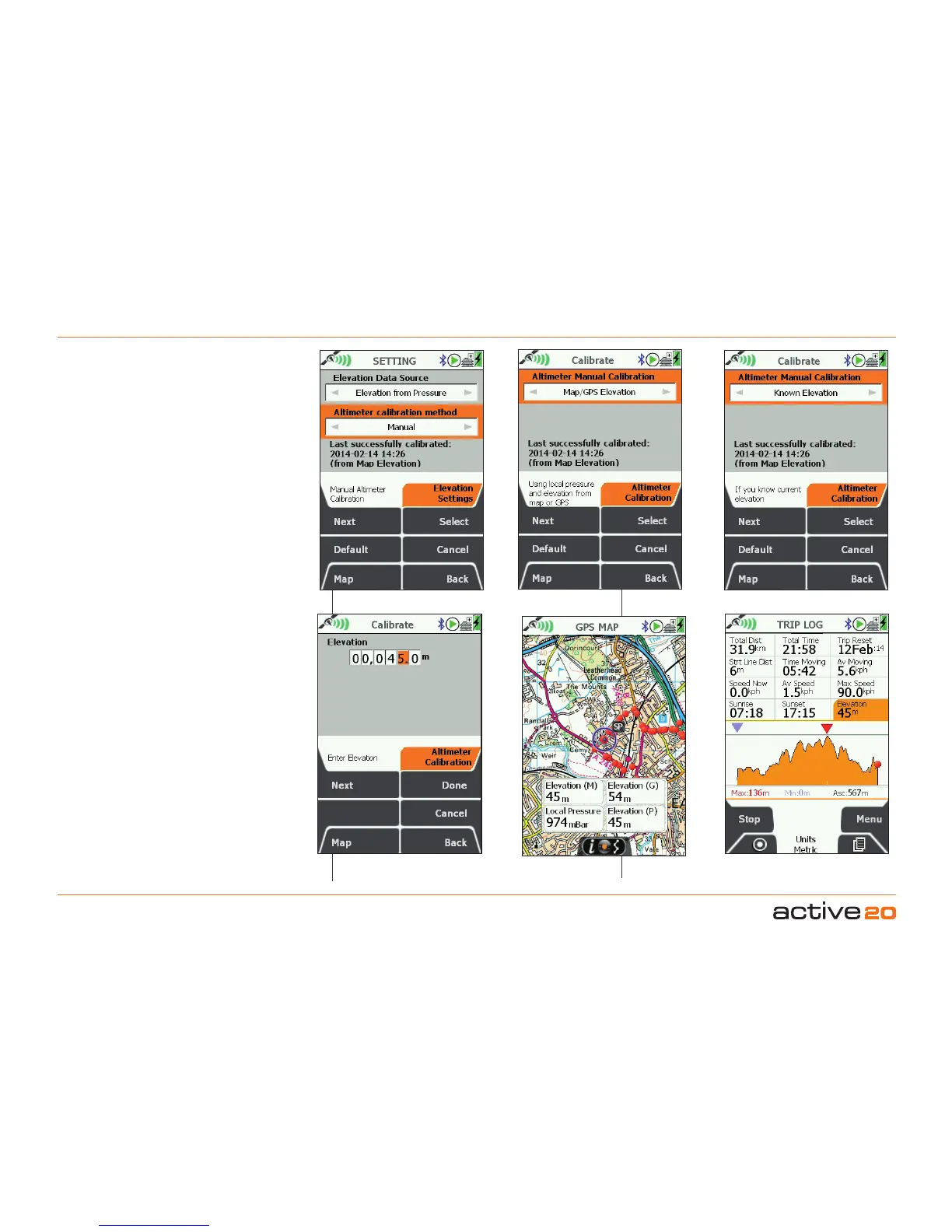
Method2:KnownElevation.This allows
you to enter you own known elevation for
a precise calibration. Typically you might
be at a Trig Point or a map location where
you are sure of the exact height. Use the
rocker pad to scroll through and set the
values.
Viewing Elevation Data.
On the GPS
MAP screen the DataBoxescan be used
to view your elevation data. It is even
possible to select all 3 types of elevation
data for comparison, however, only one
set of elevation data can be saved in the
TRIP LOG for display and upload.
2/4/6/8 Hour Intervals Manual: Using Map/GPS
Set Your Known Height
Precise Calibration: Known Elevation
Trip Elevation data
View your Elevation data



 To Next Page