USING THE
BALANCE
USING MORE CONVENIENTLY MAINTENANCE
TROUBLESHOOTING
FOR YOUR
INFORMATION
BEFORE
WEIGHING
21
Continued on next page
TXB Series
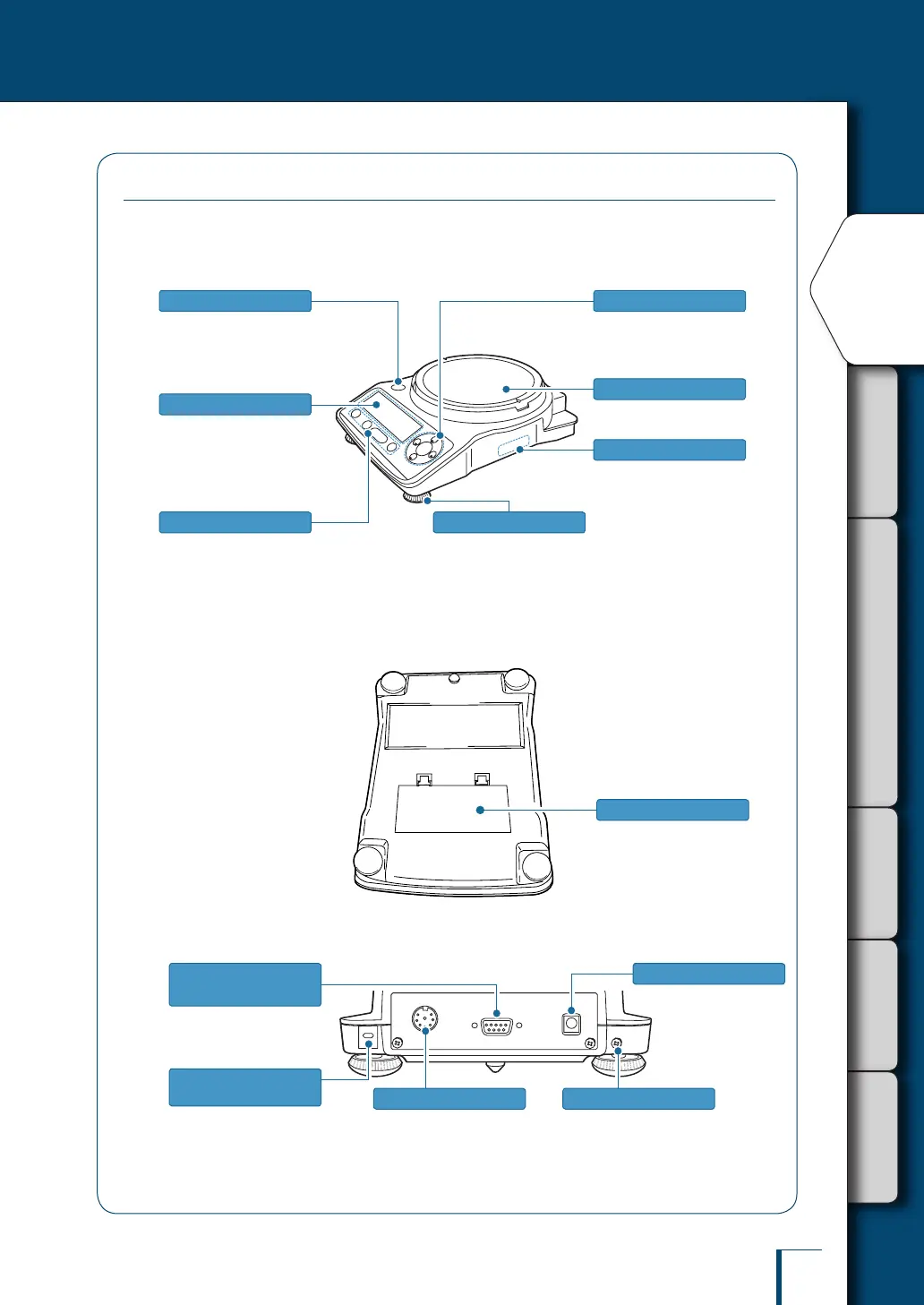
The TXB Series comprises load cell type toploading balances that can be powered by batteries
as well as AC power.
Main body
Adjust to level the balance.
(^ page 29)
Indicates the level of the
balance.
(^ page 29)
Level
Level screws
Used to tare the balance,
perform calibration and print.
(^ page 22)
Operation keys
Shows the weighing results,
information for making function
settings, the current function
setting, errors and other
information. (^ page 23)
Display panel
Used to specify function
settings and menu operations.
(^ page 22)
Menu operation keys
The model name and serial
number are stated here.
Product label
Place the object to be weighed
on here.
Pan
Underside of the unit
Six size AA alkaline batteries
(^ page 32)
Battery compartment
Back of the unit
This is a slot in which a lock can
be tted for anti-theft purposes.
The socket conforms to the
specications of the Kensington
company.
Used to connect to a printer
(EP-80, EP-90, etc.).
(^ page 124)
Kensington Security
Slot
DATA I/O connector Ground terminal
DC IN connector
Used to make a serial
connection to a PC or other
equipment.
RS-232C connector
(9-pin socket)
Connect this terminal to
ground if necessary.
To run the balance on
AC power, connect
the AC adapter here.



 To Next Page