BEFORE
WEIGHING
MAINTENANCE
TROUBLESHOOTING
FOR YOUR
INFORMATION
USING THE
BALANCE
USING MORE CONVENIENTLY
113
Continued on next page
Making the settings at the PC
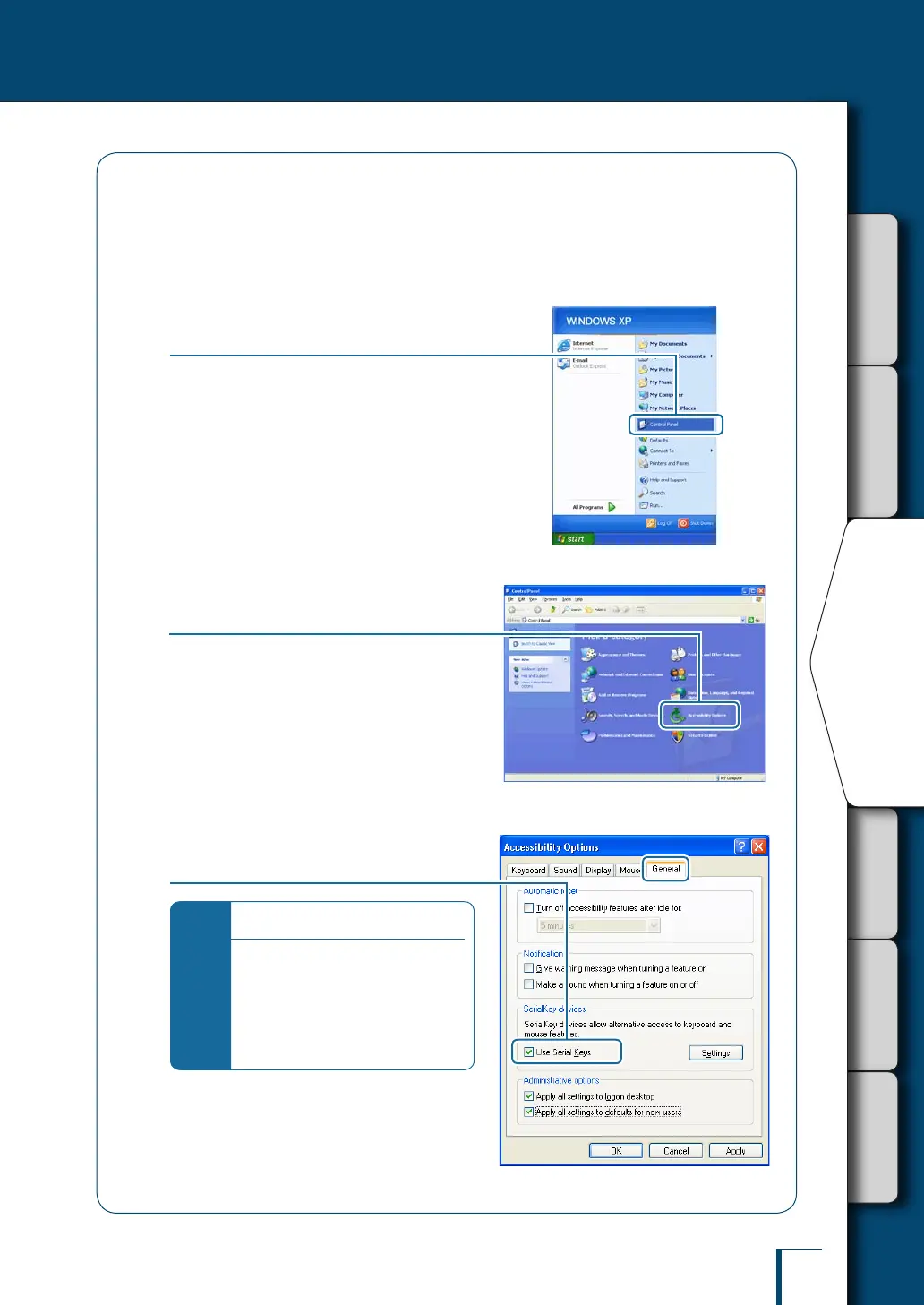
As an example, the settings made with Windows XP are explained here.
1
Turn on the power to the PC
2
Click [start] (→ [Settings]) →
[Control Panel].
3
Click [Accessibility Options] in the
Control Panel.
The [Accessibility Options] screen will be
displayed.
4
Enter a check mark at [Use Serial
Keys] under the [General] tab.
*
In addition…
If you nd [Administrative options]
under the [General] tab too, enter a
check mark here as well as at [Use
Serial Keys].
Remove all check marks from all
checkboxes under tabs other than
the [General] tab.



 To Next Page