USING THE
BALANCE
USING MORE CONVENIENTLY MAINTENANCE
TROUBLESHOOTING
FOR YOUR
INFORMATION
BEFORE
WEIGHING
31
Continued on next page
Turning the Power ON
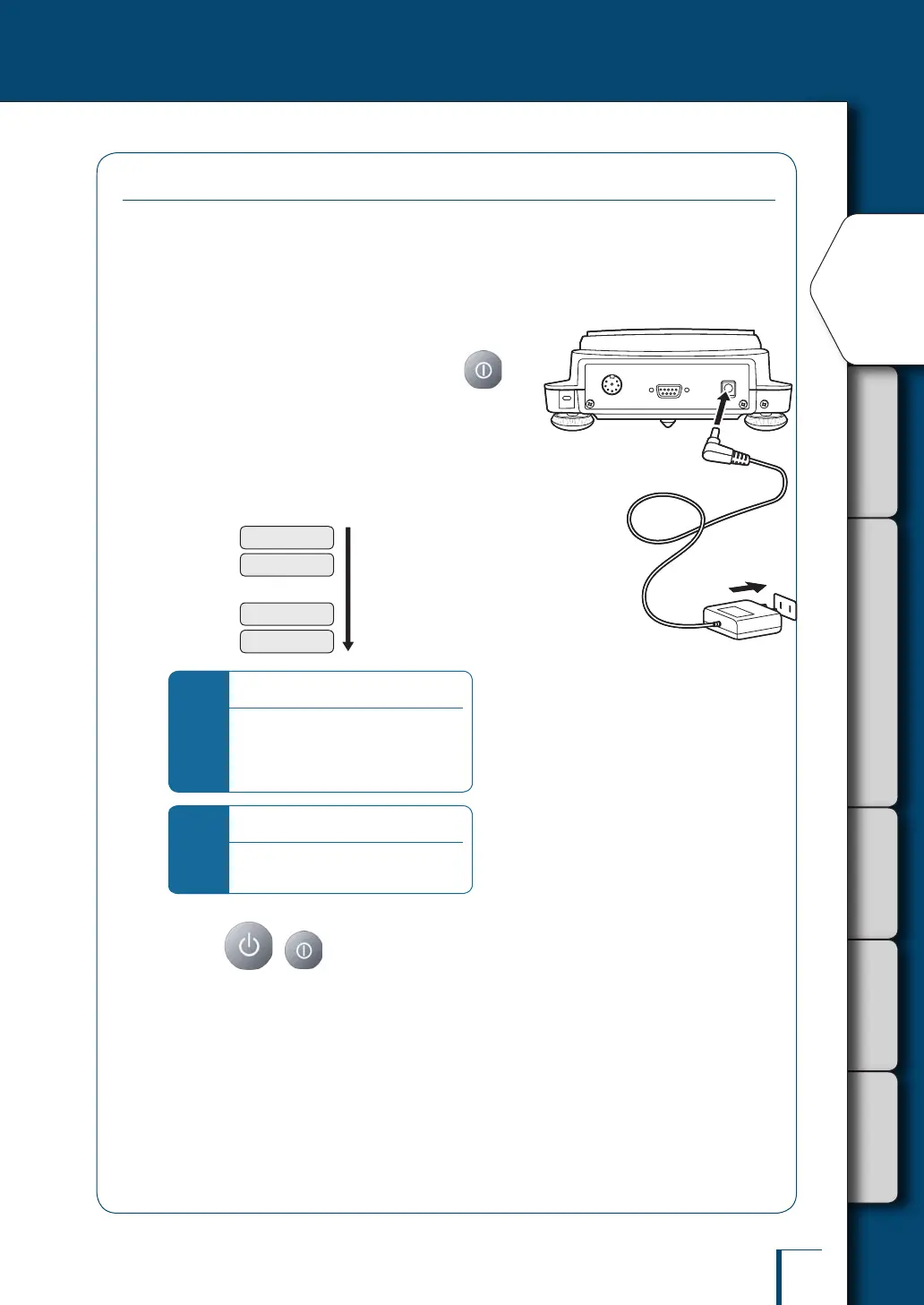
1
Insert the plug of the AC adapter into
the DC IN connector on the back of the
balance.
2
Connect the AC adapter to the power
outlet (with the TXB series, press ).
The display will automatically go through the changes
indicated below, ending with the OFF display.
The rst information displayed is the software version
number. Depending on the product, this may differ from the
example shown below.
(This is the balance's self check display.)
...
! !C!H!E! !3
! !C!H!E! !0
! !O!F!F! !
!2.0!0,0!0,0!0
*
For the TW series…
An operation check on the internal
weight mechanism is performed
automatically. During this check, a
small motor noise will be heard.
*
If "ERR H" is displayed…
See "Responding to Messages"
(^ page 137).
3
Press ( with the TXB series).
All segments will light up momentarily, then the gram display will be shown.



 To Next Page