142
13
FOR YOUR INFORMATION
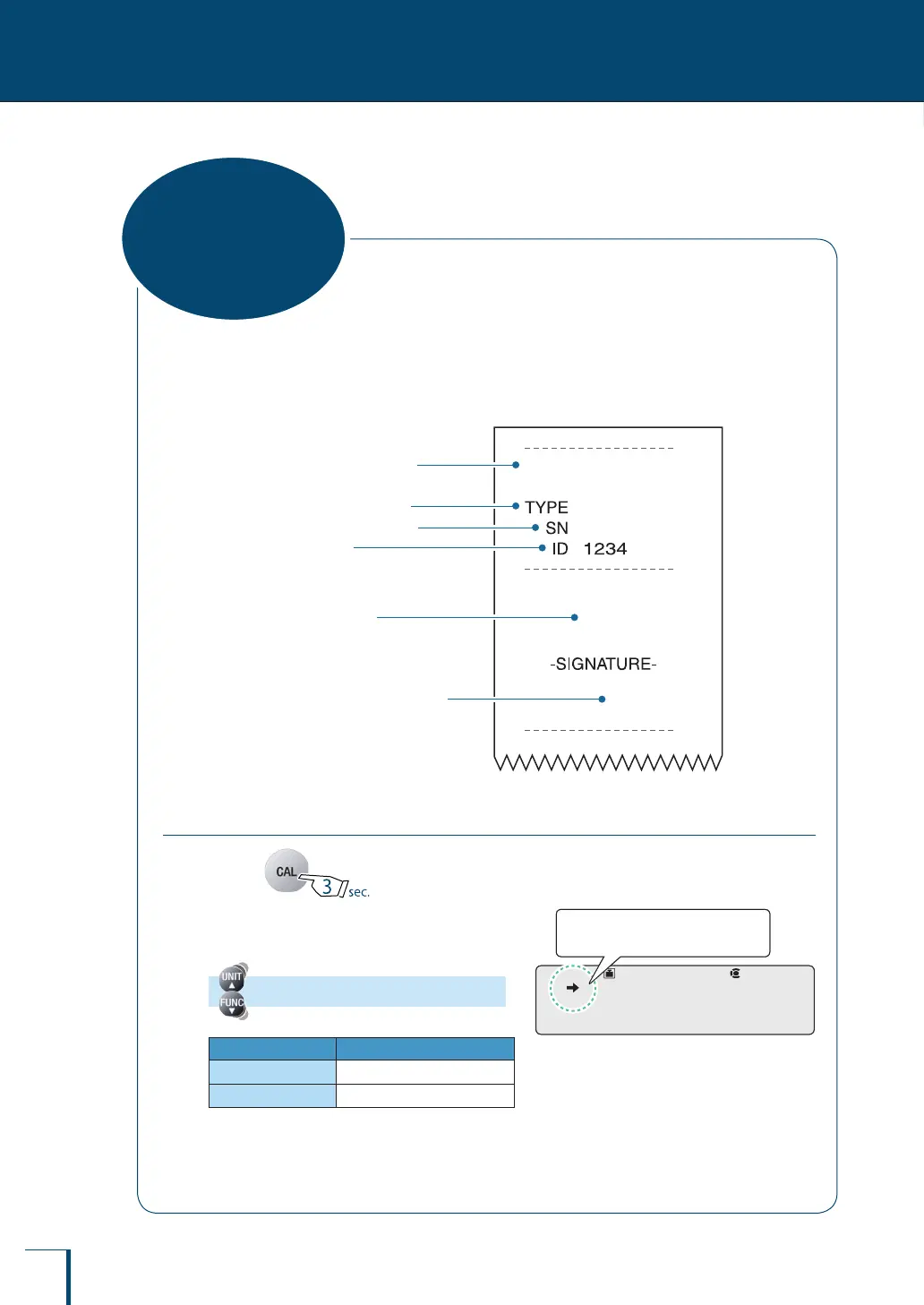
On turning the GLP output function ON, you can add the balance ID and other information to the
calibration record (^ page 67) and weight reading outputs.
Example printout from printer
(When the GLP output function is set to ON)
SHIMADZU CORP.
D
465412345
300.000
g
TX
323
L
Balance model name
Weight reading
The person who carried out
measurement signs here.
Name of manufacturer
Balance ID
Balance serial number
Setting the GLP Output Function
1
Press for about 3 seconds.
This opens the calibration menu.
2
Select the GLP output function.
[GLP.OUT]
Stability Mark GLP Output Function
Lit
ON
Unlit
OFF
!G!L!P.O!U!T
Check the presence or absence
of the stability mark.
!G!L!P.O!U!T
Check the presence or absence
of the stability mark.
GLP Output
Function



 To Next Page