124
10
CONNECTION AND COMMUNICATION WITH PERIPHERAL DEVICES
TW/TX/TXB series balances can be connected to the following electronic printers (available as options).
EP-80 electronic printer
EP-90 electronic printer
•
•
*
Outputting to a printer while
simultaneously using the WindowsDirect
communication function…
This is possible with the EP-80 and
EP-90 electronic printers. For details,
refer to the printer instruction manuals.
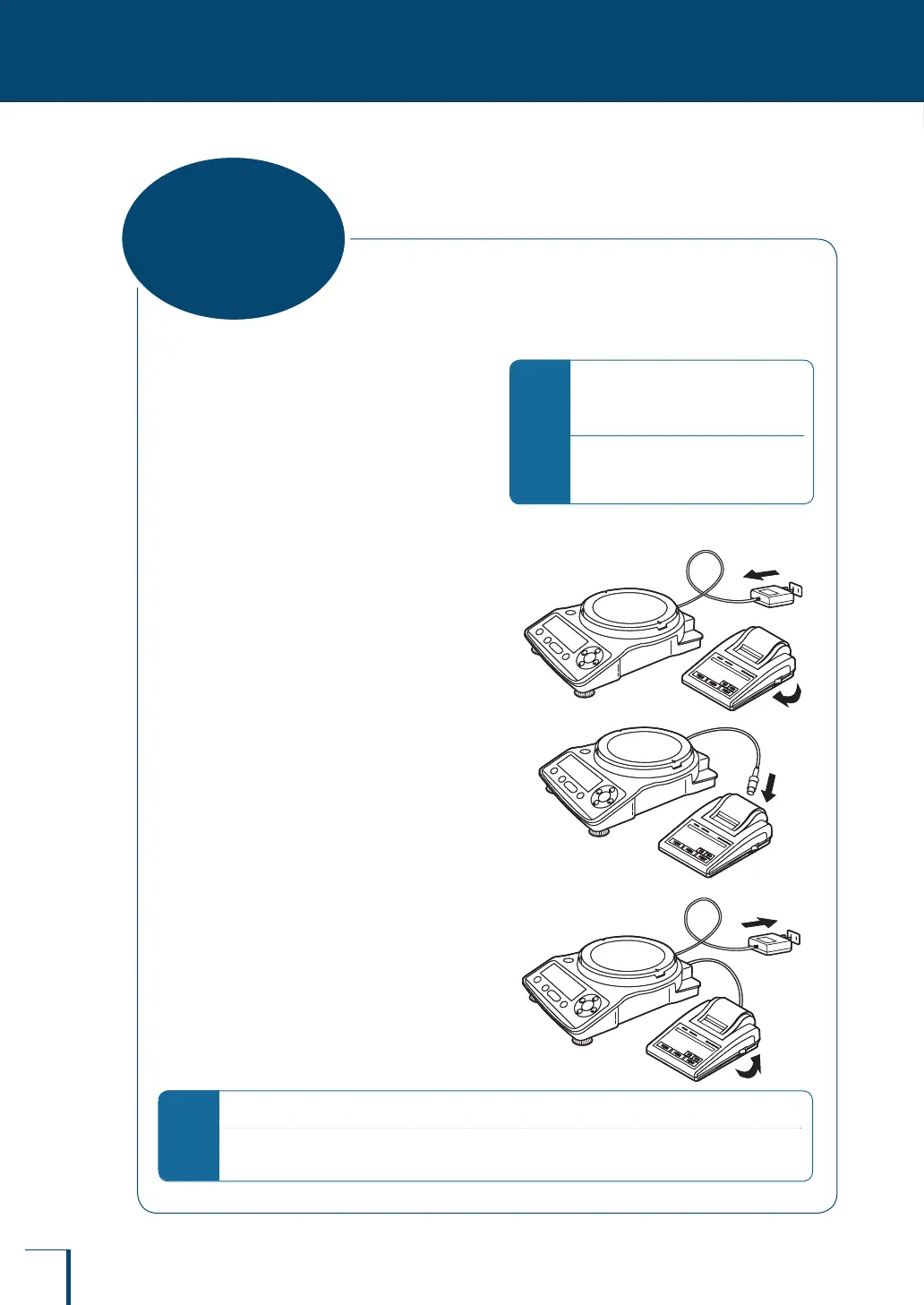
When using a printer, connect it to the balance by following the procedure below.
1
Turn off the power to the balance
and the printer.
2
Using the cable supplied as an
accessory with the printer,
securely connect the DATA I/O
connector at the balance and the
connector at the printer.
3
Turn on the power to the balance.
4
Turn on the power to the printer.
*
What to do if…
When turning the power off, turn off the power to the printer rst, then the power to the balance.
For more information on the printer, see the printer instruction manual.
Connecting
to a Printer



 To Next Page